
Higgsfield has shipped more in the last ninety days than most video tools ship in a year: a new Cinema Studio on a new model, a motion-transfer tool, a Claude skill that rebuilds an edit from one reference, a video upscaler, standalone relighting and grading, and plugins that put all of it inside DaVinci Resolve, Premiere Pro and After Effects. This review goes through that list with one question in mind: what each feature gives an editor, at what resolution, under what terms, and for how much.
Last updated: October 2026. Some links below are affiliate links. Buy through them and it helps keep the site running, at no extra cost to you. Features, prices and terms checked October 12, 2026, on higgsfield.ai, its help center and its changelog; the platform changes weekly, so read every spec as current at the time of writing.
TLDR
If you just want the answer: Higgsfield on the Plus plan ($47 a month billed annually, $59 monthly) is the one gen-AI subscription that works inside the NLE instead of in a browser tab. The DaVinci Resolve plugin is the reason an editor should care: seven tools in one panel (generate video and image, reframe, remove background, upscale to 4K or 8K, draw-to-edit, edit video) plus an AI LUT creator, with results landing in the Media Pool or on the timeline. Cinema Studio 4.0 on Seedance 2.5 generates 30-second clips with native audio from up to 50 references, Genjutsu transfers the motion of a reference clip onto your own characters and products at up to 1080p, and the FLUX 3 upscaler brings the output up to a resolution you can deliver. Two things to know before you subscribe: Higgsfield trains on what you upload and generate unless you are on a Team or Enterprise plan (terms dated July 26, 2026, quoted below), and the $19 Starter tier is not an editor’s plan. Signing up through our link also gives you a personal discount of up to 50%, active for three hours from the moment you log in.

What Higgsfield is in October 2026
One subscription, many models, and a growing set of tools built on top of them. The model menu on October 12 lists Seedance 2.5 and 2.0, Kling 3.0, Sora 2, Veo 3.1, Wan 2.6, Grok Imagine 1.5 and Gemini Omni Flash for video, and Nano Banana, FLUX 2, Seedream 5, GPT Image 2 and Ideogram 4.5 for images. Higgsfield does not make those models. What it makes is the layer on top: Cinema Studio (cinematography controls and reusable characters), Genjutsu and Katana (motion and edit transfer), Relight and Color Palette (lighting and grading passes), Layers (image decomposition), Upscale, a Marketing Studio for ads, an agent it calls Supercomputer, an MCP server for Claude and other agents, and the plugins for Resolve, Premiere, After Effects, Photoshop, Figma and Blender.
For an editor, that layer is the product. The character side of that layer, the rebuilt AI Influencer studio with Soul ID and Genjutsu behind it, has its own walkthrough in how to create an AI influencer with Higgsfield. The underlying models are available elsewhere, often cheaper per clip. What you cannot get elsewhere in one place is a reference-driven generator, a motion-transfer tool, an upscaler and a relighting pass that share one credit balance and one panel inside Resolve. The rest of this review goes through that layer feature by feature, then the tiers, then the terms.
Cinema Studio 4.0: 30 seconds, 50 references, native audio

Cinema Studio 4.0 shipped on August 12, 2026 and runs on Seedance 2.5. The clip length is the big change: up to 30 seconds in one generation, where most consumer generators still give you 5 to 10 seconds and make you extend. The second is the reference count: up to 50 uploaded images, videos and saved Soul Cast characters in one generation, so a character, a location and a prop can all be pinned instead of described. Audio (effects, speech, music) is generated in the same pass.
The Director’s Panel is organized the way a DP would organize it. Film Setup sets genre, era (60s through 2020s) and tempo, from Single Shot to Chaotic. Camera picks the body (35mm Film, 8mm Film and DV Camcorder among them), the lens (clean through anamorphic and vintage), the aperture and the move, including POV, Robot Arm and Helicopter Shot. Color Palette applies one of more than 50 grading templates; Lighting offers six presets or a custom rig with color, brightness, diffusion and angle. A character emotion slider controls how hard a performance reads.
Three video modes matter in post. References generates a new clip. Forward and Backward Extend takes an uploaded clip of up to 30 seconds and continues it in either direction, which fixes a take that ends two seconds early. Edit Video makes regional changes (an object, a face) without regenerating the whole shot. The output is a 1080p clip at the aspect ratio you set, 16:9 by default, with its audio. Higgsfield does not publish the frame rate or codec of the download, so inspect the file before import, the way our gen-AI survival guide describes, and conform it to the timeline yourself.
The downside is cost. The generate bar prices a default 5-second 1080p clip at 60 credits, and the Plus plan’s own card estimates about 80 Seedance 2.5 videos from its 1,200 monthly credits. A 30-second take with 50 references costs a lot more than one of those 80. Iterate in the cheaper Seedance 2.0 Fast model and spend the 4.0 credits on the take you keep.
Genjutsu: motion transfer with your own characters
Genjutsu arrived on September 1, 2026 and does two jobs. Motion transfer takes a reference video of 4 to 30 seconds, extracts its motion, and recasts it with up to 30 reference images of your characters, products or clothing. Objects swap replaces one element in a clip and leaves the rest alone. Output is selectable at 480p, 720p or 1080p; 720p is the default and is also what the Plus and Ultra plans’ three free Genjutsu generations run at.
For an editor this is a previs and pickup tool. It works when a client approves the blocking in a reference clip and you recast it with their product and their talent’s wardrobe before anyone books a stage. It does not work yet as a 1080p motion-transfer clip cut against 4K principal photography. Treat it like the 720p and 1080p rows in the survival guide’s spec sheet: it goes through the upscaler below before it sits on a 4K timeline.
Katana: an edit rebuilt from one reference, through Claude

Katana is the newest piece, dated October 8, 2026, and it runs as a Claude skill rather than a web tool. You upload a reference edit (a 3 to 30 second video) and up to five images of your characters or product, pick a preset style (Aura Farming, Motion or Clipping), and Claude, connected to Higgsfield over MCP, regenerates the edit with your material. Community presets can be published and reused. The page credits “Claude Motion” as the engine.

The output is a finished short-form edit with no timeline export, so for client social work it has the same limits as the burned-in MP4 tools in our clipping-tools review: fine for a first look, and a re-render for every note. Note also that anything run through MCP deducts credits even on models your plan lists as Unlimited; the help center says so twice.
FLUX 3 Video Upscaler, Relight and Color Palette
The FLUX 3 Video Upscaler (August 27, 2026) is what makes the rest usable on a real delivery. It raises resolution “while keeping motion smooth and audio in sync,” in two modes: Precise, which adds no new detail, and Creative, which reworks detail and takes an optional guidance prompt. Use Precise on footage that has to match a plate and Creative on a 720p Genjutsu clip that needs to look shot. Inside the Resolve and Premiere plugins the same tool is labelled Upscale and promises “up to 4K or 8K with real detail recovery.” Higgsfield does not list the web tool’s output caps on a logged-out page, so verify the ceiling on your own account before you promise a client 4K.
Relight and Color Palette were split out of Cinema Studio as standalone video tools on August 21, 2026. Relight ships seven presets (Silhouette, Practicals, Window, Overhead Fall, Contre-jour, Soft Cross and Auto) and a custom mode; Color Palette applies named grades (Film Colors, Black Gloss, Nostalgic Blue among them) or a custom one. Both are useful on generated material. Keep them off principal photography, where a relight is a VFX task with a paper trail and a grade belongs in the color page. Higgsfield’s own Resolve plugin works that way: its AI LUT creator builds a LUT from a reference frame and passes it to the color page instead of baking it into the clip.
The plugins: Higgsfield inside Resolve, Premiere and After Effects
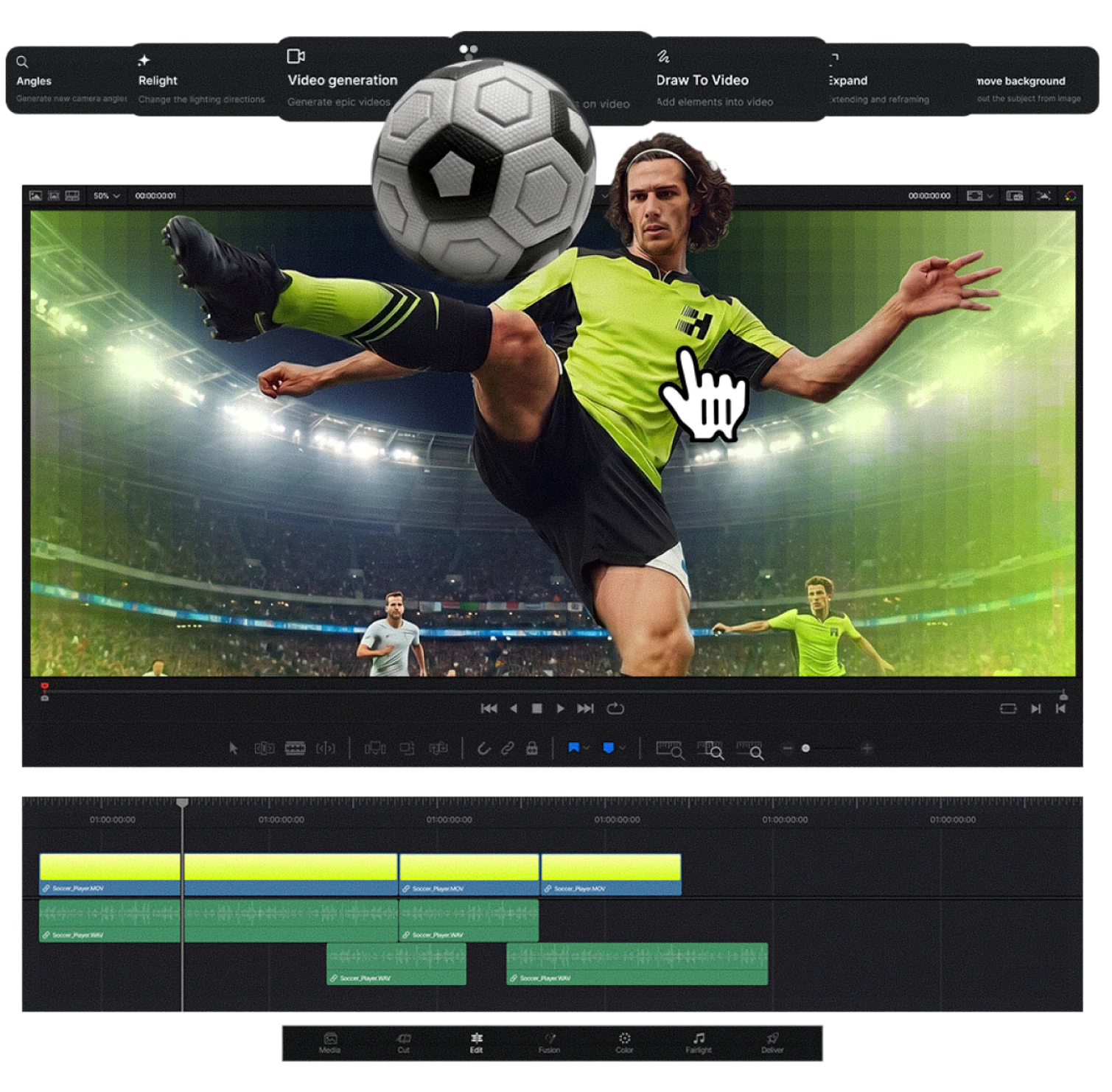
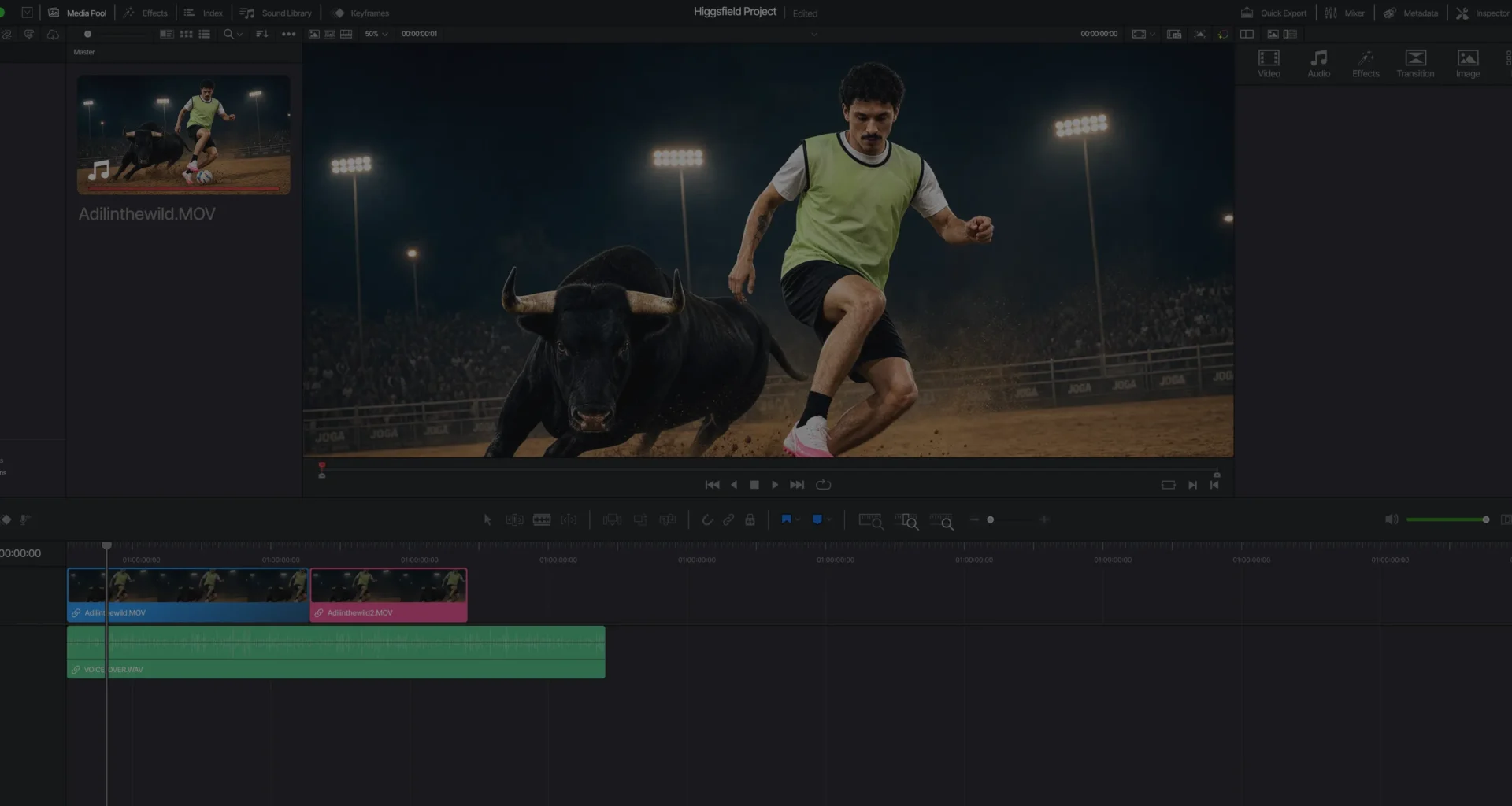
The DaVinci Resolve plugin (changelog June 7, 2026, still the current build) is one installer that drops seven tools into one panel: Generate Video, Generate Image, Reframe, Remove Background, Upscale, Draw to edit and Edit Video, plus the AI LUT creator. Reframe crops to 9:16, 16:9, 4:3, 3:4, 21:9 or 1:1 with subject tracking. Remove Background pulls a key without a green screen. Results import straight to the Media Pool or the timeline. It needs Resolve 19 or newer on macOS or Windows, it does not work with the Mac App Store build of Resolve (install the one from blackmagicdesign.com), and it needs an internet connection because inference runs on Higgsfield’s servers. The panel lives under Workspace, in Workflow Integrations.
The Adobe side is the same tool set, minus the LUT creator on the page we read, for Premiere Pro 2025 and newer or After Effects 2025 and newer, one installer for both. After Effects also gets a separate set of motion presets and an AI Motion Designer path through the ChatGPT and Claude integrations, which matters more for motion graphics than for editing.


The plugins close the loop this whole category was missing. A background removed in the panel becomes a clip with alpha on your timeline instead of a download in a folder. A 1080p generation upscaled in the panel lands in the bin at the resolution you asked for. The trade is that every plugin generation costs credits (Unlimited models apply only on the website), and the plugin does not change what the models produce; a Seedance clip is still a Seedance clip, with the same gamma-tag and frame-rate problems the survival guide describes. If you own DaVinci Resolve Studio, there is a second path: a Claude or Codex skill in the MCP Production bundle (September 23, 2026) that grades footage in Resolve Studio from your references, balances exposure and white balance, protects skin tones and builds an editable node tree while keeping your original grade as a separate version. An agent is driving your machine, so look at the nodes before you trust the export.
Higgsfield pricing: the tiers side by side
| Plan | Annual / monthly | Credits per month | What the card says you get | Who it is for |
|---|---|---|---|---|
| Free | $0 | 0 | Visible Higgsfield watermark on every generation, embedded at generation time | Trying the interface; never a deliverable |
| Starter | $19 / $19 | 270 | Seedance 2.0 Fast and Mini only, selected models, two parallel videos, no Unlimited models, no Genjutsu free generations | Not for editors |
| Plus | $47 / $59 | 1,200 (about 80 Seedance 2.5 clips) | All models and features, all Seedance models, unlimited paid parallel generations, 7-day Unlimited on Kling 3.0 and Nano Banana 2, three Genjutsu generations at 720p | The editor’s plan |
| Ultra | $99 / $129 | 3,000 (about 200 Seedance 2.5 clips), slider to 9,000 | Plus everything above, 7-day Unlimited on Nano Banana Pro at 2K and 4K | Volume Cinema Studio work |
| Team | From $65 per seat | 1,000 per seat, pooled, 2 to 15 seats | Shared workspace, 16 parallel videos, priority queue, SSO, admin spend control, indemnification, “No training on your data” | Any shop handling client material |
Three rules from the help center that the cards leave out. Subscription credits reset every cycle and do not roll over (annual plans reset every 30 days, not on the calendar date). Credit packs and auto-refill credits expire 90 days after purchase. Unlimited models run in the standard queue and credit generations in the priority queue, and Higgsfield says in its own footnote that Unlimited “may be subject to dynamic speed adjustments during high-traffic periods.” Budget on the credits and treat Unlimited as a bonus. The plan-by-plan breakdown, the free tier, refunds and the promo-code question are on our Higgsfield pricing page. Our link also carries a personal discount of up to 50% on any plan, valid for three hours after you first log in, so pick the tier before you sign up.
Side by side: what each tool exports
| Tool | Input | Output | Lands where | Dated |
|---|---|---|---|---|
| Cinema Studio 4.0 | Prompt, up to 50 references, or an uploaded clip of up to 30 s to extend or edit | Up to 30 s, 1080p native, native audio, aspect ratio selectable | Browser download; Resolve or Premiere bin through the plugin | Aug 12, 2026 |
| Genjutsu | Reference video 4 to 30 s plus up to 30 images | 480p, 720p or 1080p | Browser download | Sep 1, 2026 |
| Katana | Reference edit 3 to 30 s plus up to 5 images | A finished short-form edit | Claude chat, via MCP | Oct 8, 2026 |
| FLUX 3 Video Upscaler | Any video | Higher resolution, Precise or Creative; plugin version up to 4K or 8K | Browser download; Resolve or Premiere bin through the plugin | Aug 27, 2026 |
| Relight / Color Palette | Any video | Relit or graded clip, preset or custom | Browser download | Aug 21, 2026 |
| Resolve plugin | A clip or reference in the panel | Generated, reframed, keyed, upscaled or edited clip; a LUT from the AI LUT creator | Media Pool or timeline | Jun 7, 2026 |
| Premiere / After Effects plugin | A clip or reference in the panel | Generated, reframed, keyed, upscaled or edited clip | Project panel | Current Oct 12, 2026 |
Frame rate and codec are absent from that table because Higgsfield does not publish them. Every consumer generator in our survival guide delivers an 8-bit H.264 MP4 with unreliable color tags; assume the same here until a file proves otherwise, transcode once to an intermediate, and fix the gamma tag at that step.
The terms: who owns the footage, and who trains on it
Terms of Use read October 12, 2026; the page is dated “Last updated: July 26, 2026” and took effect for existing accounts on August 27, 2026. Section 4.4 gives you the ownership:
“Company does not claim ownership of any of your Inputs or Outputs, nor does it restrict your commercial use of Outputs. Your rights in Outputs you have generated and exported survive cancellation of your subscription or deletion or termination of your Account, and you may transfer or sublicense your rights in Outputs to your clients or other third parties.”
The same section gives Higgsfield the training licence:
“You acknowledge and agree that Your Content, Inputs, and Outputs may be used by Company to train, develop, enhance, evolve, and improve its (and its affiliates’) AI models, algorithms, and related technology, products and services. Different terms apply to enterprise and business customers who use the Service under an Enterprise Agreement; under those agreements, Company does not use the customer’s content to train or improve its AI models, and that content is handled as confidential.”
The same section adds that you “can stop this going forward by deleting Your Content or your Account.” Taken together, commercial use is unrestricted on every tier including Free, no attribution is required, rights survive cancellation, and you can sublicense the client. In exchange, on Starter, Plus and Ultra, whatever you upload (a client’s reference frames, their talent’s face, their unreleased product) and whatever you generate is training data until you delete it, and deletion does not pull it out of models already trained. The Team and Enterprise tiers carry “No training on your data” on the pricing card and the carve-out in the clause above. The marketing clause is narrower than it was in July: Higgsfield may only feature content you made public or that you consented to, and it says in writing that it will not use “private content you create for or on behalf of a client” in its marketing. Section 5.3 puts the release burden on you for any face or voice you upload. Section 6.4 reserves the right to embed C2PA-style provenance markers in outputs, which a paid plan does not remove (the visible watermark on Free is a different thing, and any paid plan removes that).
For a post house the rule is simple: client material goes through a Team seat or it does not go up at all. The line to paste into the client agreement is the Section 4.4 ownership sentence above. Indemnification against third-party IP claims is Enterprise only.
Who it is for, and who should skip it
Buy Plus if you cut in Resolve or Premiere and want generated B-roll, keys, reframes and upscales to land in the bin instead of a Downloads folder, or if you build previs and pitch material and need the same character, location and product pinned across shots. The Resolve plugin and Cinema Studio 4.0 are each worth the $47 on their own for that job.
Skip it, or wait, if your work is principal photography with a locked look (none of these tools belongs on a graded plate); if you need a frame rate and a codec in writing before a file enters the pipeline (Higgsfield publishes neither); if you deliver 4K and cannot verify the upscaler’s ceiling on your account first; or if client material cannot be training data, in which case the only answer below Enterprise is a Team seat at $65 and up. Two operational notes: the refund window is seven days from the first purchase, only if no credits were used, minus a fee of up to six percent, and Higgsfield’s own card warns that Unlimited queues slow under load, so a deadline job runs on credits.
If what you want is one subscription that covers many models and the plugin does not matter to you, our post on where Sora users went compares Higgsfield with Flora, Runway, Kling, Veo and Luma on exactly that basis, and the cleanest data terms in that group are not Higgsfield’s.
FAQ
Is Higgsfield worth it for a video editor?
On the Plus plan, yes, if you use Resolve 19 or newer or Premiere Pro 2025 or newer, because the plugin puts generation, keying, reframing and upscaling inside the NLE. On Starter, no: it locks you to the fast Seedance models and selected features.
How much does Higgsfield cost in October 2026?
Starter is $19 a month, Plus is $47 a month billed annually or $59 monthly, Ultra is $99 billed annually or $129 monthly, and Team starts at $65 per seat per month billed annually. Prices read on the pricing page on October 12, 2026 and exclude tax.
Does Higgsfield watermark videos?
Free accounts get a visible watermark on every generation, embedded at generation time; it does not come off later. Any paid plan generates without the visible mark. Invisible provenance metadata may be present on any plan.
Can I use Higgsfield output commercially?
Yes, on every tier, per Section 4.4 of the Terms of Use dated July 26, 2026, with no attribution requirement and rights that survive cancellation. The trade is the training licence on the same section, which only the Team and Enterprise tiers switch off.
Does the Resolve plugin work with the free version of DaVinci Resolve?
The plugin page requires Resolve 19 or newer and says nothing about Studio, so the free build qualifies as long as it is the download from Blackmagic’s site rather than the Mac App Store version, which the page says is not compatible. The separate MCP color-grading skill is the one that names Resolve Studio.
What frame rate does Higgsfield export?
Higgsfield does not publish it, and it can differ by model. Inspect the file, transcode to an intermediate, and conform deliberately; the survival guide linked above has the per-generator cadence table and the gamma-tag fix.
Higgsfield vs Runway: which one for an editor?
Runway is the better single platform for an editor: ProRes 4444 export on its Pro plan and up, Aleph for video-to-video on footage you already have, from $12 a month, and it trains on your content with no opt-out. Higgsfield is the broader one: many third-party models under one subscription, Cinema Studio’s 30-second references-driven takes, and the only plugin that puts generation, keying, reframing and upscaling inside Resolve and Premiere. Pick Runway for a clean intermediate out of one model; pick Higgsfield Plus for the round trip into the NLE and the model choice. The two are compared on terms in our post on where Sora users went.
Higgsfield vs Kling: is it worth paying for the layer?
Kling 3.0 direct is the cheapest per clip, from about $7 a month, 4K on the 3.0 model, commercial use for paid members, a watermark on free. Higgsfield fronts Kling 3.0 itself (7-day Unlimited on Plus and Ultra) and adds what Kling alone does not have: Soul ID and Elements for a consistent character, Genjutsu motion transfer, the Director’s Panel, and the Resolve and Premiere plugins. If the job is one model and raw clip count, Kling direct is cheaper; if the job is a character or a pipeline, the layer is what you are paying for.
In conclusion
Ninety days ago Higgsfield was one of several subscriptions selling access to the same models. The Resolve and Premiere plugins, Cinema Studio 4.0’s 30-second references-driven takes, Genjutsu’s motion transfer and a real upscaler have made it the first of them that works like a post tool. The verdict is Plus at $47 a month for any editor already in Resolve or Premiere, Team for anyone whose uploads belong to a client, and nothing below Plus. Sign up through the link and the up-to-50% personal discount is live for three hours from your first login. Read the terms section before you upload a client’s first frame. We will re-read the pricing, the features and the terms in January 2027 and update this page.