


A photo-editing monitor has one job the video-editing monitor next to it does not: show a color that will exist on paper. That takes Adobe RGB coverage, which most 27-inch 4K monitors skip because video and the web run on DCI-P3. Four of the six picks below claim 99% Adobe RGB, and the two that do not are here for designers whose work never leaves a screen.
The six picks run from $419.71 to $1,837.00, and the under-$500 tier after them goes down to $269.62. At the top of that range you are paying for hardware calibration, uniformity compensation and a five-year warranty, which is what a retoucher who proofs for print is shopping for. A designer shipping to a website and a phone screen can stop far sooner, because a $419.71 panel with a factory report and a $249.02 colorimeter make a color-managed desk for under $700.
The picks are sorted by what each monitor is for: print proofing, design on a docked laptop, a Mac desk, a tight budget. QD-OLED, which two of the big review sites currently put on top, is left out. The OLED section explains why.
Some links below are affiliate links. Buy through them and it helps keep the site running, at no extra cost to you. Three of the six picks link to Best Buy or Adorama instead of Amazon.
TLDR
The BenQ SW272U at $1,499.99 is the best monitor for photo editing. Its 27-inch 4K panel covers 99% of Adobe RGB and 99% of DCI-P3, so one screen handles print and web. It calibrates in hardware through a 16-bit 3D LUT, has uniformity compensation, and comes with a shading hood in the box. The value pick is the ASUS ProArt PA279CRV at $419.71. It makes the same 99% Adobe RGB and 99% DCI-P3 claims and ships with a Calman Verified report, but it gives up the hardware calibration and the hood. With no print work and under $500 to spend, the LG 27UP850K-W at $349.99 keeps 4K and USB-C. Under $300, buy the ASUS ProArt PA278CV at $269.62. Print pros should go to the Eizo and Mac users to the Studio Display, and everyone should add a colorimeter.
Our best monitor for video editing guide is the twin of this one, sorted for timeline work and Rec.709 delivery, and it is the right place to be if your output is video.
The picks
Best overall: BenQ SW272U
Hardware calibration is the reason the SW272U sits at the top. The monitor stores its correction in a 16-bit 3D LUT of its own, written by Palette Master Ultimate and a colorimeter, so the calibration holds on any computer plugged into it. The 27-inch 4K IPS panel covers 99% of Adobe RGB, 99% of DCI-P3 and Display P3, and 100% of sRGB. That lets print proofing and web output share one screen. BenQ also lists uniformity compensation and puts the shading hood in the box.
The panel is nano matte with TUV anti-reflection certification, which is the right finish for retouching because a glossy screen puts the room into the shadows you are judging. What you accept at $1,499.99 is a 60Hz panel with USB-C at 90 watts and no Thunderbolt or KVM. If you do not need 4K, the BenQ SW272QN at $799.99 saves $700. You keep the 99% Adobe RGB, the hardware calibration, the uniformity control and the hood. The panel drops to 2560 by 1440 and gains a card reader.

Best 4K all-rounder for design: BenQ PD2732U
The PD2732U is BenQ’s 2026 design monitor, and it suits a designer who moves between Illustrator, a browser and a video timeline on one docked laptop. The reason is the Thunderbolt 4 input, which carries 90 watts and comes with a built-in KVM. The 27-inch 4K panel claims 99% Adobe RGB and 99% Display P3. BenQ also claims a factory Delta E of 2 or under and ships a full-panel uniformity calibration. That port list is what separates it from the photo-first SW272U.
What it gives up is the LUT. BenQ lists no hardware calibration for it, so the PD2732U is profiled the ordinary way, with an ICC profile that lives on one computer, and there is no hood in the box. The $699.99 price is well under the summer preorder price, so check it again before checkout. If you can live without Thunderbolt, the PA279CRV below makes the same gamut claims for $280 less.

Best hub monitor: Dell UltraSharp U2725QE
140 watts over Thunderbolt 4 is the number here, the wattage that keeps a 16-inch MacBook Pro charging through a day of Lightroom. Which app fills that day is a separate purchase; the Capture One vs Lightroom comparison settles it on tethering and three-year cost rather than taste. The U2725QE is the pick for a laptop desk because there is a dock behind the panel: HDMI 2.1, two DisplayPorts, 2.5-gigabit Ethernet and eight USB ports. The panel is a 27-inch 4K IPS Black at 120Hz with a 3000:1 contrast ratio. DCI-P3 coverage is 99%, and a factory calibration report comes in the box. Best Buy sells it for $624.99.
Dell makes no Adobe RGB claim for this panel, and neither hardware calibration nor uniformity compensation is on the spec sheet. That rules it out for print proofing and keeps it here for the designer whose deliverables are screens, where a P3 panel with a report is the correct tool and the dock replaces a $300 accessory. If you do not need the dock, the PA279CRV below costs $205 less and adds the Adobe RGB coverage this one lacks.

Best for print: Eizo ColorEdge CS2740
The ColorEdge CS2740 is the monitor for a retoucher whose work ends on paper, and the case for it is a long warranty on a 99% Adobe RGB panel. The 26.9-inch 4K IPS has a 16-bit LUT and calibrates in hardware through Eizo’s ColorNavigator 7. A Digital Uniformity Equalizer corrects brightness and color across the panel. Eizo covers it for five years or 30,000 hours, which nothing else here matches, and ColorEdge is the line print shops and photo labs standardize on. The printer that sits next to it is its own purchase, sorted by print size and cost per print in the best printer for photographers guide. Adorama sells it for $1,837.00.
The spec sheet is older than the price suggests, because the CS2740 dates from 2020. Brightness is 350 nits with a 1000:1 contrast ratio, and the USB-C port delivers 60 watts. Eizo publishes no DCI-P3 figure for it. There is no built-in sensor either, so Eizo’s EX4 or EX5 colorimeter is a separate purchase. None of that matters to the print retoucher it is built for, but all of it matters to a designer who also cuts video. If the warranty and ColorNavigator are not what you are paying for, the SW272U gets you 99% Adobe RGB with hardware calibration and uniformity compensation for $337 less, and it has a hood in the box.
Best for Mac users: Apple Studio Display
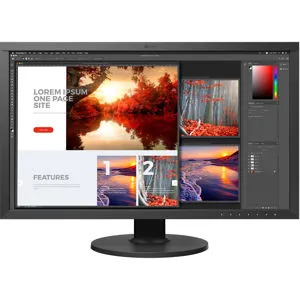
The Studio Display is the monitor for a Mac because of its pixel density. Its 27-inch 5K panel is 5120 by 2880, or 218 pixels per inch. That density is what macOS was drawn for, so it renders without fractional scaling. The panel covers P3, runs at 600 nits and ships calibrated to Apple’s reference modes. Best Buy has it at $1,599.99.
Print is where it falls short. Apple makes no Adobe RGB claim, so it is not a print-proofing monitor, and there is no hardware calibration path either. A colorimeter profiles it at the operating-system level, and that is the ceiling. The standard glass is glossy, and the nano-texture option a retoucher wants costs more. The SW272U costs $100 less, so choosing the Apple means trading a hood, a LUT and Adobe RGB for 5K and a camera. To get 5K for less, look at the BenQ PD2730S at $1,099.99. You get the same 218 ppi with Thunderbolt 4, a KVM and 98% DCI-P3, and again no Adobe RGB claim. The full case for it is in our Mac mini monitor guide linked below.
Best value color-managed 4K: ASUS ProArt PA279CRV
The PA279CRV is the cheapest way to a 99% Adobe RGB panel, and at $419.71 that is the whole case for it. The 27-inch 4K IPS makes the same 99% Adobe RGB and 99% DCI-P3 claims as the BenQ monitors. ASUS has it Calman Verified at the factory, with a report in the box and a claimed Delta E under 2, and gives it a USB-C input at 96 watts and DisplayPort daisy chaining. Adorama has it at $434.99. Best Buy carries only the older PA279CV.
The SW272U costs $1,080 more, and what that money adds is hardware calibration, uniformity compensation on the spec sheet and a hood. Without them, the correction lives in an ICC profile on the computer and the corners of the panel are whatever they are. For a student or a designer with a hard budget ceiling, none of that justifies the gap. Go below this price and the Adobe RGB claim disappears, because the cheaper panels are sRGB and P3 monitors, which makes this the floor of the color-managed picks. The under-$500 tier further down covers what the money gets you past it.

The one accessory: a colorimeter
Every monitor here needs a colorimeter, including the two with hardware calibration, because a factory report describes the panel on the day it left the line and backlights drift from there. The Calibrite Display Pro HL at $249.02 drives Palette Master Ultimate on the BenQ SW line and ColorNavigator on the Eizo, and writes ICC profiles for the Dell, the ASUS and the Studio Display. Budget it with the monitor and run it monthly. Our best monitor calibrator guide covers the cheaper Display 123 for a single-panel desk and the Datacolor Spyder for a laptop screen that has to match an external monitor.
Under $500: what you give up and what you don’t
Under $500, the thing you give up is Adobe RGB, with one exception. The PA279CRV is the only pick above that fits the budget and the only monitor in this tier with a 99% Adobe RGB claim, so it stays the 4K pick. Amazon has it at $419.71 and Adorama at $434.99. Below it the Adobe RGB claim disappears and the panels are sRGB and P3 monitors, which is right for work that ships to a screen and wrong for a print proof. You still get a factory report, USB-C, and a panel a colorimeter can profile.
The LG 27UP850K-W is the right 4K panel under $350 for a designer whose output is web and phone screens. For $349.99 you get a 27-inch 4K IPS with USB-C at 90 watts, HDMI and DisplayPort. The stand adjusts for height and pivots, and the panel carries a DisplayHDR 400 badge, which decides nothing for photo work. The listing claims 95% DCI-P3 and makes no Adobe RGB claim. Make sure you buy the K-W suffix, which is the current US model, because the older 27UP850N listing on Amazon is an Australian unit. The PA279CRV costs $70 more, and what you get for it is the Adobe RGB claim and the Calman report.
Under $300 the pick is the ASUS ProArt PA278CV at $269.62, the cheapest panel we would put a colorimeter on, and it suits a student or a photographer whose clients see galleries on phones. The panel covers 100% of sRGB and ships with the same Calman Verified factory report as the PA279CRV, on which ASUS claims a Delta E under 2. The 27-inch IPS is 2560 by 1440, with USB-C, DisplayPort daisy chaining and a USB hub. What you trade away is resolution and gamut. 1440p at 27 inches is about 109 pixels per inch, compared with 163 for 4K. A 100% view therefore shows less of the frame, and fine detail is softer. The gamut tops out at sRGB, which is the web’s delivery gamut.
Under $200 the answer is the ASUS ProArt PA248QV at $194.99. The 24-inch IPS is 1920 by 1200 at 16:10 and Calman Verified with the same Delta E claim. At about 94 pixels per inch it works as a second screen or a first desk, but retouching wants the 27-inch panels above. At this budget the colorimeter comes before a better monitor, because the Calibrite Display Pro HL at $249.02 profiles the PA248QV today and moves to whatever replaces it.
How the picks compare
| Monitor | Price | Panel | Adobe RGB | DCI-P3 / P3 | Hardware calibration | Uniformity compensation | Power and ports |
|---|---|---|---|---|---|---|---|
| BenQ SW272U | $1,499.99 | 27 in, 4K IPS, nano matte, hood | 99% | 99% | Yes, 16-bit 3D LUT | Yes | USB-C 90W, HDMI, DP |
| BenQ PD2732U | $699.99 | 27 in, 4K IPS, nano matte | 99% | 99% Display P3 | Not stated (ICC profile) | Yes, full panel | Thunderbolt 4 90W, KVM, daisy chain |
| Dell UltraSharp U2725QE | $624.99 at Best Buy | 27 in, 4K IPS Black, 120Hz | Not claimed | 99% | No (ICC profile) | Not stated | Thunderbolt 4 140W, HDMI 2.1, 2x DP, 2.5GbE, 8 USB |
| Eizo ColorEdge CS2740 | $1,837.00 at Adorama | 26.9 in, 4K IPS | 99% | Not published | Yes, ColorNavigator 7, 16-bit LUT | Yes, Digital Uniformity Equalizer | USB-C 60W, HDMI, DP, USB hub |
| Apple Studio Display | $1,599.99 at Best Buy | 27 in, 5K, glossy (nano-texture optional) | Not claimed | P3 | No (ICC profile) | Not stated | Thunderbolt |
| ASUS ProArt PA279CRV | $419.71 | 27 in, 4K IPS | 99% | 99% | Not stated (ICC profile) | Not stated | USB-C 96W, HDMI, DP daisy chain, USB hub |
| LG 27UP850K-W | $349.99 | 27 in, 4K IPS | Not claimed | 95% (listing claim) | Not stated (ICC profile) | Not stated | USB-C 90W, HDMI, DP |
| ASUS ProArt PA278CV | $269.62 | 27 in, 1440p IPS | Not claimed | Not claimed (100% sRGB) | Not stated (ICC profile) | Not stated | USB-C, DP daisy chain, USB hub |
Gamut figures are the makers’ claims, not measurements. “Not stated” means the feature is absent from the listing and the spec sheet. Treat it as absent.
What matters
Adobe RGB for print, P3 for screens. sRGB covers about 35% of the colors the eye can see and Adobe RGB about 50%. Most of the gain is in the cyans and greens, which matters because Adobe RGB was designed to hold most of what a CMYK press can print. DCI-P3 and Display P3 extend sRGB toward the reds instead, and they are the gamut of phones, Macs and video delivery. A 99% Adobe RGB panel that also covers 99% of P3 handles both, while a P3-only panel is correct for screen work and wrong for a print proof.
Hardware calibration is where the correction lives. Every monitor here can be profiled with a colorimeter; the difference is where the result goes. Software profiling writes an ICC profile on the computer, which color-managed applications apply and others ignore, and it travels with that one machine. Hardware calibration writes the correction into the monitor’s own lookup table, so it applies to every input, survives a laptop swap, and lets the panel emulate a smaller gamut like sRGB at full bit depth. BenQ’s SW line and Eizo’s ColorEdge line do it; BenQ’s PD line, Dell’s UltraSharps and Apple’s displays do not. For a print retoucher it is worth the $1,000 step; for everyone else a profile is enough.
Uniformity compensation. A panel that is 10% brighter in the center than the corner will make you dodge a sky that was fine. Uniformity compensation measures the panel in zones and corrects each one, at some cost to peak brightness and contrast. The SW272U, the PD2732U and the CS2740 list it. The others do not.
Matte over glossy. Retouching is shadow work, and a glossy panel reflects the window behind you into the shadows. BenQ’s nano matte finish and Eizo’s matte panel are the right default; Apple’s standard glass is the one glossy screen in the guide. A hood is the cheap version of the same fix and comes in the box with the SW272U and SW272QN.
27-inch 4K is the default size. 4K at 27 inches is about 163 pixels per inch. You can judge focus at 100% at that density, and the screen is large enough for a full-screen image with panels open. 5K at 27 inches is 218 ppi, the Mac density. 32-inch 4K drops to about 138 ppi and suits a two-image layout or a Windows desk at 100% scaling. If that is what you need, Dell’s U3225QE is the 32-inch version of the U2725QE. Refresh rate above 60Hz and HDR badges on IPS panels without local dimming decide nothing.
Why no OLED
TechRadar (October 2026) and PCMag (April 2026) both rank the ASUS ProArt PA32UCDM at or near the top for photo editing. The 32-inch 4K QD-OLED also leads our best monitor for color grading guide, and it costs $1,835.43 at Best Buy. It is not among these picks, because of how OLED behaves on a photo desk. Adobe RGB coverage trails the 99% IPS panels here because OLED gamuts are tuned for P3. Its SDR brightness is 250 nits, and the 1,000-nit figure is available only on a 3% window, so the automatic brightness limiter dims a full-screen white canvas. A static interface left on screen for eight hours a day is also the burn-in case. Eizo’s own warranty shows it: the panel in its first OLED ColorEdge is covered for one year or 10,000 hours, compared with five years for its LCD models.
FAQ
Is Adobe RGB necessary for photo editing?
Only if the work is printed or proofed for CMYK. For web, social and client galleries viewed on phones, sRGB and P3 are the delivery gamuts, and a 99% P3 monitor such as the Dell UltraSharp U2725QE or the Apple Studio Display shows everything the audience will see. If any part of the business is prints, buy the Adobe RGB panel.
Do I need a hardware-calibrated monitor?
A print retoucher does. A designer or photographer whose output is screens gets most of the accuracy from a colorimeter and an ICC profile on a panel that shipped with a factory report. The PA279CRV at $419.71 is a defensible choice for that reason. In both cases buy the colorimeter. If the editing happens on an iPad or a Surface instead of a desk monitor, our best tablet for photo editing guide covers what Lightroom and Photoshop can and can’t do on each.
Is an OLED monitor good for photo editing?
Not as the main retouching display. The brightness limiter dims full-screen white canvases, Adobe RGB coverage trails the IPS panels, and a static editing interface is the burn-in case. OLED is a good grading monitor for video and a good second screen for judging a finished image.
Is a $300 monitor good enough for photo editing?
For screen output, yes. It has to ship with a factory report, and you have to add a colorimeter. The ASUS ProArt PA278CV at $269.62 covers 100% of sRGB with a Calman Verified report. A profile from the Calibrite Display Pro HL makes it a color-managed sRGB desk for about $520. What $300 does not get you is Adobe RGB, so it is not a print-proofing monitor, and it does not get you 4K. The LG 27UP850K-W adds 4K for $349.99, and the PA279CRV adds the Adobe RGB claim for $419.71.
Where this fits on the desk
If the output is video, our best monitor for video editing guide is sorted for timeline work and has an OLED at the top. The reference and grading displays, including the PA32UCDM and the Flanders Scientific DM242, are in the best monitor for color grading guide. Mac mini and MacBook owners have the 5K case in full in the best monitor for a Mac mini guide. And the November price targets for the Dell, the ASUS and the Studio Display are on the Black Friday monitor deals page.


