Gigabit Ethernet moves about 110 MB/s on a good day. A single stream of 4K ProRes 422 HQ at 24p needs 118. That one sentence is the entire case for upgrading your edit network: the moment your media lives on a NAS instead of a local SSD, the wire between them becomes part of your storage, and gigabit wire is 2010 storage.
This guide covers the network half of a shared-storage edit setup: the switch, the adapters on each machine, the card in the NAS, and the cable between them. If you’re still choosing the NAS itself, start with the NAS drives guide and come back. Everything here assumes the goal is editing directly off shared storage, which is the point where network speed turns into a timeline-scrubbing problem.
One piece of good news for once: networking mostly dodged the 2026 memory shortage. Routers got hit hard, but switches carry little RAM, so the fanless units below are holding near MSRP while GPUs run double. The exceptions are flagged where they appear, and every price here was re-verified in July 2026.
Last updated: July 2026. This post contains affiliate links. If you buy through them, The Post Flow earns a small commission at no extra cost to you.
TLDR
If you just want the answer: put a QNAP QSW-3205-5T between your NAS and your workstations. Five 10GbE ports, silent, plug it in and forget it exists. On the computer side, Macs take a OWC Thunderbolt 10G adapter and PCs take a TP-Link TX401 card. If your NAS is a Synology with the mini upgrade slot, a E10G22-T1-Mini module completes the chain. And if you’re a solo editor cutting camera-native or proxy media, read the 2.5GbE section first, because there’s a real chance you can skip 10GbE entirely and pocket the difference.
Do you need 10GbE?
2.5GbE moves about 280 MB/s in practice. That covers several streams of 4K H.264 or HEVC camera files, any proxy workflow you can name, and one stream of UHD ProRes 422 HQ: 118 MB/s at 24p, or around 186 MB/s at 30p and above, which leaves little headroom. It also happens to match what a lot of NAS boxes can serve anyway: four spinning drives in RAID 5 top out somewhere between 400 and 700 MB/s on sequential reads, and the 2-bay and 4-bay boxes most editors buy ship with 2.5GbE ports built in.
So the split: a solo editor cutting camera-native or proxy media off a spinning-drive NAS is fine on 2.5GbE, and it runs over the Cat5e already in the walls. Two or more editors pulling from the same NAS at once, ProRes HQ multicam, or an all-SSD NAS that can saturate the link? That’s 10GbE territory, and you’ll feel it every day you don’t have it.
The picks
Best budget path: TP-Link TL-SG108-M2
Eight 2.5GbE ports, fanless metal case, around $80. It’s a commodity part in the best sense: no configuration and no noise, and it costs a third of what entering 10GbE does. NAS, workstation, laptop dock, and a Wi-Fi access point all get 2.5G links and there are still ports left over. The only real caveat is the ceiling itself, which is the whole point of the section above.

If you run a UniFi stack, the Flex Mini 2.5G does five managed ports for $49 direct from Ubiquiti and slots into the controller you already have. Skip the Amazon listing for that one: it’s a third-party seller at $76 for a $49 product.
Best 10GbE switch for a small edit suite: QNAP QSW-3205-5T
Five full 10GBASE-T ports, unmanaged, and passively cooled, for $279. That port count is the sweet spot for an edit room: NAS plus two to four workstations with no uplink math. Every port negotiates NBASE-T, so the 2.5GbE laptop and the old gigabit printer all land at their own best speed on the same switch. And fanless matters more than it sounds. This thing can sit on the desk next to a mixing position and contribute nothing to the noise floor.
Unmanaged means no VLANs or link aggregation, the case runs warm because the case is the heatsink (give it airflow, don’t bury it under drive enclosures), and the warranty is two years, none of which changes the verdict for a small suite.

Solo editors can cut that to $119 with the QNAP QSW-2104-2T: two 10G ports for the NAS and main workstation, four 2.5G ports for everything else. Make sure the listing says R2; that’s the current revision. You’ll outgrow it the day a second editor shows up, which is exactly what it’s priced for. Tinkerers who don’t mind SFP+ and a learning curve can go cheaper still with the MikroTik CRS305, four SFP+ ports, managed, dead silent, and DAC cables cost about $16 a run. Just know that RJ45 transceiver modules run hot in it; it wants DACs or fiber, not copper dongles.
A note on the Netgear XS505M, the perennial cheap 10G switch of Amazon search results. Historically it sold for $260 to $300, and that price made it the budget king. As of mid-July 2026 it has effectively left the market: Amazon’s buy box is gone with only third-party offers behind it, and Newegg lists it out of stock at $429.99. Until it reappears somewhere near its old bracket, the QNAP is the answer. Networking is one of the few categories where the shortage story is mostly muted, but this SKU is the exception that proves the pattern: check the price history before trusting any single listing.
The studio-rack pick: Ubiquiti USW Pro XG 10 PoE
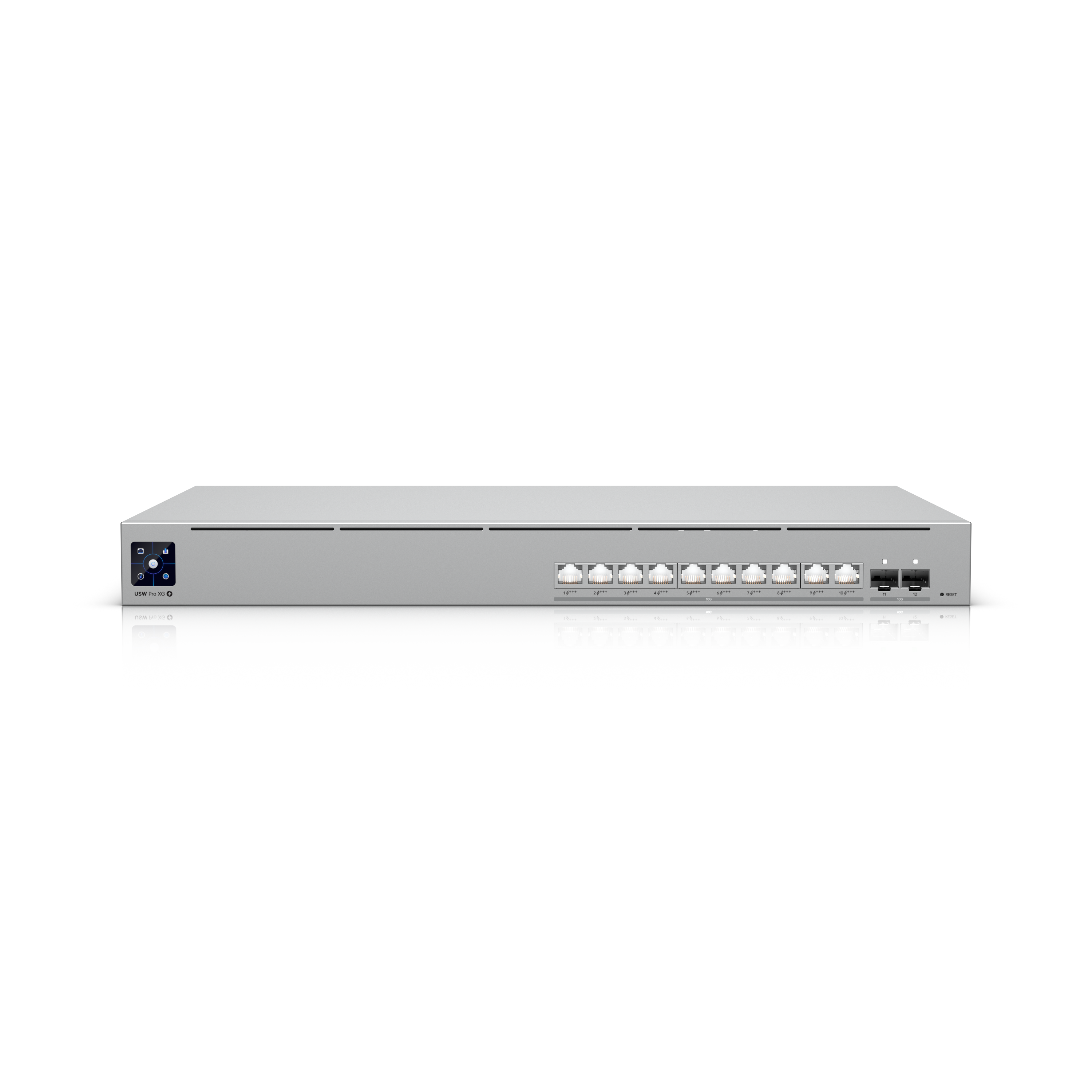
This is the switch in my own rack. Ten 10GBASE-T ports plus two SFP+, all of them full speed, with a 400W PoE budget that powers access points and PoE cameras off the same box, managed through the same UniFi controller as the rest of the network. At $699 it is comfortably overkill for a solo editor, and that’s the point: this is the tier where the network stops being a desk accessory and becomes building infrastructure.
It’s a 1U rack unit with real fans, so it belongs in a rack or a closet, not next to your monitors. The fanless QNAP keeps the desktop slot for a reason. But if you’re wiring a studio rather than a room, this is where I’d start, and did.
Best Thunderbolt adapter for Macs: OWC Thunderbolt 4 10G
MacBooks, Mac minis, and most Mac Studios don’t have 10GbE, and the OWC Thunderbolt 4 10G Ethernet Adapter is the fix I use: bus-powered, pocketable, fanless, and $164.99 direct from OWC. It’s certified for any Thunderbolt 3, 4, or 5 Mac and for Windows boxes with a TB port, it holds over 900MB/s of real-world throughput, and it’s Wake-on-LAN ready if the machine doubles as a remote workstation. The aluminum shell is the heatsink, so expect it to run warm to the touch under sustained transfers.

If you went the SFP+ route on the switch side, know that QNAP’s Thunderbolt-to-SFP+ adapter (the QNA-T310G1S) is discontinued, with only gouged third-party stock left; its USB-C successor exists, but the cleaner play is keeping SFP+ at the switch and rack and running copper to the desks.
Best PCIe card for a PC workstation: TP-Link TX401
For a Windows edit rig the TX401 is the sane default at $71.99 (list $100): Marvell AQtion silicon that Windows 11 supports with an inbox driver, an oversized passive heatsink where the bare-board generics cook themselves, and a Cat6a cable in the box. NBASE-T negotiation means it still links at 2.5G or 5G on marginal cable runs instead of falling back to gigabit.

The white-box AQC113 cards on Amazon (NICGIGA, YuanLey, and friends) work fine for $56 to $75 and draw about half the power of the TX401’s older chip. The tradeoffs are warranty roulette and the occasional x1-lane card that needs a Gen4 slot for full speed, so read the listing. At the other end, an Intel X710 is the reliability-purist answer for an always-on shared machine or a DIY TrueNAS build. Skip the used X540 cards unless you want a 13-watt space heater with a counterfeit problem.
The NAS side: Synology E10G22-T1-Mini
A 10GbE switch does nothing if the NAS is still serving over its built-in ports. Synology’s answer for the most popular boxes is this tool-free module: it slides into the mini upgrade slot on the DS923+, DS723+, DS1522+, and RS422+ and turns a sub-$600 NAS into a real 10GbE server for $110. It’s also one of the only parts in this article trending cheaper year over year.
Supports 10/5/2.5/1GbE connections to work with nearly any RJ-45 network environment.
Designed for maximum performance and reliability in Synology systems.

The newer DS925+ deleted this upgrade path. No mini slot, no PCIe, no 10GbE, ever, capped at two 2.5GbE ports. For shared editing, a DS923+ with this module beats the newer box outright, and that has already played out the way you’d expect: as of July 2026 the DS923+ is sold out at every major US retailer, with only marked-up third-party bundles left.
If you already own one of the mini-slot models, this module is the cheapest 10GbE upgrade in the article. If you’re NAS-shopping for 10GbE today, QNAP is now the friendlier brand: several QNAP models ship with 10GbE built in, and the ones with a free PCIe slot (a TS-464 or TS-673A) take a card.
QNAP’s own QXG-10G1T has sold through everywhere we link, so the card to buy is the same TP-Link TX401 we recommend for PCs, $71.99 on Amazon. It runs the same Marvell AQtion AQC107 chip the QNAP card did, so QTS already carries the driver. QNAP doesn’t list it as supported, though, and won’t help you if it misbehaves.
How the switches compare
| Switch | 10G ports | Other ports | Managed | Cooling | Street price |
|---|---|---|---|---|---|
| TP-Link TL-SG108-M2 | 0 (2.5G only) | 8x 2.5GbE | No | Fanless | $80 |
| QNAP QSW-2104-2T | 2x RJ45 | 4x 2.5GbE | No | Fanless | $119 |
| MikroTik CRS305 | 4x SFP+ | 1x GbE | Yes | Fanless | $139 |
| QNAP QSW-3205-5T | 5x RJ45 | none | No | Fanless | $279 |
| Ubiquiti USW Pro XG 10 PoE | 10x RJ45 + 2x SFP+ | PoE 400W | Yes (UniFi) | 1U, fans | $699 |
What matters when you build the link
The chain rule. Your speed is the slowest hop between the drives and the timeline: NAS port, switch, cable, adapter. Upgrading three of the four buys you nothing. Budget the whole chain before buying any of it, which for one Mac and one Synology means switch plus OWC adapter plus module, roughly $580 all in at current prices.
The real numbers. Gigabit is ~110 MB/s, 2.5GbE is ~280, 10GbE lands around 1,100 in practice. For reference, UHD ProRes 422 HQ is 118 MB/s per stream at 24p and around 186 MB/s at 30p and above; ProRes 4444 roughly doubles that. Two editors on 30p ProRes HQ saturate 2.5GbE with the first stream and a half.
Drives are usually the real ceiling. A 10GbE link to four spinning drives that deliver 500 MB/s is still a 500 MB/s system. That’s fine, it’s still double 2.5GbE, but it means the all-SSD cache or NVMe tier is what unlocks the last half of the pipe. The storage calculator covers how to size that side.
RJ45 versus SFP+. Copper 10GBASE-T is plug-and-play with the cables you know, at the cost of heat and a few watts per port. SFP+ runs cooler and cheaper per port but wants DAC cables inside a rack (about $16 for 2m) or fiber between rooms (an OM3 LC run plus two SR transceivers is about $20 a module and runs cold). The classic mistake is copper RJ45 transceivers in a fanless SFP+ switch: they cook.
Cabling is a solved problem. Plain Cat6 carries 10GBASE-T to 55 meters, Cat6a does the full 100. Nobody in a home studio needs Cat8, whatever the listing says. And existing Cat5e in the walls usually negotiates 2.5G or 5G fine thanks to NBASE-T, often even 10G on short runs. Test before you rewire.
FAQ
Will 10GbE make my edit faster if I work off local SSDs?
No. This entire article is about shared storage. If your media lives on an internal NVMe drive, your bottleneck is elsewhere and your money belongs elsewhere, probably in the drives themselves or a GPU.
Can I skip the switch entirely?
Yes, in two cases. A NAS with two 10G ports can direct-attach two workstations, point to point, no switch needed. And a single Mac next to a single NAS can sometimes skip Ethernet entirely with Thunderbolt networking. Both stop scaling the moment machine three arrives, and that’s when you need a switch.
Do I need Cat8 cable?
No. Cat8 is a data-center spec for 25/40GbE at short range. For 10GbE, Cat6 covers 55 meters and Cat6a covers 100. Buy the $12 Cat6a patch cable and move on.
Are switches affected by the 2026 FCC router restrictions?
No. The March 2026 Covered List addition applies to consumer routers. Switches and network cards aren’t covered, and previously approved routers remain sellable. Expect scary headlines and the occasional panic price, not actual scarcity here.
Is 10GbE enough for a whole studio?
For most small studios, comfortably. The next steps up, 25GbE and SFP28, only start making sense with an NVMe-heavy server and simultaneous online/finishing work, and at that point you’re building what the pipeline stack article covers rather than what this one does.
Where this fits in your storage stack
The network is the middle third of a shared-storage setup. The NAS drives guide covers what goes in the box, the storage calculator sizes it, and the archiving guide handles what happens when projects wrap. Wire those three to one of the switches above and the timeline stops caring where the media lives. And that’s it! If you’ve been told you need a SAN, SAN vs NAS for post-production explains when that’s true.