“How much RAM do I need?” is the spec question I get more than any other, and the answer has moved twice since I last wrote it down: once when Apple turned memory into a checkout decision you can’t undo, and again this year, when a 64GB kit went from a line item to a car payment. I edit on a Mac Studio M4 Max every day, so the Mac half is lived in; the PC half is built from the vendors’ requirement pages and the same Puget Systems data behind the VFX workstation guide and the Resolve PC build.
Last updated: October 2026. Some links below are affiliate links. Buy through them and it helps keep the site running, at no extra cost to you. Every memory kit price here is Amazon’s from October 24, 2026, and the Mac prices are from my October read for the Mac buying guide. In this market all of them drift.
TLDR
| What you cut | RAM to buy | Why |
|---|---|---|
| 1080p, light 4K, Premiere or Resolve edit page only | 32GB (16GB survives on a Mac, barely) | 16GB costs Premiere 7 to 14 percent and Resolve 9 |
| 4K long-form, multicam, LongGOP or RAW | 32GB floor, 64GB comfortable | 32 = 64 in Puget’s Premiere test; the headroom is for everything else open |
| After Effects comps under a minute | 32GB | No measured loss against 64GB |
| After Effects comps over a minute, Fusion, 6K-plus RAW, Premiere + AE + a browser | 64GB | RAM previews and node caches scale with comp length |
| 8K finishing, heavy Fusion, big caches, VFX | 96GB to 128GB | Price per gigabyte jumps here; buy it for a job that is failing today |
If you just want the answer: 16GB is where every app loses, and Puget measured it in June 2026 at After Effects down 43 percent, Lightroom down 45, Resolve’s Fusion page down 31, and Premiere down 7 to 14 depending on codec. 32GB is the floor for Premiere and Resolve editing, and in the same tests 32 scored the same as 64 in Premiere and After Effects, with Resolve 2.5 percent behind. 64GB is the sweet spot once After Effects comps run past a minute, Fusion gets real, the footage is RAW, or Premiere, AE and forty tabs are open at once; above 64 is for 8K, heavy Fusion and big caches.
The vendors’ own floors sit lower. Adobe lists 8GB as the Premiere Pro minimum and recommends 16GB of unified memory on Apple silicon; After Effects starts at 16GB; the DaVinci Resolve 21.1.1 readme wants 8GB on macOS (16 with Fusion), 16GB on Windows (32 with Fusion) and 32GB on Linux. Those are the numbers at which the app launches. The table is the number at which it stops getting in your way.
Why editing runs out of memory
Your footage file is small. The frames inside it are not. An NLE holds decoded frames, not the H.264, and one 4K frame unpacked to 16-bit RGB is about 50MB; a second of it at 24 fps is 1.2GB. Every app here is a machine for keeping as many of those frames within reach as it can, and when it can’t, it re-decodes (stutter) or pages to the SSD (bigger stutter).
Premiere and the Resolve edit page are the gentle case: they decode a few seconds ahead of the playhead and let the cache go when memory gets tight, which is why neither notices 32 versus 64 (my 2022 Premiere hardware list treated RAM that way). After Effects is the hungry one. A RAM preview is rendered frames held in memory, so how far you can scrub is a straight function of free gigabytes, and multi-frame rendering puts more frames in flight at once, each holding its own. Fusion does the same with nodes: every node can cache its output, so the page falls apart at 16GB while the edit page next door is fine.
Resolve has a second budget that confuses people. Its image processing runs on the GPU, so playback, color, noise reduction and the AI tools live in VRAM, and system RAM holds decoded media, Fusion and Fairlight. That split is why Resolve’s edit page is the least RAM-sensitive app in Puget’s data and its Fusion page one of the most. On a Mac the two budgets are one pool. One reading tip for Mac owners: Activity Monitor’s “used” number is always high, because macOS fills idle RAM with file cache on purpose; watch the memory pressure graph instead. Green is fine, yellow means it’s compressing pages, red means it’s swapping to the SSD, and yellow during a normal session means the next Mac gets the next tier.
What Puget measured
The data this post leans on is Puget Systems’ “When Does RAM Capacity Impact Performance?”, published June 1, 2026: a Ryzen 9 9950X3D2 and an RTX 5080 on DDR5-5600, run through PugetBench 2.0 at 16, 32 and 64GB. In Premiere Pro, 16GB lost 7 percent overall, split as 12 percent on LongGOP, 14 on RAW and nothing on ProRes, and 32GB matched 64. In After Effects, 32 matched 64 as well, and 16GB fell 43 percent overall and 58 on the 2D test. In Resolve, 32GB sat 2.5 percent behind 64, 16GB was 9 percent behind, and the Fusion portion dropped 31. Lightroom Classic lost 45 percent at 16GB and Photoshop 20.
Their conclusion matches mine: 16GB is not recommended for any of it, 32GB covers light editing and 2D After Effects under about a minute, 64GB is the sweet spot for working pros, Fusion, RAW and multitasking, and some people need more. The line I keep quoting is the pricing note: a Kingston stick that cost $98 now lists at $478, a 388 percent increase on one part number.
Macs: unified memory is bought once
On Apple silicon the CPU, GPU and Neural Engine share one pool, there is no slot, and the number you pick at checkout is the number the machine dies with. The pool stretches further than the same figure on a PC, because nothing is copied between system RAM and a separate card. The downside is that a wrong guess can’t be fixed, and Apple prices the guess: it raised Mac prices on June 25 citing memory costs, and the reporting at the time had the MacBook Pro memory steps doubling (48 to 64GB from $200 to $400, 48 to 128GB from $1,000 to $2,000). The September desktops carry those prices forward.
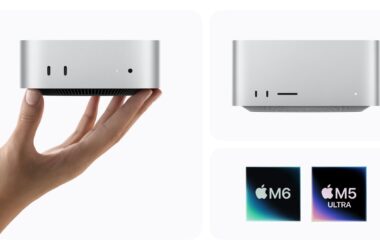
So here is the tier to order on each machine, at the October prices from the best Mac for video editing guide. The MacBook Air 13 M5 ($1,234 at 16GB/512GB) ships at the tier Puget says to avoid, and it shows most in Premiere; the 24GB step is the one upgrade worth paying for. The Mac mini M6 runs 16, 24 or 32, and the $1,299 24GB/512GB configuration is the one that belongs in a bay. The Mac mini M5 Pro ($1,699 list, $1,599 on Amazon) comes with 24GB and offers 64, for the mini owners who run After Effects all day.
The MacBook Pro 14 M5 Pro ($2,349) is 24GB or 48GB: 24 for 4K anywhere, 48 if 6K RAW or AE is the daily diet. The MacBook Pro 16 M5 Max ($3,499 at 36GB/2TB, Best Buy) starts at 36GB with a 128GB ceiling, and 36 is right unless the job is Fusion-heavy finishing away from a desk. The Mac Studio M5 Max ($2,499 list, $2,299 on Amazon) ships with 36GB and offers 64; 36 covers 4K with headroom, and 64 is for 6K RAW, temporal noise reduction on long-form and After Effects. The Mac Studio M5 Ultra starts at 96GB for $5,499, and at that point you’re shopping for a model, not a timeline. The Windows machines that compete with the MacBooks are in the best laptop for video editing guide.
PCs: the 2026 price shock
On a PC the slot still exists, which used to make this the easy side: buy 32, add 32 later. Not this year. Gartner’s April release put 2026 DRAM prices up 125 percent and has the storage crisis running into 2027; Puget’s $98 stick is $478. Adding RAM later means buying a second kit at the 2027 price, so “buy 32 now and upgrade” is a bet on a market Gartner says gets worse first.
That changes the 32/64/96/128 decision. The price per gigabyte is nearly flat between 32GB and 64GB (about $14.80 against $15.60 at today’s kit prices), then climbs to roughly $21 at 96GB and $23 at 128GB. So 64GB is the obvious buy for anyone the table puts at “32 floor, 64 comfortable,” and 96 and 128 are the tiers you buy when a specific job is failing today. Two rules before the kits: two sticks, not four, so the controller runs dual channel at rated speed with two slots open; and switch on EXPO (AMD) or XMP (Intel) in the BIOS, or a DDR5-6000 kit runs at its JEDEC default, usually 4800.
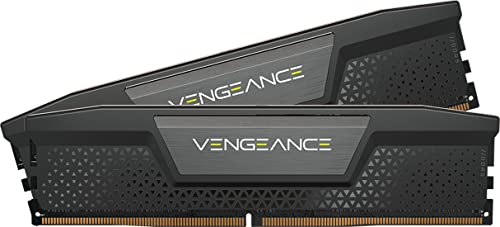
The 32GB kit I’d buy today is the Corsair Vengeance RS 32GB (2x16GB) DDR5-6000 at $474.99: EXPO and XMP profiles both, no RGB, and 6000 is the speed Ryzen 9000 and current Intel boards both run cleanly. It’s the kit for a 1080p and light-4K Premiere or Resolve seat, a proxy station or a second machine. If the machine is your main seat, skip to the next one.

The 64GB kit is the Corsair Vengeance RGB RS 64GB (2x32GB) DDR5-6000 at $999.99, the kit for most working editors: 4K long-form, multicam, RAW, After Effects past a minute, Fusion, and the NLE, AE, a browser and Slack open at once. The RGB is a bit much on a work machine, and it’s also the 64GB 6000 kit Amazon itself has in stock this week, which matters more than the lighting.
Above that I’d go to 128GB, not 96, because of how the kits are priced. The G.Skill Flare X5 96GB (2x48GB) DDR5-6000 CL30 is $2,049.99 from a third-party seller and is the better spec on two sticks. The Kingston FURY Beast RGB 128GB (2x64GB) DDR5-5600 is $2,963.99, sold by Amazon, at 5600 instead of 6000. For editing and Fusion the capacity matters and the 400MT/s doesn’t, so if you’re spending at this tier at all, 128GB on two sticks is the one that still has a job in 2029. Watch your peak usage through a heavy session first; most editors who think they need 128GB are looking at a cache folder that belongs on the scratch drive.

VRAM is a separate budget
On a PC, 64GB of system RAM does nothing for the part of Resolve that runs out first. The Resolve 21.1.1 readme asks for 12GB of VRAM for background rendering and 16GB for the advanced AI tools, and that’s a floor for the card, not the motherboard. Noise reduction, Magic Mask, Super Scale and 8K timelines live on the GPU, and when they overflow VRAM the symptom is a “GPU memory full” error, however much DDR5 sits next to it. Which 16GB card to buy, and when 24 or 32GB pays, is the subject of the best GPU for video editing guide; spec the card before the RAM.
FAQ
Can I add RAM to a Mac later?
No. On every Apple silicon Mac the memory is part of the chip package; there is no slot. That is why the Mac section leans one tier higher than the PC table: between two tiers on a Mac, take the higher one.
Is 16GB enough for 1080p?
For 1080p in Premiere or the Resolve edit page on a Mac, yes, with nothing else heavy open; a 1080p frame is a quarter of a 4K one. On a PC I wouldn’t build new at 16GB even for 1080p, because the first After Effects comp or Fusion title you add will find the ceiling. If you already own one and it cuts your work, keep cutting; if you’re buying, skip the tier.
DDR4 or DDR5 for an older box?
Whichever the motherboard takes; they aren’t interchangeable. On an AM4 or DDR4-era Intel board, adding DDR4 to reach 64GB is the cheapest memory move available in 2026, and Puget’s data says capacity matters far more than generation. Don’t change platforms just to reach DDR5.
Does faster RAM matter for editing?
A little, and far less than capacity. DDR5-6000 is the sweet spot for Ryzen 9000; above it you pay a lot for a few percent, and below it, like the 5600 on the Kingston 128GB kit, you give up a few percent to buy capacity. What matters more is that the rated speed is switched on: a 6000 kit left at BIOS defaults runs at its JEDEC default, usually 4800, and a surprising number of “slow” workstations are one EXPO toggle from fixed.
And that’s it
32GB to edit, 64GB to do everything else in the same session, more only when a specific job is failing today. On a Mac, pick the tier once and pick it high; on a PC, buy the capacity now in two sticks, because the upgrade you’re saving for costs more next year. As always, what you see here is what works for me, my clients and my crew, and I’ll re-read every price here when the market moves. Questions about your workflow? Comments are open.