“Which Mac should I buy for editing?” I get some version of this question constantly, and for most of 2026 the answer came with an asterisk: great machines, bad month to buy them. As of September 22 the asterisk is gone. Apple announced the M5 Max and M5 Ultra Mac Studio and the M6 and M5 Pro Mac mini on August 25, shipped them September 22, and the desktop half of this guide is current again for the first time since spring.
Quick context, because it shapes every price on this page: the memory shortage that pushed Apple into a June price hike didn’t go away, and the new machines carry those prices forward. The Mac mini starts at $899, the Studio at $2,499, and there’s no fall discount coming. What the September machines fix is the value: the same money now buys the current chip, 128GB is back on the Max, 512GB is back on the Ultra, and the cheapest desktop in the lineup takes a genlock signal. I wrote up the launch itself in the news piece; this page is the buying map.
For what it’s worth, I edit on a Mac Studio every single day, the M4 Max, and it isn’t going anywhere. This isn’t a spec-sheet roundup; this is the machine my business runs on, plus the map of who should buy which of its siblings now that the siblings changed.
Last updated: October 2026. Some links below are affiliate links. Buy through them and it helps keep the site running, at no extra cost to you. I only point at gear I’d be comfortable handing to a friend.
TLDR
If you just want the answer: for a desk-bound editor, the Mac Studio M5 Max is the best editing Mac per dollar, and it’s the machine I’d buy today to replace mine. If you need to edit anywhere else, the MacBook Pro 14-inch M5 Pro is the right laptop tier. If the budget is tighter, the Mac mini M5 Pro gets you most of the Studio for $1,699, and the Mac mini M6 at $1,299 is the cheapest desktop that belongs in a bay. The only pick with a wait attached is the 512GB Ultra, and that’s a late-October ship date, not a reason to hold off.
Best overall: Mac Studio M5 Max
I’ve spent a year on the M4 Max version of this machine and I’d buy the M5 without blinking. The shape of the box is the same: two ProRes engines, four Thunderbolt 5 ports on the back, a fan you’ll check is running. What changed underneath is the part colorists feel. The base M5 Max is an 18-core CPU with a 32-core GPU, 36GB of unified memory and 460GB/s of bandwidth, and the 40-core option pushes 614GB/s. Apple’s own number is Magic Mask in Resolve Studio running three times faster than on my M4 Max, and while I’ll believe the multiplier when I’ve timed it, the direction is right: noise reduction, Super Scale, and the Neural Engine effects are where this generation pulls away. Sustained load is still where a desktop beats a laptop with the same chip name. Three hours into an export queue, it’s running full speed.
Spec it like this. The base 36GB/512GB config covers 4K editing with headroom. Step to 64GB if you cut 6K RAW or run temporal NR on long-form, and know that the 128GB tier is back on the menu after June deleted it. The 40-core GPU is worth it only if you already know your bottleneck is GPU. And skip the internal storage upgrades: 512GB holds the OS and the apps, media lives on a Thunderbolt 5 drive at a fraction of Apple’s per-terabyte price. It shipped September 22, and the Amazon listing is at list price.

Best laptop: MacBook Pro 14-inch (M5 Pro)
The March 2026 M5 Pro models are the real deal: PugetBench creator numbers from these chips trade blows with serious desktop GPUs, every current M5-family chip hardware-accelerates H.264, HEVC, ProRes, and ProRes RAW, and the line now starts at 1TB of storage. The 24GB base memory is enough for real 4K timelines (20-plus streams of 4K in Resolve won’t saturate it), and the battery will outlast your longest client review. “Shouldn’t I get the M5 Max?” Only if you know exactly why: the Max buys you double the GPU, double the memory bandwidth, TWO ProRes engines instead of one, and a 128GB memory ceiling. That matters for 6K RAW multicam, Fusion-heavy Resolve work, and export-farm duty. For everything else it’s $1,400 of flex.
The downsides: the base 14-inch M5 Pro lists at $2,499 since June, and Amazon is the place to buy it, at $2,299 at my October check. Memory is a buy-it-at-checkout decision you can’t fix later, so 6K-and-up editors should configure 48GB now, not regret it in a year. If you already own an M4 Pro machine: stay put. Same chassis, same display, incremental gains. And about the calendar: Bloomberg’s reporting put a base M6 14-inch MacBook Pro in October 2026 and the OLED M5 Pro and M5 Max models in 2027. Neither changes this pick. The October machine is the tier below this one, and a 2027 laptop doesn’t cut anything in 2026. Update, October 2026: Bloomberg now has the OLED models on October 27 with M5 Pro and M5 Max inside, so the section below sorts out whether to wait. The Black Friday targets for every machine on this page are on Black Friday Mac deals for video editors.

Best value desktop: Mac mini (M5 Pro)
The sleeper of the lineup, and the one I recommend most often to editors leveling up from a laptop-only setup. The M5 Pro mini is a 15-core CPU and 16-core GPU with 307GB/s of bandwidth, the single ProRes engine, three Thunderbolt 5 ports, and enough grunt to play 20 to 30 streams of 4K in Resolve and Premiere without filling its 24GB. Export times embarrass laptops that cost twice as much. It is, no exaggeration, about 80 percent of my Studio experience for two-thirds the price, and it fits behind a monitor. The 64GB ceiling is new this generation and worth knowing about if you’re the rare mini owner who runs After Effects all day.
Apple raised it another $100 on top of June, so it’s $1,699 now, and Amazon trims that to $1,599. If you’re weighing this mini against the Studio, Mac mini vs Mac Studio for video editing walks the $700 gap line by line. Its single ProRes engine and 16-core GPU run out of road on long-form 6K RAW and heavy temporal NR… that’s Studio territory. The M4 Pro mini it replaces is down to third-party sellers at about $1,569, which is $100 under this machine for a slower one; skip it. For 4K client work, YouTube at any scale, and 90 percent of working editors reading this: this is the smart money.

Best budget desktop: Mac mini (M6)
New slot as of September 2026, because the base mini finally deserves one. The M6 mini is a 12-core CPU and 12-core GPU with 170GB/s, one ProRes engine, three Thunderbolt 4 ports, and 2.5GbE standard, and it plays 4K ProRes and 10-bit H.265 the way an M4 Pro did a year ago. Skip the $899 base. Sixteen gigabytes and 256GB is a web-and-Slack machine. The 24GB/512GB configuration at $1,299 is the one that belongs in a bay, and it’s the box I’d put on an assist station, an ingest desk, or a proxy-cutting seat.
What you give up against the Pro: Thunderbolt 4 instead of 5, a 32GB ceiling, less than half the bandwidth, and no second engine. What you keep: the same media engine, so a straight 4K cut plays the same. The $400 between this and the M5 Pro buys ports and headroom, and if the machine is a primary edit seat, spend it. If it’s the third Mac in the room, don’t.
Best budget laptop: MacBook Air 13-inch (M5)
The fanless laptop edits video, which would’ve sounded insane five years ago. The March 2026 M5 Air has the full media engine (ProRes and ProRes RAW decode included), 16GB and 512GB standard, and it scrubs 4K and 6K smoothly in Resolve and Final Cut. For students, UGC creators, and anyone whose deliverable is measured in minutes rather than reels, it’s the cheapest current Mac that does the job for real. Which of the two to run on it is the subject of Final Cut Pro vs DaVinci Resolve.
Know what you’re giving up: no fan means sustained exports throttle, so it’s the wrong tool for daily hour-long render queues… cut on it, finish somewhere else. Premiere is its weak spot at 16GB, so if Premiere is your main NLE, take the 24GB upgrade (the one upgrade worth paying for) or step up to a MacBook Pro. And with two Thunderbolt ports and no HDMI or card slot, a real desk setup adds a dock tax, which, conveniently, I wrote a whole guide about. List is $1,299 and Amazon is a couple of dollars under it; the sub-$1,000 deals from summer 2026 are gone, and a desk-bound editor with $1,299 should read the M6 mini pick above instead.

Money-no-object: Mac Studio (M5 Ultra)
Last time this slot carried a warning label the size of the machine. It comes off. The M5 Ultra is a 30-core CPU and 64-core GPU with 1.2TB/s of memory bandwidth, four ProRes engines, eight-display support, two extra Thunderbolt 5 ports on the front, and a memory ladder that runs 96GB, 256GB, and 512GB, with the 512GB configuration landing in late October. Apple’s demo number is 33 streams of 8K ProRes 422 at 30 fps. It is the fastest Mac you can buy for DaVinci Resolve and the only one in the lineup that makes sense as a local AI box.
Whether it makes sense for you is a narrower question. At $5,499 for the 96GB/1TB base it’s a specialist tool, and for every editor it’s right for there are twenty who’d be better served by an M5 Max and a $3,000 storage budget. Buy it if you finish 8K in volume, stack temporal NR like it’s free, drive a full grading suite, or run models on the machine that need more unified memory than a Max can hold. If your work needs 512GB, you already know, and late October is the date. Everyone else: the Max. There’s no Ultra link on this page: as of late September 2026, Amazon still had no clean listing for it.
Which MacBook for video editing
Most of the mail this page gets isn’t about the Studio. It’s some version of “which MacBook,” and the answer depends on which MacBook Pro you mean, because Apple sells three laptops under that name with very different silicon inside. So, four tiers, ordered by price, with the same three questions asked of each: what it cuts, where it stops, and what the cheaper machine would have done instead.
MacBook Air 13-inch (M5): the budget cut
The Air has its own slot above and the verdict holds down here: it cuts 4K and 6K in Resolve and Final Cut, throttles on long exports, and belongs to anyone whose deliverable runs minutes. The angle worth adding for laptop shoppers is storage. The M5 Air starts at 512GB (there is no 256GB config anymore), so the base machine at $1,234 skips the drive upgrade a laptop usually needs, and the one option box I’d tick is 24GB of memory if Premiere is your NLE. Everything else lives on an external drive. The downside is the one you already know, no fan, so if the render queue is the job, the M5 Pro two tiers down is the right spend. And if the machine never leaves the desk, the M6 mini costs the same and finishes exports the Air walks away from.
MacBook Pro 14-inch (M5): skip it
The base 14-inch Pro is an M5, the same 10-core CPU and 10-core GPU as the Air, with one media engine, 16GB standard, three Thunderbolt 4 ports, the XDR display, and a fan. At $1,999 it’s the Pro chassis without the Pro chip, and for editing money that’s the wrong trade: the fan holds sustained exports the Air drops, the display is the better one, and nothing else moves. If you want the screen and the fan without the step up, Adorama has the base 14. For everyone else, it’s either the Air with 24GB and the savings in your pocket, or the M5 Pro below with double the GPU cores.
MacBook Pro 14-inch (M5 Pro): most editors
This is the laptop pick of the page, reviewed above with its own box, so here I’ll stick to the parts that decide a laptop purchase. The 14-inch M5 Pro is a 15-core CPU and 16-core GPU with 24GB standard, 307GB/s of memory bandwidth, one ProRes engine, three Thunderbolt 5 ports, and three external displays, in a 3.5 lb chassis with a 72.4 Wh battery Apple rates at 22 hours. In editing terms: 20-plus streams of 4K in Resolve without filling the memory, export times in the same neighborhood as the M5 Pro mini, and a dock, a reference monitor, and a RAID hanging off one side of the machine with a port to spare. Spec it at 24GB for 4K, 48GB if 6K RAW is the daily diet, and leave the SSD alone. The downsides are the price, $2,349 since the June increase, and the fact that the Mac mini M5 Pro is the same chip for a lot less if it never has to move. The 16-inch M5 Pro buys a bigger screen and battery, not more speed; buy the 14.
MacBook Pro 16-inch (M5 Max): the heavy tier
The 16-inch M5 Max is the laptop I’d carry if the job were a Fusion-heavy Resolve finish away from the Studio. An 18-core CPU, a 32-core GPU (40 optional), 36GB standard with a 128GB ceiling, 614GB/s of bandwidth, two ProRes engines, four external displays, a 100 Wh battery, and 4.7 lb on the shoulder. The number that justifies it over the M5 Pro is Notebookcheck’s PugetBench run in Resolve 20.3 Studio: the 16-inch M5 Max with the 40-core GPU scored 127,090 on the Standard test, against 85,114 for an ASUS ProArt P16 with an RTX 5090 inside. A Mac laptop beating the fastest Windows laptop GPU on Resolve wasn’t true two generations ago. Who needs it: 6K RAW multicam, Fusion-heavy Resolve, and the days that are mostly Magic Mask and temporal noise reduction, because the second ProRes engine and the doubled bandwidth are what those jobs eat. It costs $3,899 on Amazon in the 36GB/2TB configuration, it’s the heaviest laptop Apple makes, and the battery drains fast under the loads that justify buying it. The cheaper option is the 14-inch M5 Pro above; if your heaviest day is 4K and a grade, it does the job and you keep the difference for storage. And if the heavy work happens at a desk, the Mac Studio M5 Max is the same chip with cooling that never throttles.
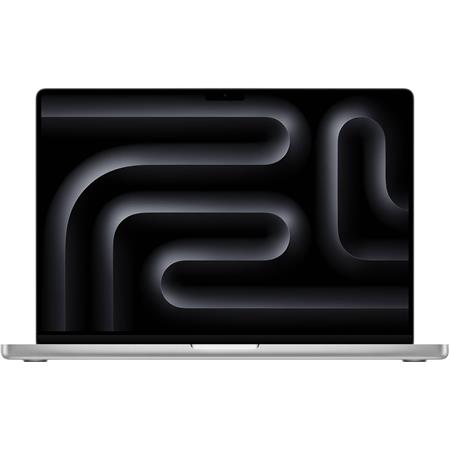
Buy now or wait? Bloomberg reported on October 8 that Apple will show redesigned 14- and 16-inch MacBook Pros on or around October 27: OLED touchscreens, a lighter chassis, M5 Pro and M5 Max inside, and an M6 in the entry 14-inch. Two things are true of every first-generation redesign Apple has shipped: it costs more than the machine it replaces, and the machine it replaces goes on sale, which this year means Black Friday. So the call is this. If you need the laptop this month, buy the M5 Pro 14 now; the chip inside the October machine is the same one. If you don’t, wait the three weeks and decide with both prices in front of you. Nothing about an OLED panel changes the tier logic on this page: the Air is still the budget cut, the M5 Pro is still most editors, and the Max is still for the people who already know why. I’ll re-check this section the day Apple announces.
How the seven compare
| Mac | Config to buy | ProRes engines | Sweet spot | Price (October 2026) | Availability |
|---|---|---|---|---|---|
| Mac Studio M5 Max | 18c/32c, 36GB / 512GB | 2 | 4K to 6K, grading, sustained loads | $2,499 list, $2,299 on Amazon | Shipped Sept 22 |
| MacBook Pro 14″ M5 Pro | 24GB / 1TB | 1 | 4K anywhere | $2,349 | In stock |
| MacBook Pro 16″ M5 Max | 18c/32c, 36GB / 2TB | 2 | 6K RAW, Fusion, NR on the road | $3,899 on Amazon | In stock |
| Mac mini M5 Pro | 24GB / 512GB | 1 | 4K on a desk, TB5 storage | $1,699 list, $1,599 on Amazon | Shipped Sept 22 |
| Mac mini M6 | 24GB / 512GB | 1 | Assist, ingest, proxy seats | $1,299 | Shipped Sept 22 |
| MacBook Air 13″ M5 | 24GB if Premiere | 1 (fanless) | Short-form, proxies, mobility | $1,234 | In stock |
| Mac Studio M5 Ultra | 96GB / 1TB | 4 | 8K finishing, grading suites, local AI | $5,499 | Shipped Sept 22; 512GB late Oct |
What matters when you spec a Mac for editing
Unified memory: spec it for your codec and ignore the shortage panic. The real tiers, from multi-stream testing rather than vibes: 24 to 36GB covers 4K work fine (about 30 streams of 4K fit inside 24GB), 64GB starts mattering at 6K RAW and Fusion-heavy Resolve work, and 96GB-plus is for 8K finishing and AI tooling. The September machines put the big tiers back on the menu, 128GB on the Max and 512GB on the Ultra, and that’s good news for the people who need them and irrelevant to everyone else. Past 24GB, Resolve cares more about GPU cores than RAM.
The media engine is why Macs punch above their weight. Every current M-series chip decodes and encodes H.264, HEVC, ProRes, and ProRes RAW in dedicated hardware… the Air and the M6 mini included. The ladder is one engine in the mini and the Pro mini, two in the Max, four in the Ultra, and it didn’t change this generation, which is why a base mini plays a 4K ProRes timeline the same as it did last year and a Max still exports multicam like it’s angry at the file. One gap that also didn’t change: AV1 decode is everywhere in the lineup, but no Mac does hardware AV1 encode. If your whole output is web, that’s a CPU export you’ll wait on.
Never pay the Apple SSD tax. Apple’s storage pricing didn’t move in September (2TB is still a $1,000 step), and editing off external storage is what pros do anyway. Buy the 512GB or 1TB internal, then put media on a fast external. With Thunderbolt 5 on every desktop but the base mini, a two-stick NVMe enclosure now outruns anything you’d need from an internal drive; the DAS roundup covers those, the portable SSD guide covers the bag drives, and once footage outgrows single drives, the NAS build guide is the next stop.
Mac or PC for editing? In 2026 the answer comes down to your workflow. Resolve’s heaviest GPU effects still scale further on a big NVIDIA card (the numbers live in the GPU guide, and the Resolve PC build prices out three machines against these Macs), and PC wins on repairability and VRAM ceilings. The Mac wins ProRes workflows outright, sips power, and at $2,499 an M5 Max Studio now lands closer to a discrete-GPU build on the Resolve work that used to be the PC’s whole argument. If your pipeline is ProRes in, ProRes out: it’s not even a conversation anymore.
FAQ
Which MacBook is best for video editing?
The 14-inch MacBook Pro with the M5 Pro is the one for most editors: 24GB standard, one ProRes engine, Thunderbolt 5, and the speed of the M5 Pro mini in a bag. Step up to the 16-inch M5 Max for 6K RAW and Fusion work, and down to the M5 Air if the deliverable is measured in minutes rather than reels.
Is fall 2026 a good time to buy a Mac?
For desktops, the best window in a year: the Studio and mini are current-generation as of September 22 and the prices are what they’re going to be. For laptops, also fine. The M5 Air and M5 Pro/Max MacBook Pros shipped in March and remain the current generation; Bloomberg’s October 8 report has redesigned OLED 14- and 16-inch MacBook Pros arriving on or around October 27 with M5 Pro and M5 Max inside and an M6 in the entry 14-inch, and the laptop section above sorts out whether to wait for them. The one purchase worth holding is a 512GB Ultra, and only because that configuration ships in late October. Amazon ran Prime Big Deal Days on October 6 and 7, 2026; that sale usually cuts these Macs by $100 to $250, and the baseline prices to measure any Mac deal against are on Prime Big Deal Days for video editors.
How much RAM do I need for 4K video editing on a Mac?
24GB covers real 4K work today, and 36GB adds comfortable headroom. Go 64GB for 6K RAW, heavy Fusion, or serious After Effects. Unified memory stretches further than PC RAM because the GPU shares it directly, so don’t map your Windows instincts onto Mac specs one-to-one.
Can the MacBook Air really edit 4K video?
Cutting? Yes, and it can push 6K and even 8K H.265. The catch is sustained work: it’s fanless, so long exports and render queues throttle. Cut on the Air, finish on a desktop, and it’s a brilliant second machine. Make it your only machine and know its lane.
Should I upgrade from an M4 Max Studio to the M5 Max?
I’m not, and I run one. For a cutter, the M4 Max is still a monster and the M5 Max is the same two-engine machine with more bandwidth. Where the upgrade pays is GPU-bound Resolve work: Magic Mask, noise reduction, Super Scale, and anything on the Neural Engine. If those are your day, the M5 Max is a real step and the used market for M4 Max Studios will be kind to you this fall. If your bottleneck is playback and export, keep the money.
Where this fits in your setup
The Mac is the center of the bay, and the rest of the bay still has to be built around it. Whichever one you land on, it wants a dock that untangles the desk, external storage from the DAS roundup or the SSD guide, and eventually the shared storage rabbit hole. PC builders, your version of this article is the GPU guide, and if the machine needs to live in a bag, the laptop guide puts Windows laptops up against the MacBook.
And that’s it! As always, what you see here is what works for me, my clients, and my crew… and in this case it’s literally the machine this article was written on, one generation back. I’ll re-check prices and stock when the 512GB Ultra lands in late October. Questions about your specific workflow? Comments are open. The rest of our buyer’s guides live on the Gear Guides page.