


Every few months someone asks me whether an iPad can be their editing machine, and the question usually starts in the wrong place. The app decides this, and the iPad follows. DaVinci Resolve for iPad, Final Cut Pro for iPad and LumaFusion each draw their own line through Apple’s lineup, and once you know where those lines fall, most of the iPads Apple sells rule themselves out for at least one of them.
I edit on Apple hardware for a living, and an iPad has a place in my kit: review on the couch, client notes, rough cuts on a plane. It hasn’t replaced the Mac, and for most people reading this it shouldn’t. The iPad that runs Resolve and Final Cut properly costs about what a MacBook Air does, and the Air does more with that money. I’ll come back to that at the end. If you still want the tablet, and there are good reasons to, this is how to buy the right one.
The picks are organized by job, against what the three apps require, with a storage plan for 4K media and a straight answer on the keyboard. One model is here as a field monitor and prompter, and I’ll say up front that it isn’t an editor.
Last updated: November 2026. Some links below are affiliate links. Buy through them and it helps keep the site running, at no extra cost to you. Prices were read at Amazon and Best Buy on October 26, 2026; Apple’s prices don’t render in the product boxes below, so every price is in the text next to the product. They will drift, especially through Black Friday.
TLDR
If you just want the answer: the iPad Pro 13-inch (M5) at $1,399.99 for 256GB is the iPad for Resolve and Final Cut, because it’s the only one with a Thunderbolt port and the only one with an OLED screen you’d want to grade on. The value pick is the iPad Air 13-inch (M4) at $899: it sits on the same M-series side of the line both apps require, has the same 13-inch canvas, and the $500 you save covers an external SSD and a Pencil. Everything below the Air is a compromise I’ll explain, and the base iPad isn’t on the list at all.
The picks
Best for Resolve and Final Cut: iPad Pro 13-inch (M5)
Two things put the iPad Pro 13-inch at the top, and neither is the chip. The first is the port: it’s the only iPad with Thunderbolt / USB4 at 40Gb/s, which is the difference between editing 4K off an external SSD and waiting on one. The second is the screen, a 13-inch tandem OLED with ProMotion that is the closest thing to a grading monitor Apple ships in a tablet; on an LCD Air you’re grading on a screen that can’t show you true black. The 256GB Wi-Fi model is $1,399.99 at Amazon.
The storage tiers are where Apple gets you. 512GB is $1,549.99; the 1TB nano-texture model is $2,106.99, and only the 1TB and 2TB tiers get 16GB of memory (the 256GB and 512GB models have 12GB). Stay at 256GB or 512GB and put the difference into an OWC Envoy Ultra, the drive that makes the Thunderbolt port worth having. The downside is the total. With the keyboard this is a $1,750 editing setup, and a MacBook Air runs the desktop versions of all three apps for less. If you’ve already decided on a tablet, though, this is the one.

Best portable pro: iPad Pro 11-inch (M5)
The iPad Pro 11-inch is the same machine in a smaller frame: same M5, same OLED, same Thunderbolt port, same storage and memory tiers. The 256GB model is $1,099.99 at Amazon, down from a $1,199 list, so $300 less than the 13 for identical internals. If the iPad is going in a backpack next to a camera and a laptop, this is the size that gets used.
You give up canvas. An 11-inch timeline with Resolve’s Color page open is tight, and the Final Cut inspector eats a real share of the screen at this size. If 11 inches is right for you but $1,100 isn’t, the iPad Air 11-inch below runs the same apps for $300 less.

Best value for Resolve: iPad Air 13-inch (M4)
The iPad Air 13-inch is an M-series iPad, and that single fact is most of what matters. Resolve for iPad runs its full feature set on M-series chips and a reduced one on A-series; Final Cut Pro for iPad requires M-series outright. The Air clears both bars at $899 for the 128GB Wi-Fi model at Amazon, with the same 13-inch footprint as the Pro. For the editor who wants Resolve on a big tablet and isn’t grading for delivery, this is the one I’d buy.
The trade-offs, in order of how much they’ll bother you: the screen is a Liquid Retina LCD, so it’s a fine editing display and a poor grading one. The port is USB-C at 10Gb/s rather than Thunderbolt, which is plenty for a Samsung T9 full of 4K media but would waste the Envoy Ultra. And the linked model is 128GB, which 4K ProRes fills in an afternoon; step up to 256GB if the budget allows, and treat the SSD as part of the purchase either way. The older M3 Air 13 was still listed at $949 when I checked, more than the newer M4, so don’t buy the old one.
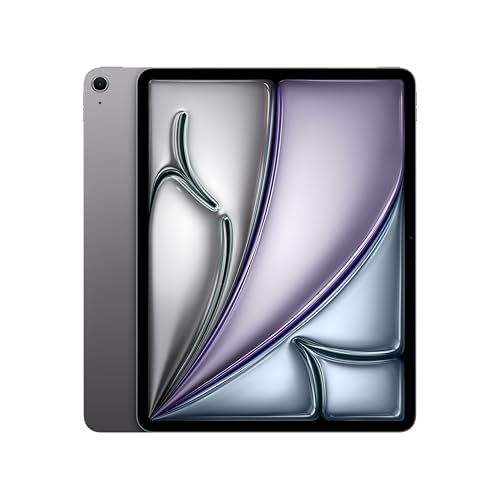
Budget Resolve-capable: iPad Air 11-inch (M4)
The iPad Air 11-inch is the cheapest iPad that runs Resolve for iPad with the full feature set and Final Cut Pro for iPad at all. The 256GB model is $799 at Amazon against an $849 list, and I’m linking the 256GB on purpose: the 128GB version lists from $749, but every Amazon listing I found for it was Amazon Resale, and the $50 buys storage you’ll use anyway.
Same M4, same LCD and 10Gb/s port as the 13-inch Air, so the same notes apply: good for cutting, poor for grading, pair it with a Samsung T9. The 11-inch screen is the real limit for a timeline. Nothing cheaper clears the M-series bar; below this you’re into the base iPad, which I’ll get to.
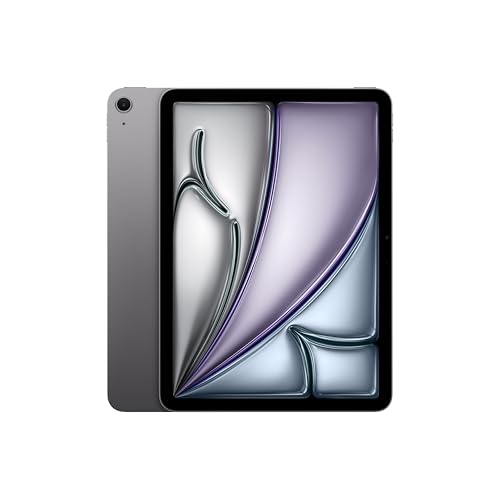
The field monitor and prompter, not an editor: iPad mini (A17 Pro)
The iPad mini is on this list for a different job. It’s $599 at Best Buy for 128GB, the A17 Pro is an A-series chip, so Resolve runs with reduced features and Final Cut doesn’t run, and an 8.3-inch timeline is a punishment. What it’s good at: a prompter in a rig, a client-review screen, a monitor for a camera app. The USB-C port is 10Gb/s, so offloading cards to it in the field works, and it takes the Pencil Pro.
If prompting is the job, our teleprompter and on-camera monitor guide has the rigs that hold it. If you want a mini for the couch and are telling yourself you’ll cut on it too, the 11-inch Air is the better buy and your phone is the cheaper one.

The keyboard question: Magic Keyboard for iPad Pro 13-inch (M5)
You need a keyboard, mostly for shortcuts: J-K-L, blade, ripple delete, the muscle memory that makes editing fast lives on keys, and a trackpad gives you precision a fingertip on a timeline can’t. The Magic Keyboard for iPad Pro 13-inch is $349 at Best Buy, a quarter of the iPad’s price, and the best way to turn the Pro into something you can cut on for three hours. Apple sells matching versions for the 11-inch Pro and the Airs; the Logitech Combo Touch is the cheaper route for the 13-inch Pro if you’d rather spend the difference on a drive.
The Apple Pencil Pro is $99 at Best Buy and optional. It’s good for masks, for drawing notes on a frame during review, and for the Color page’s windows and curves, where it beats a finger. If you’re buying one accessory, make it the keyboard.
Not for this: the base iPad (A16)
The 11th-generation iPad is a good tablet and a wrong buy for video. The A16 is below the M-series line, so Final Cut Pro for iPad won’t install and Resolve runs in its reduced form, and the USB-C port is USB 2 speed, which rules out editing from an external drive in any practical sense. LumaFusion runs on it, and if your edits are phone clips for social, that’s a workable combination. For anything this guide is about, spend the extra on the 11-inch Air.
How the picks compare
| Model | Price (Oct 26, 2026) | Chip | Screen | USB-C port | Resolve / Final Cut | Job |
|---|---|---|---|---|---|---|
| iPad Pro 13-inch (M5) | $1,399.99 (256GB) | M5 | 13-inch tandem OLED, ProMotion | Thunderbolt / USB4, 40Gb/s | Full / Yes | Grading and finishing |
| iPad Pro 11-inch (M5) | $1,099.99 (256GB) | M5 | 11-inch tandem OLED, ProMotion | Thunderbolt / USB4, 40Gb/s | Full / Yes | Pro work on the road |
| iPad Air 13-inch (M4) | $899 (128GB) | M4 | 13-inch Liquid Retina LCD | USB 3, 10Gb/s | Full / Yes | Editing on a budget, big screen |
| iPad Air 11-inch (M4) | $799 (256GB) | M4 | 11-inch Liquid Retina LCD | USB 3, 10Gb/s | Full / Yes | Cheapest full-feature editor |
| iPad mini (A17 Pro) | $599 (128GB, Best Buy) | A17 Pro | 8.3-inch Liquid Retina LCD | USB 3, 10Gb/s | Reduced / No | Prompter, monitor, review |
| iPad 11th gen (A16) | Not recommended | A16 | 11-inch Liquid Retina LCD | USB 2 speed | Reduced / No | Not for this |
What matters
Start with the chip, because it’s a line rather than a ladder. Every iPad with an M in the chip name runs Resolve for iPad with its full feature set and runs Final Cut Pro for iPad; every A-series iPad runs Resolve with reduced features and doesn’t run Final Cut. M4 versus M5 matters far less than M versus A, and I wouldn’t pay Pro money for the chip alone. Pay it for the port and the screen.
On storage, 256GB is the minimum and you’ll still want a drive, because Apple’s per-tier pricing is the worst way to buy capacity. Put media on an external SSD and match the drive to the port: an OWC Envoy Ultra on a Pro’s Thunderbolt port, a Samsung T9 on an Air’s 10Gb/s port. The offload side is its own topic; the travel offload and backup workflow covers it with an iPad in the loop.
The port decides the drive: Thunderbolt at 40Gb/s on the Pros, USB 3 at 10Gb/s on the Airs and the mini, USB 2 on the base iPad. 10Gb/s is enough for 4K editing from a good SSD; USB 2 is not enough for anything. The Pro’s Thunderbolt port also drives an external display, which makes the 13-inch Pro a respectable desk setup when it’s home.
The screen decides whether you can grade. The Pros have tandem OLED; the Airs and the mini have Liquid Retina LCDs, fine for cutting and audio. For color work you’ll deliver, the OLED is the minimum, and even then I’d check the grade on a real monitor before it ships. Our Final Cut Pro vs DaVinci Resolve comparison gets into which app you’d want for that work.
What doesn’t matter much: the cellular option (tether your phone), the rear cameras, the memory tiers on the Pro (12GB handles these apps; 16GB is a side effect of buying 1TB), and the nano-texture glass unless you edit near windows.
FAQ
Can an iPad run DaVinci Resolve?
Yes. DaVinci Resolve for iPad is a free app with a one-time in-app Studio upgrade, and it runs on iPadOS 16 or later. The full feature set needs an M-series iPad; on A-series models like the base iPad and the iPad mini it runs with reduced features. The iPad version is built around the Cut and Color pages and its projects open in desktop Resolve, so a rough cut started on the tablet can finish on the Mac. If you’re deciding between Resolve and Premiere in general, start with Premiere Pro vs DaVinci Resolve.
Is Final Cut Pro for iPad a one-time purchase?
No. Final Cut Pro for iPad is a subscription, unlike the Mac version, and it requires an M-series iPad, so the base iPad and the iPad mini are out before you open the App Store. If a subscription is a dealbreaker, Resolve for iPad is free to start and LumaFusion is a one-time purchase.
How much storage do I need on an iPad for 4K video editing?
256GB is the floor, and you’ll still want an external SSD for media; 4K ProRes fills a 256GB iPad fast, and iPadOS, the apps and your caches need room too. Go to 512GB only if your media has to live on the device (a plane, a shoot with no spare bag). Don’t buy 1TB or 2TB for storage alone; buy a Samsung T9 or an OWC Envoy Ultra and keep the project on it.
iPad Air or iPad Pro for video editing?
The Air if you cut; the Pro if you grade. Both run the same apps with the same features, because both are M-series. The Pro adds an OLED screen that can show a grade and a Thunderbolt port that can feed it media faster, and charges $500 for the pair at the 13-inch size. For an editor doing color for delivery, that’s a fair trade. For everyone else, the Air 13 plus a drive and a Pencil is the better $1,100.
Can I edit video on the iPad mini?
You can open an editor on it; whether you’d want to is another matter. The A17 Pro chip gets you Resolve with reduced features and no Final Cut at all, and 8.3 inches is too small for a timeline you’ll spend an hour in. Buy the mini as a prompter, a monitor, or a review screen, and cut somewhere else.
Or buy the MacBook Air
I said I’d come back to this. A 13-inch iPad Pro with a Magic Keyboard is about $1,750 before a drive, and a MacBook Air at less than that runs desktop Resolve, desktop Final Cut, every plugin, and every drive and monitor you own. If editing is the main job and you don’t have a specific reason to want a tablet (a Pencil for masks, a client who reviews on the couch, a rig that needs a screen), the laptop is the better buy. My best Mac for video editing guide covers which Mac, and the best laptop for video editing covers the Windows side too if you’re not locked to Apple.
And that’s it. Buy the chip that runs your app, the storage that keeps the media off the device, and the keyboard before the Pencil. As always, this is where the research and my own use landed; your work and your budget get the final vote. Got an iPad workflow I should have covered, or a model I got wrong? Leave a comment. The rest of our buyer’s guides live on the Gear Guides page.


