
Film yourself for a while and you meet the same two problems on every shoot. You cannot see your own framing or focus while you perform, and you cannot read a script without your eyes giving it away. So you hit record, walk around the camera, do the take, walk back, and learn that autofocus spent four minutes locked on the bookshelf.
This guide covers the three ways solo creators solve that, in the order money gets spent. The free tier is gear you already own: the flip screen, your phone, and the monitoring apps camera makers now give away. The middle tier is an on-camera monitor, a small HDMI display with the exposure and focus tools your camera’s screen hides. The top tier is a teleprompter, which hangs a mirror over the lens so you can read a script, or watch your own framing, while looking straight down the barrel. That last trick is why prompters and monitors share one article: a prompter with a monitor feed behind the glass solves both problems at once.
The picks below come from research rather than anyone’s garage inventory: we compared the mid-2026 field and verified every pick in stock at the listed price. This piece slots into the creator series next to the talking-head studio kit, which covers the camera, light, and backdrop around it, and the edit-ready camera guide if the camera itself is still an open question.
Last updated: July 2026. Some links below are affiliate links. Buy through them and it helps keep the site running, at no extra cost to you. Prices were verified on July 17, 2026, and they will drift, so read every number as “around this much at the time of writing.”
TLDR
If you want the answer without the article: the Elgato Prompter, $272.99 at this writing, is the desk-creator default and the only prompter with a built-in screen, so it costs you no phone or tablet. On a camera rig away from the desk, the Neewer X14 at $157.49 is the beam-splitter workhorse. If you only need the monitoring half, the Atomos Shinobi II at $369 is the prosumer benchmark, and the Portkeys PT5 II covers the same job indoors for $113.99.
The $0 tier: what you already own
Before any boxes ship, it’s worth knowing how far free gets you, because the answer has changed. Your flip screen is a real monitor with one flaw you can’t fix: it’s three inches wide and it lives at arm’s length. It confirms the record light and rough framing, and past that you’re squinting.
The phone fixes most of it. Sony’s free Monitor & Control app turns a phone into a wired or wireless monitor with waveform, false color, and zebras on the FX3, FX30, a7 IV, ZV-E1, and most current bodies. Canon Camera Connect and DJI Mimo do the lighter version of the same job, and Adam Wilt’s FieldMonitor (iOS, paid) adds proper scopes on top of a camera feed. The tradeoff is latency and the occasional Wi-Fi dropout mid-take, which is annoying at a desk and a real problem on a paid shoot.
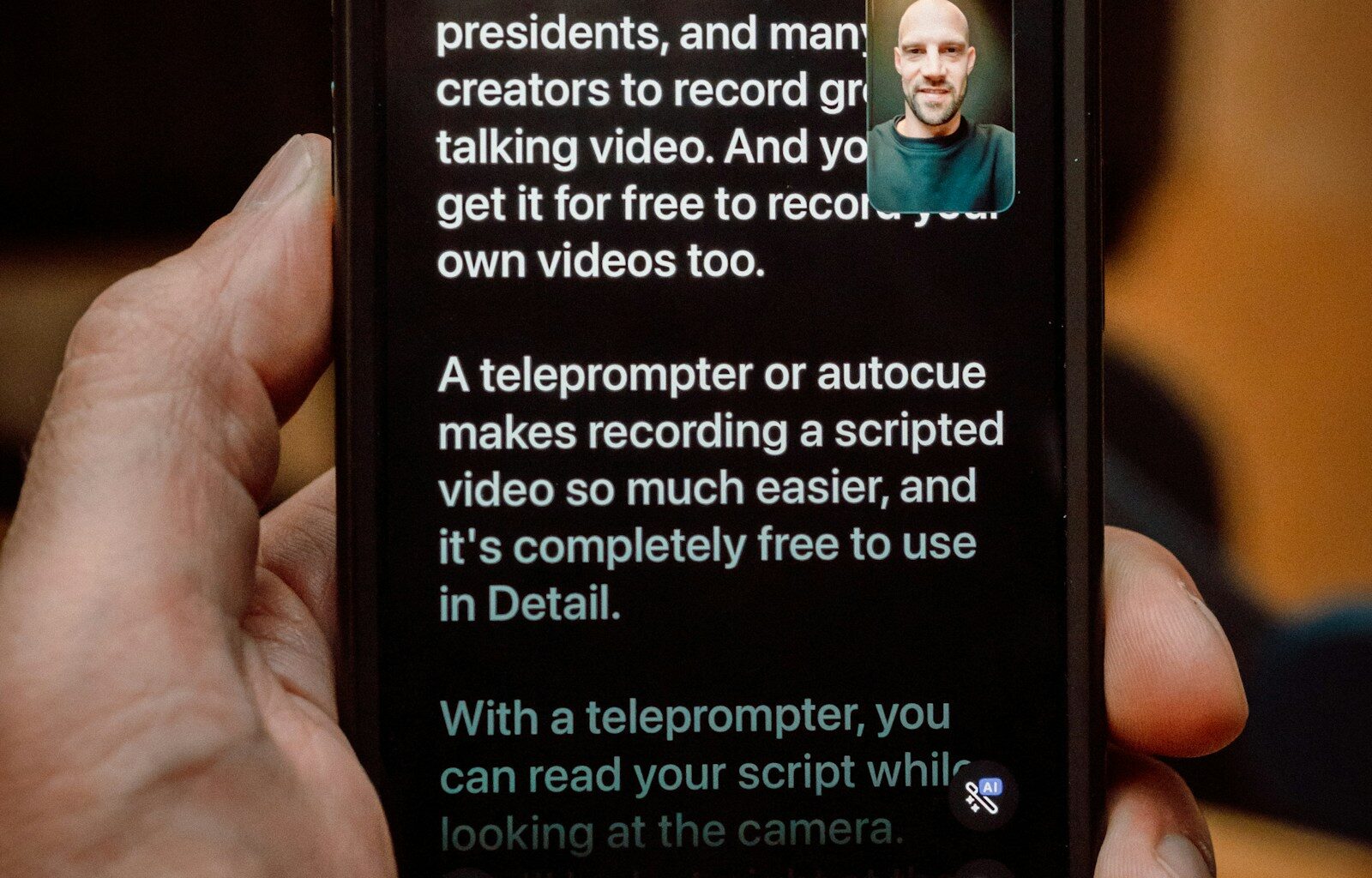
Prompting has a free tier too. Parrot Teleprompter is free outright, Teleprompter.com has a usable free plan, and BIGVU’s free tier watermarks its exports, so treat that one as a trial. The paid standout is PromptSmart, whose VoiceTrack feature scrolls by listening to you: it follows while you read and stops when you ad-lib. Pair any of these with Elgato’s Camera Hub trick of parking the phone directly below the lens, and at normal talking-head distance the eye-line drift is small enough that viewers don’t catch it.
The teleprompter pick
Best all-in-one: Elgato Prompter
The Elgato Prompter is the only teleprompter here with a built-in display, and that changes the math on the whole category. Every other prompter is a donor rig: it works by trapping your phone or tablet behind glass, where you can’t touch it between takes. The Elgato plugs in over USB as a 9-inch second monitor, so it can scroll your script, mirror your framing, or hold your notes or a Zoom call while your phone stays in your pocket. It runs $272.99 at this writing, 9 percent off the $299.99 list, and it dipped to $215 in June, so it does go on sale.
The catch is that it’s built around a desk. It sits in front of a webcam or a mirrorless camera at seated distance, and that’s the shape of the product. Elgato ships step-up rings covering 49mm to 82mm filter threads, and the optics stay clean down to roughly a 20mm focal length; go wider and you’ll catch the hood shadow in frame and need a punch-in. Like every prompter glass it also costs about a third of a stop of light, which matters once you’ve read our key lights guide and metered your room.

Elgato Prompter alternatives
“Elgato Prompter alternative” is a search with real demand and almost nobody serving it, so here is the actual ladder. The reasons to look past the Elgato are specific: you shoot on a tripod away from any desk, you want tablet-size glass so the text stays readable at distance, or you want to spend under $160. A beam splitter wins those cases because it uses a screen you already own, takes bigger sources, and mounts ahead of the lens like any other rig part. The Elgato wins the desk because nothing else doubles as a plug-in second monitor.
Best for camera rigs: Neewer X14
The Neewer X14 is the prompter to buy for a tripod rig. It folds flat, sets up with no assembly, and takes phones and tablets up to 8.7 inches, which is about where prompter text gets comfortable to read from six feet. It ships with the RT-110 Bluetooth remote, and Neewer’s app handles scroll speed and mirroring, so you can pace the read from your mark instead of restarting takes. $157.49.

Best under $100: Desview T3
The Desview T3 is the budget rung that doesn’t read like one. The 70/30 multi-coated glass is the same split the bigger rigs use, it folds into a bag, and it takes a phone or a small tablet. $89.99. If you want bigger glass at the same money, the Neewer Basics X12B takes 12-inch tablets for $89.99 without a remote, and iPad Pro owners should look at the Desview T12S at $119, which swallows the 12.9-inch models.

Cheapest with a remote: Neewer X1 Pro II
At $76.15, the Neewer X1 Pro II is the cheapest metal beam splitter that still includes a remote. It’s a 9-inch, phone-scale rig with a magnetic clamp that skips the usual cradle fuss. Phone-scale glass means phone-scale text, so keep the camera close or bump the font size. As a first prompter it’s the lowest-risk $76 on this page.

The on-camera monitor picks
The flip screen’s replacement needs to do two things: stay readable from your mark, and put real exposure tools on a panel big enough to use.
Best overall: Atomos Shinobi II
The Atomos Shinobi II is what every cheaper monitor gets compared to, and the spec sheet reads like it was written for this exact job. The 5.2-inch panel runs 1500 nits, bright enough for anything short of direct sun, with false color, peaking, and waveform monitoring on board. The feature that matters most when you work alone is USB-C camera control: on supported Sony, Canon, and Panasonic bodies you get a tally light and a record trigger on the monitor itself, so you can start the take from in front of the lens. It’s HDMI-only, and that covers every camera this guide is written for.
The price needs one flag. It launched at $299, and the street price has drifted to $369 through Adorama’s storefront on Amazon, with Atomos direct at $379. The Amazon number is the market, in other words, not a gouge, and the drift looks tariff-driven. If you can wait for a dip, watch it.

Best for gimbals and budgets: Portkeys PT5 II
The Portkeys PT5 II weighs 125 grams, which is why gimbal shooters keep landing on it, and costs $113.99, which is why everyone else does. It handles 4K30 over HDMI in and out, and the toolset is complete for the price: peaking, Luma and RGB waveforms, and 3D LUT support. The weakness is brightness. 500 nits is fine indoors and a mirror in daylight, and since indoors is where most talking-head channels live, it earns the budget slot anyway.

Best for daylight: Feelworld LUT5
If you shoot outside, brightness is most of the purchase. The Feelworld LUT5 runs 3000 nits, legible in direct sun, with the full scope and LUT set, for $280. Nothing else near that price gets close to that panel. Two buying notes: the link below is the Feelworld official store listing, which is the one to buy (the third-party listing floating around is a different stock pool), and inventory was down to 16 units at this writing, so it comes and goes.

The touchscreen alternate: Feelworld F5 Pro X
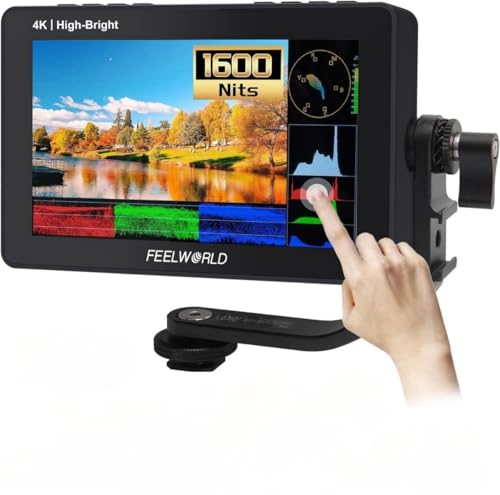
The Feelworld F5 Pro X is the middle path: a 5.5-inch, 1600-nit touchscreen at $159.99. It gives up half the LUT5‘s brightness and answers with touch control, which is quicker than button menus once the camera is rigged. If your shooting splits between indoors and the occasional bright day, this is the sensible $160.
The monitor-recorder question
A note on the categories above this price bracket, because both get pitched hard. The pro ceiling for on-camera monitors is SmallHD’s Indie 5, $1,299 direct with a three-to-four-week lead time and no Amazon listing, and its PageOS toolset is the reference on working sets. It’s a great answer to a question solo creators aren’t asking.
“What about a Ninja, so I can record ProRes?” Same verdict. The Shinobi II is, functionally, the Ninja without the recorder, and the recorder is the part you don’t need: every camera worth buying in 2026 records 10-bit internally, and that file grades fine for a talking-head edit. The base Ninja only shows up on Amazon in third-party bundles at $599 to $649, and the new Ninja TX runs $999 for ProRes RAW and camera-to-cloud features that solve problems a one-person channel doesn’t have. If you grow into a multicam studio, revisit. Until then a recorder is extra weight you charge and update.
The picks, side by side
| Pick | Type | Screen | The standout | The catch | Price |
|---|---|---|---|---|---|
| Elgato Prompter | All-in-one prompter | Built-in 9″ | No donor device; doubles as a second monitor | Built for a desk | $272.99 |
| Neewer X14 | Beam-splitter prompter | Your phone/tablet, to 8.7″ | Folds flat, Bluetooth remote included | Ties up the donor screen | $157.49 |
| Desview T3 | Beam-splitter prompter | Phone / small tablet | 70/30 coated glass, packs into a bag | Small-tablet ceiling | $89.99 |
| Neewer X1 Pro II | Beam-splitter prompter | Phone (9″ frame) | Metal build with a remote at $76 | Phone-scale text | $76.15 |
| Atomos Shinobi II | Monitor | 5.2″, 1500 nits | USB-C camera control, full tool set | Price crept up from $299 launch | $369 |
| Portkeys PT5 II | Monitor | 5″, 500 nits | 125g, waveforms and LUTs | Dim outdoors | $113.99 |
| Feelworld LUT5 | Monitor | 5.5″, 3000 nits | Daylight-viewable under $300 | Stock runs thin | $280 |
| Feelworld F5 Pro X | Monitor | 5.5″, 1600 nits | Touchscreen control | Half the LUT5’s brightness | $159.99 |
What to look for
Nits first, because brightness decides where a monitor works at all. Around 500 nits reads fine indoors, 1500 handles bright rooms and open shade, and 3000 stays legible in direct sun. The same logic applies behind prompter glass: an outdoor prompter wants a bright source screen turned all the way up, because the mirror only passes part of the light through.
The tools are the other half of the purchase. Peaking outlines whatever is in focus, so you can confirm your eyes are sharp from in front of the camera. False color paints the frame by exposure level, so one glance tells you whether your face sits where it should. A waveform does the same job with more precision. Cameras bury versions of these in menus three taps deep; a monitor keeps them on a panel you can read from your mark, which is the entire point when nobody is standing behind the camera.
Beam splitters come with three gotchas the product pages skip. The glass costs about a third of a stop of light, which auto exposure absorbs and manual settings need to account for. The lens has to snug into the prompter’s hood, or stray light bounces between lens and glass and washes the image; that’s what step-up rings are for, matched to your filter thread (the Elgato Prompter ships a 49mm to 82mm set). Wide lenses have a floor too: below roughly 20mm full frame the hood or its shadow creeps into the corners, so plan a longer focal length or a small punch-in. And a zoom that extends as it racks can grow into the glass, so run it through its range before locking the rig down.
FAQ
Do teleprompters work with wide lenses?
Down to a point. Roughly 20mm full frame is the practical floor on the Elgato Prompter, and beam splitters land in similar territory because the limit is hood geometry rather than brand. Wider than that, the corners catch the hood or its shadow. The fixes are ordinary: step up a focal length, or shoot a touch wide and crop in the edit, which a 4K sensor delivering 1080p absorbs without visible cost.
Is an on-camera monitor better than my camera’s flip screen?
Better at everything except price. The flip screen is free, always attached, and fine when you sit an arm’s length away. A monitor buys a screen you can read from across the room, brightness the flip screen can’t reach, and scopes at a usable size. If your frame is a webcam-style desk crop, start with the flip screen plus a phone app and put the money into light instead; the talking-head studio kit covers that order of operations.
Do I need false color?
Need is strong; want is accurate. Zebras cover most of the skin-exposure job and every camera has them. False color’s advantage is consistency: it shows the exposure of the whole frame at once, so episode 40 matches episode 4 even when the daylight through the window doesn’t. Both the Shinobi II and the PT5 II include it, so at these prices it isn’t a feature you pay extra for.
Can my phone replace an on-camera monitor?
To start, yes. Sony’s Monitor & Control app gives you waveform, false color, and zebras free on current Sony bodies, and running it wired dodges most of the latency. The failure mode is the mid-take Wi-Fi dropout, plus the phone being wanted for the prompter app at the same time. When the phone starts costing you takes, that’s the signal that the $113.99 PT5 II pays for itself.
The frame, solved
So the ladder runs like this. Free gets you a flip screen, a phone prompter app, and monitoring tools that would have cost real money five years ago. $76.15 puts glass over the lens with the Neewer X1 Pro II. $272.99 buys the Elgato Prompter and the screen that comes with it, and $369 puts a Shinobi II on the shoe and retires the walk-around-the-camera ritual. Most solo setups land somewhere in the middle and stay there for years.
And that’s it. Those are our picks; your room and your delivery style get the final vote. If the rest of the rig is still coming together, the wireless mics guide is the natural next read, and the rest of our buyer’s guides live on the Gear Guides page. Got a pick you’d argue with? Leave a comment.