Camera reviews are thorough about everything you can see. Sensor size, autofocus tracking, dynamic range charts. Almost none of them tell you what the camera costs after the shoot, when the footage lands on a desk and a computer has to play it back.
I work on that side of the handoff, and I have watched a $4,000 workstation choke on footage from a $1,200 mirrorless camera. Not because the workstation was weak, but because the camera’s prettiest recording mode was a format no GeForce card of that generation could decode in hardware. The edit ran at slideshow speed until we stopped and made proxies, and nobody had priced that day into the job.
So this is a camera guide written from the desk instead of the set. A camera purchase is really three purchases: a codec your edit hardware can or cannot decode, a memory card format you will keep buying for years, and a proxy workflow the camera either handles for free or leaves on your calendar. Let’s price all three.
Last updated: July 2026. Some links below are affiliate links. Buy through them and it helps keep the site running, at no extra cost to you. I only point at gear I’d be comfortable handing to a friend. Prices were checked in mid July 2026, and with NAND flash still in shortage they will drift, so read them as “around this much at the time of writing.”
The codec is the decision
Under the marketing names, cameras record three kinds of video. Long-GOP (the IPB flavors of H.264 and H.265) stores a complete frame every half second or so and describes everything in between as differences, which keeps files small and makes decoding expensive: to show you frame 47, the computer may need to reconstruct a dozen frames around it. All-Intra stores every frame complete, so files run three to five times larger but any frame is one decode away, which is what scrubbing a timeline asks for. ProRes and the RAW formats (ProRes RAW, N-RAW, BRAW) push further in that direction: bigger files still, decode so cheap it barely registers, and in RAW’s case the grading headroom of a debayer you control in post.
The trap hides in one specific format: 10-bit 4:2:2 H.265, which is exactly what the nicest internal modes on Sony, Canon, and Fujifilm bodies record when you switch to a log profile. NVIDIA’s hardware decoder does not support 4:2:2 chroma subsampling on the RTX 40 series or anything older. Not slowly, not partially. It isn’t there. The stream falls back to CPU decode, and a CPU brute-forcing 10-bit 4:2:2 H.265 is how a new gaming laptop ends up stuttering through footage a phone can play. The RTX 50 series, which arrived in 2025, is the first GeForce generation that hardware-decodes 4:2:2 at all, and our VFX workstation guide covers what those cards cost in this market.
The other side of the aisle never had this problem. Apple silicon has decoded 10-bit 4:2:2 HEVC since the first M1, and M1 Pro chips and up add dedicated ProRes engines on top, which is part of why the machines in our Mac buying guide handle mirrorless footage so well. Intel solved it too: Arc GPUs and the iGPUs in 11th-gen and newer Intel CPUs both decode 4:2:2, which is the classic budget workaround. Plenty of editors keep the iGPU enabled just for decode, or drop a cheap Arc card in next to their NVIDIA card and let each do what it’s good at.
Now the counterintuitive part. 10-bit 4:2:0 H.265 hardware-decodes on basically everything modern: GeForce cards going back years, Apple silicon, Intel, AMD. And 4:2:0 is what Nikon bodies and the default Sony modes record. So a Nikon Z6 III shooting H.265 is an easier edit on aging hardware than a Canon R8 in C-Log3, the opposite of what the spec sheets imply. While we’re here, a correction to something repeated all over the internet: Nikon’s internal H.265, including the 10-bit log modes, is 4:2:0, not 4:2:2. Internal 4:2:2 on a Z8 means recording ProRes. I checked the Z8’s manual because I didn’t believe it the first time either.
The card ecosystem is a subscription
Nobody budgets for cards, and the card market inverted while everyone was arguing about sensors. The old rule, that SD cameras were cheap to feed and CFexpress cameras were expensive, is dead in 2026.
CFexpress Type B, the format Nikon and Canon bodies take, was the cheapest fast media you could buy when I priced it in July 2026, around $0.25 to $0.50 per gigabyte street. The NAND shortage has pushed that up hard since (our solo creator kit guide tracks the same card, and it has roughly tripled), so read the band as a July floor and check the listing. Even so, in July a Lexar 512GB CFexpress Type B card cost less than a name-brand V90 SD card of half the capacity, and it sustains N-RAW and 8K write speeds without drama.
CFexpress Type A, Sony’s smaller format, spent years as the punchline of the card world. That ended over 2025 and 2026: budget entrants collapsed prices to roughly $0.16 to $0.40 per gigabyte, and the first-party Sony CEA-G160T is now a premium option rather than the only one. Type A is no longer a reason to avoid a Sony body.
Meanwhile V90 SD, the “affordable” format, now often costs more per gigabyte than CFexpress B, around $0.74 per gigabyte for a two-pack of Lexar V90 cards. If your camera needs V90 to hit its best modes, the SD slot costs more to feed than it looks. The budget safe zone is V60 SD at roughly $0.39 to $0.58 per gigabyte, plenty for long-GOP recording; the bottleneck only appears when All-Intra or open-gate modes demand V90 speeds. At the far end sits CFast 2.0, a dying format priced like one at around $0.80 per gigabyte, as RED Komodo owners know.
Every number above is a mid July 2026 check, taken during a NAND flash shortage that inflated card prices and kept them moving. The rankings have held as absolute prices moved, but check current listings before pricing out your own volume.
The proxy tax
Proxies are small, edit-friendly copies of your footage that editing software swaps in for playback and swaps out at export; when your hardware can’t decode the originals smoothly, they’re the fix. The question is who makes them, because desktop proxy generation runs at roughly realtime: an hour of footage costs about an hour of rendering. Walk off a two-camera interview day with six hours of material from a camera that doesn’t make its own proxies, and you owe most of a workday to a progress bar before the first cut. From my DIT days I can tell you when that render happens: overnight, in a hotel room, checking the drive every twenty minutes instead of sleeping.
Some cameras make this a non-issue. Sony’s video bodies (the a7S III, FX3, FX30, and ZV-E10 II) write small XAVC proxy files alongside the main recording as you shoot. Canon’s R5 II records proxies to its SD slot while the main file goes to CFexpress. Nikon’s Z8 and Z6 III write an MP4 proxy sidecar automatically with every N-RAW clip, so the scariest files those cameras make arrive with their own edit copies. Even DJI drones drop low-res LRF files you can cut with. On all of these, the proxy tax is zero.
Then there’s the other list. The Canon R8 and RP, Nikon Z50 II, Panasonic S5 II and S5 IIX, and Fujifilm X-S20 and X-T30 III record no proxies at all. That’s fine when their codecs decode on your hardware; when they don’t, every shooting day adds a render to your evening.
The spectrum: six cameras, priced in post
This is how it plays out on six real bodies, from painless to painful, all of them existing picks from our camera guides.
Nikon Z6 III: painless
On the rebate running in July 2026 the Z6 III was about $1,997 (it lists at $2,399), and from the desk it is the least expensive camera here to own. Internal N-RAW with the proxy already made, ProRes RAW HQ and ProRes 422 HQ if you’d rather skip debayering, and an H.265 fallback that’s 4:2:0, so it hardware-decodes on nearly anything. Its CFexpress Type B slot feeds on the cheapest fast media going. It’s our best-hybrid pick in the under $2,000 guide for production reasons; post is where its case gets stronger.

Panasonic S5 IIX: painless, and the nuance matters
This entry is the reason I wrote the post. Our under $2,000 best-overall is the base S5 II, and the base S5 II is long-GOP only. The S5 IIX is the same camera, around $1,798, plus the parts an editor cares about: All-Intra recording up to 800Mbps, internal ProRes 422 HQ, and the option to record straight onto a USB-C SSD, which turns the card subscription into a one-time drive purchase.
The split: if someone else edits your footage, buy the base S5 II and pocket the difference. If you edit your own, the IIX pays back the gap in cards you didn’t buy and proxy renders you didn’t run.

Sony FX30: fine with the right hardware
The FX30, around $2,098 at Amazon on October 12, 2026 (it was $1,798 in July), is a well-behaved citizen in post. Its full-frame sibling writes the same files; the differences that reach the timeline are in Sony FX3 vs FX30. Its XAVC S-I All-Intra modes cut smoothly on almost any machine, the auto-recorded proxies cover you in the long-GOP modes, and Type A cards stopped being a punishment when prices collapsed. The 4:2:2 long-GOP modes are still the decode trap on RTX 40 and older, so on aging hardware you’ll lean on the proxies, and the camera already made them.

Fujifilm X-T30 III: fine, with one catch
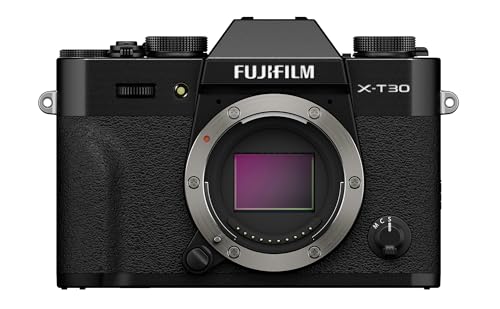
At $999 the X-T30 III is our pick in the under $1,000 guide, and its 6.2K open-gate mode is a gorgeous thing at the money. That mode is H.265 4:2:2 10-bit, exactly the trap flavor. On Apple silicon, an Arc card, or an RTX 50 machine, you’ll never notice. On an RTX 40 laptop it’s proxy city, and this camera doesn’t make its own proxies, so the render is on you. Budget body, but check the decode column of your edit machine before assuming it’s a budget system.
Canon EOS R8: the proxy tax is real
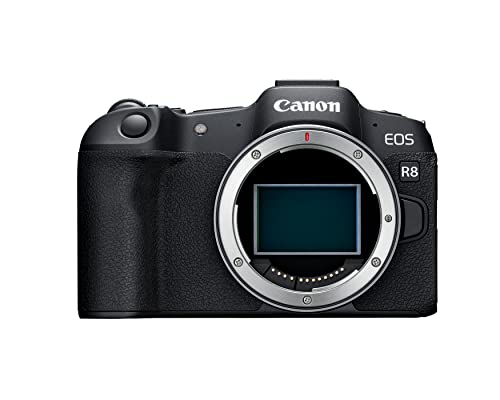
The EOS R8 runs $1,099 to $1,299 and is in our camera guides on the strength of a full-frame sensor that embarrasses cameras twice the price in low light. Post is its downside. The codec menu is long-GOP only, there’s no All-Intra option, there’s no proxy recording, and the only way to get 10-bit 4:2:2 is C-Log3, which is precisely the flavor pre-2025 GeForce cards can’t decode. Beautiful files, and on the wrong hardware each one bills you twice: once at the render bar, again in the evening it eats.
If Canon ships an R8 Mark II, the lesson holds. This entry is about a whole category of camera (great sensor, edit-hostile codec menu), and the R8 is the current example.
Nikon Z8: painless at the top
The Z8 sat around $3,400 to $3,500 after the July 2026 rebate, and it’s the proof that “more camera” doesn’t have to mean “more pain.” 8.3K N-RAW arrives with its MP4 proxy already written, internal ProRes covers the deliverable-friendly path, and it feeds on cheap CFexpress Type B. It’s our best-overall in the under $5,000 guide, and the rare flagship whose biggest files are the easy ones to edit.

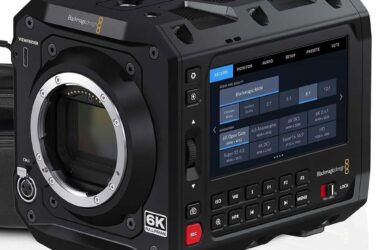
One reference point from outside the hybrid world: the Blackmagic Cinema Camera 6K Full Frame at $2,595 is what a camera looks like when the codec is designed for the edit first. It records BRAW only, which grades natively in Resolve with no transcode and no decode drama, and it writes to CFexpress Type B or straight to a USB SSD. You give up hybrid stills and great autofocus to get that.

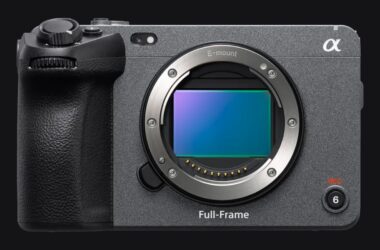
And one late addition from the top of the market. Sony announced the FX5 in July 2026, and it’s the most edit-friendly RAW pitch a hybrid-adjacent body has made yet: internal 16-bit X-OCN at roughly 104 to 175 GB per hour in 4K, which is XAVC S-I territory. It’s also $4,899, it wants VPG400 CFexpress Type A cards, and the two new compressed RAW flavors had zero NLE support at launch. I broke down what the FX5 means for your post workflow in its own guide.
How the six compare
| Camera | ~Price | Codec options | Cards | In-camera proxies | Post-cost verdict |
|---|---|---|---|---|---|
| Nikon Z6 III | ~$1,997 (reg. $2,399) | N-RAW, ProRes RAW HQ, ProRes 422 HQ, H.265 4:2:0 | CFexpress B + SD | Yes (N-RAW sidecar) | Painless |
| Panasonic S5 IIX | ~$1,798 | All-Intra to 800Mbps, ProRes 422 HQ, long-GOP, USB-C SSD recording | SD (V90 for All-I) or SSD | No | Painless |
| Sony FX30 | ~$2,098 | XAVC S-I All-Intra, XAVC long-GOP 4:2:2 | CFexpress A + SD | Yes (XAVC proxy) | Fine with the right hardware |
| Fujifilm X-T30 III | $999 | 6.2K open-gate H.265 4:2:2, long-GOP | SD | No | Fine, unless your GPU predates 4:2:2 decode |
| Canon EOS R8 | $1,099 to $1,299 | Long-GOP only, 4:2:2 only in C-Log3 | SD | No | The proxy tax is real |
| Nikon Z8 | ~$3,400 to $3,500 | 8.3K N-RAW, ProRes RAW HQ, ProRes 422 HQ, H.265 4:2:0 | CFexpress B + SD | Yes (N-RAW sidecar) | Painless at the top |
How to run the math before you buy
1. What does your edit machine decode in hardware? This is a spec-sheet lookup. Apple silicon covers 10-bit 4:2:2 HEVC on every M chip, with ProRes engines from M1 Pro up. NVIDIA: RTX 50 decodes 4:2:2, RTX 40 and older do not. Intel Arc and 11th-gen-plus iGPUs: covered. Match that against the specific mode you’ll shoot, not the headline codec; as the Nikon case shows, the flavor matters more than the format name. If the answer is “none of it,” price a hardware fix into the camera budget; our laptop guide and Premiere hardware guide flag which machines clear the bar.
2. What do the camera’s cards cost per gigabyte? Estimate your monthly shooting volume, multiply by the card format’s per-gigabyte rate, and look at the year-one number. A camera that needed V90 SD at $0.74 per gigabyte in July 2026 cost more to feed than a camera eating CFexpress B at $0.35, and that gap compounds every month you shoot.
3. Does it make its own proxies? If yes, unsupported codecs are a shrug. If no, every hour of footage your hardware can’t decode is roughly an hour of rendering. Price that time at your day rate, because that’s what the render is eating.
The bottom line: a body that’s $300 cheaper at checkout can cost you more than $300 in cards and lost hours before its first birthday.
FAQ
Is H.265 bad for editing?
Not inherently. The 4:2:0 flavors, including 10-bit, hardware-decode on essentially everything modern and edit fine. The problem is 10-bit 4:2:2 on GeForce cards older than the RTX 50 series, where decode falls back to CPU. Know which flavor your camera’s log mode records; that detail predicts the whole experience.
Do I need All-Intra?
If your machine hardware-decodes your camera’s long-GOP format, no; it plays back fine for most single-camera work and the smaller files are a real advantage. All-Intra justifies its file sizes when you scrub constantly, cut multicam, or edit on hardware that can’t decode the long-GOP alternative. At these bitrates you won’t see the difference on screen; what All-Intra changes is how the files behave on a timeline.
Are proxies lower quality?
Only while you’re editing. Proxies stand in for playback; at export the software renders from the originals at full quality, so nothing about a proxy workflow touches the finished file. The real cost is the time to generate them, which is why auto-proxy cameras get so much credit here.
Should I buy a camera that shoots ProRes just for the editing experience?
If you edit your own footage regularly, it’s worth real money, and cameras like the Z6 III and S5 IIX mean you no longer pay a huge premium for it. The trade is storage: ProRes 422 HQ runs several times the bitrate of long-GOP H.265, so budget cards and drives accordingly. If your footage goes to an editor with a modern machine, standard 4:2:0 H.265 is fine.
The camera is half the purchase
None of this says buy the expensive camera. It says price the whole camera: the body, the cards it eats, and the hours it costs at the desk. Sometimes the cheaper body wins anyway, and that’s fine, because now it’s a decision instead of a surprise. For the production half of the choice (image, handling, autofocus), the picks live in our under $2,000 and under $5,000 guides, and a full one-person rig around the camera is The Complete Solo Creator Kit.
And that’s it! The usual caveat: the decode and proxy pain here is my day job, but the camera-side specifics come from manuals and spec sheets, not from owning all six bodies. If your camera and GPU combination behaves differently than the tables above predict, tell me in the comments; that’s exactly the real-world data this post should carry. The rest of our buyer’s guides live on the Gear Guides page.