


A photo-editing monitor has one job the video-editing monitor next to it does not: show a color that will exist on paper. The spec that decides it is Adobe RGB coverage, and most 27-inch 4K monitors skip it, because video and the web run on DCI-P3. Four of the six picks below claim 99% Adobe RGB. Two do not, and they are here for designers whose work never leaves a screen.
The six picks run from $419.71 to $1,837.00, and the under-$500 tier after them goes down to $269.62. The top of that range buys hardware calibration, uniformity compensation and a five-year warranty, and for a retoucher who proofs for print those three features are the purchase. For a designer shipping to a website and a phone screen, a $419.71 panel with a factory report and a $249.02 colorimeter is a color-managed desk for under $700.
The picks are sorted by what each monitor is for: print proofing, design on a docked laptop, a Mac desk, a tight budget. QD-OLED, which two of the big review sites currently put on top, is left out; the OLED section says why.
Last updated: November 2026. Some links below are affiliate links. Buy through them and it helps keep the site running, at no extra cost to you. Prices were read on the live Amazon, Best Buy and Adorama listings on October 26, 2026; three of the six picks link to Best Buy or Adorama because the Amazon buy box that day belonged to a reseller. The PA279CRV price and the under-$500 tier were read again on November 2, 2026, when Amazon.com held the PA279CRV buy box at $419.71.
TLDR
If you just want the answer: the BenQ SW272U at $1,499.99 is the best monitor for photo editing: 27-inch 4K, 99% Adobe RGB and 99% DCI-P3, hardware calibration through a 16-bit 3D LUT, uniformity compensation, and a shading hood in the box. The value pick is the ASUS ProArt PA279CRV at $419.71, with the same 99% Adobe RGB and 99% DCI-P3 claims and a Calman Verified report, minus the hardware calibration and the hood. Under $500 with no print work, the LG 27UP850K-W at $349.99 keeps 4K and USB-C, and the ASUS ProArt PA278CV at $269.62 is the under-$300 pick. Print pros go to the Eizo, Mac users to the Studio Display, and everyone adds a colorimeter.
This is the photo and design twin of our best monitor for video editing guide, which is sorted for timeline work and Rec.709 delivery and is the right page if your output is video.
The picks
Best overall: BenQ SW272U
Hardware calibration puts this one at the top. The SW272U stores its correction in a 16-bit 3D LUT inside the monitor, written by Palette Master Ultimate and a colorimeter, so the calibration holds on any computer plugged into it. It covers 99% of Adobe RGB, 99% of DCI-P3 and Display P3, and 100% of sRGB on a 27-inch 4K IPS panel, so print proofing and web output share one screen. Uniformity compensation is listed and the shading hood is in the box.
The panel is nano matte with TUV anti-reflection certification, the right finish for retouching, because a glossy screen puts the room into the shadows you are judging. The trade-off is $1,499.99 for a 60Hz panel with USB-C at 90 watts and no Thunderbolt or KVM. For a photographer who does not need 4K, the BenQ SW272QN at $799.99 keeps the 99% Adobe RGB, the hardware calibration, the uniformity control and the hood on a 2560 by 1440 panel, adds a card reader, and saves $700.

Best 4K all-rounder for design: BenQ PD2732U
Thunderbolt 4 is the spec that separates this one from the photo monitors. The PD2732U is BenQ’s 2026 design monitor: 27-inch 4K, 99% Adobe RGB and 99% Display P3, a Thunderbolt 4 input at 90 watts and a built-in KVM, for $699.99. BenQ claims a factory Delta E of 2 or under and ships a full-panel uniformity calibration. For a designer moving between Illustrator, a browser and a video timeline on one docked laptop, that port list separates it from the photo-first SW272U.
It gives up the LUT. Nothing on the listing states hardware calibration, so the PD2732U is profiled the ordinary way, with an ICC profile that lives on one computer, and there is no hood in the box. It was $699.99 through BenQ’s storefront on October 26, well under the preorder price reported over the summer, so re-read the listing before checkout. The cheaper route to the same gamut claims is the PA279CRV below, $280 less and without Thunderbolt.

Best hub monitor: Dell UltraSharp U2725QE
140 watts over Thunderbolt 4 is the number here, the wattage that keeps a 16-inch MacBook Pro charging through a day of Lightroom. The U2725QE is a 27-inch 4K IPS Black panel at 120Hz with a 3000:1 contrast ratio, covering 99% of DCI-P3 with a factory calibration report in the box. Behind the panel is a dock: HDMI 2.1, two DisplayPorts, 2.5-gigabit Ethernet and eight USB ports. It is $624.99 at Best Buy, sold by Best Buy itself; the Amazon listing on October 26 was a third-party seller with one unit left.
Dell makes no Adobe RGB claim for this panel, and neither hardware calibration nor uniformity compensation is on the spec sheet. That rules it out for print proofing and keeps it here for the designer whose deliverables are screens, where a P3 panel with a report is the correct tool and the dock replaces a $300 accessory. Without the dock requirement, the PA279CRV below is $205 less and adds the Adobe RGB coverage this one lacks.

Best for print: Eizo ColorEdge CS2740
Five years of warranty on a 99% Adobe RGB panel is the Eizo’s case. The ColorEdge CS2740 is a 26.9-inch 4K IPS with a 16-bit LUT, hardware calibration through Eizo’s ColorNavigator 7, and a Digital Uniformity Equalizer that corrects brightness and color across the panel. Eizo covers it for five years or 30,000 hours, which nothing else here matches, and ColorEdge is the line print shops and photo labs standardize on. It is $1,837.00 at Adorama, in stock on October 26.
The spec sheet is older than the price. The CS2740 dates from 2020: 350 nits, a 1000:1 contrast ratio, USB-C at 60 watts, no published DCI-P3 figure, and no built-in sensor, so Eizo’s EX4 or EX5 colorimeter is a separate purchase. None of it matters to the print retoucher it is built for; all of it matters to a designer who also cuts video. The cheaper route to 99% Adobe RGB with hardware calibration and uniformity compensation is the SW272U, $337 less with a hood in the box; the CS2740’s case over it is the warranty and ColorNavigator.
Best for Mac users: Apple Studio Display
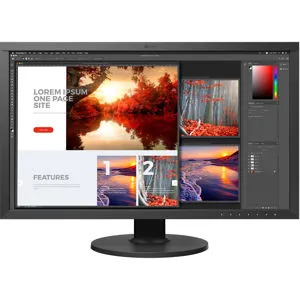
218 pixels per inch decides this one. The Studio Display is a 27-inch 5K panel, 5120 by 2880, at the density macOS was drawn for, so macOS renders without fractional scaling. It covers P3, runs at 600 nits, and ships calibrated to Apple’s reference modes. It is $1,599.99 at Best Buy, sold by Best Buy; the Amazon listing was Amazon Resale.
It fails two of this guide’s criteria. Apple makes no Adobe RGB claim, so it is not a print-proofing monitor, and there is no hardware calibration path; a colorimeter profiles it at the operating-system level and that is the ceiling. The standard glass is glossy, and the nano-texture option a retoucher wants costs more. Against the SW272U at $100 less, it trades a hood, a LUT and Adobe RGB for 5K and a camera. The cheaper 5K route is the BenQ PD2730S at $1,099.99, the same 218 ppi with Thunderbolt 4, a KVM and 98% DCI-P3, no Adobe RGB claim; the full case for it is in our Mac mini monitor guide linked below.
Best value color-managed 4K: ASUS ProArt PA279CRV
$419.71 for 99% Adobe RGB is the whole case. The PA279CRV is a 27-inch 4K IPS with the same 99% Adobe RGB and 99% DCI-P3 claims as the BenQ monitors, Calman Verified at the factory with a report in the box and a claimed Delta E under 2, and a USB-C input at 96 watts with DisplayPort daisy chaining. It was $449.99 at Adorama on October 26, when Amazon’s $397.16 listing was Amazon Resale; on November 2 Amazon.com itself held the buy box at $419.71 and Adorama was at $434.99. Best Buy carries only the older PA279CV.
The $1,080 gap to the SW272U is three things: no hardware calibration, no uniformity compensation on the spec sheet, and no hood. The correction lives in an ICC profile on the computer and the corners of the panel are whatever they are. For a student or a designer with a hard budget ceiling, none of that justifies the gap. Below this price the Adobe RGB claim disappears and the panels become sRGB and P3 monitors, so this is the floor of the color-managed picks; the under-$500 tier below is what the money buys past it.

The one accessory: a colorimeter
Every monitor in this guide needs a colorimeter, including the two with hardware calibration, because a factory report describes the panel on the day it left the line and backlights drift from there. The Calibrite Display Pro HL at $249.02 drives Palette Master Ultimate on the BenQ SW line and ColorNavigator on the Eizo, and writes ICC profiles for the Dell, the ASUS and the Studio Display. Budget it with the monitor and run it monthly.
Under $500: what you give up and what you don’t
Adobe RGB is what the money buys. The PA279CRV, the one pick above that costs under $500, is also the one monitor in this tier with a 99% Adobe RGB claim, so it stays the 4K pick at $419.71 on Amazon, sold by Amazon.com on November 2 ($434.99 at Adorama the same day). Below it the Adobe RGB claim disappears and the panels are sRGB and P3 monitors: right for work that ships to a screen, wrong for a print proof. What survives the cut is a factory report, USB-C, and a panel a colorimeter can profile.
4K for $349.99 is the LG 27UP850K-W‘s case. It is a 27-inch 4K IPS with USB-C at 90 watts, HDMI and DisplayPort, a stand that adjusts for height and pivots, and a DisplayHDR 400 badge; the listing claims 95% DCI-P3 and makes no Adobe RGB claim. The K-W suffix is the current US model, sold by Amazon.com; the older 27UP850N listing on Amazon was an Australian unit from a third-party seller on November 2. The PA279CRV costs $70 more and buys the Adobe RGB claim and the Calman report; the HDR badge on the LG decides nothing for photo work. For a designer whose output is web and phone screens, it is the right 4K panel under $350.
100% sRGB with a Calman Verified report is the ASUS ProArt PA278CV‘s case at $269.62, and it is the under-$300 pick. It is a 27-inch 2560 by 1440 IPS with USB-C, DisplayPort daisy chaining and a USB hub, and ASUS claims a Delta E under 2 on the factory report, the same report the PA279CRV ships with. The trade-off is resolution and gamut. 1440p at 27 inches is about 109 pixels per inch against 163 for 4K, so a 100% view shows less of the frame and fine detail is softer, and sRGB is the ceiling, which is the web’s delivery gamut. For a student or a photographer whose clients see galleries on phones, it is the cheapest panel we would put a colorimeter on.
Under $200 the answer is the ASUS ProArt PA248QV at $194.99, sold by Amazon.com on November 2: a 24-inch 1920 by 1200 IPS at 16:10, Calman Verified with the same Delta E claim. At about 94 pixels per inch it is a second screen or a first desk; retouching wants the 27-inch panels above. Past that point the colorimeter comes before the monitor: the Calibrite Display Pro HL at $249.02 profiles the PA248QV today and moves to whatever replaces it.
How the picks compare
| Monitor | Price | Panel | Adobe RGB | DCI-P3 / P3 | Hardware calibration | Uniformity compensation | Power and ports |
|---|---|---|---|---|---|---|---|
| BenQ SW272U | $1,499.99 | 27 in, 4K IPS, nano matte, hood | 99% | 99% | Yes, 16-bit 3D LUT | Yes | USB-C 90W, HDMI, DP |
| BenQ PD2732U | $699.99 | 27 in, 4K IPS, nano matte | 99% | 99% Display P3 | Not stated (ICC profile) | Yes, full panel | Thunderbolt 4 90W, KVM, daisy chain |
| Dell UltraSharp U2725QE | $624.99 at Best Buy | 27 in, 4K IPS Black, 120Hz | Not claimed | 99% | No (ICC profile) | Not stated | Thunderbolt 4 140W, HDMI 2.1, 2x DP, 2.5GbE, 8 USB |
| Eizo ColorEdge CS2740 | $1,837.00 at Adorama | 26.9 in, 4K IPS | 99% | Not published | Yes, ColorNavigator 7, 16-bit LUT | Yes, Digital Uniformity Equalizer | USB-C 60W, HDMI, DP, USB hub |
| Apple Studio Display | $1,599.99 at Best Buy | 27 in, 5K, glossy (nano-texture optional) | Not claimed | P3 | No (ICC profile) | Not stated | Thunderbolt |
| ASUS ProArt PA279CRV | $419.71 | 27 in, 4K IPS | 99% | 99% | Not stated (ICC profile) | Not stated | USB-C 96W, HDMI, DP daisy chain, USB hub |
| LG 27UP850K-W | $349.99 | 27 in, 4K IPS | Not claimed | 95% (listing claim) | Not stated (ICC profile) | Not stated | USB-C 90W, HDMI, DP |
| ASUS ProArt PA278CV | $269.62 | 27 in, 1440p IPS | Not claimed | Not claimed (100% sRGB) | Not stated (ICC profile) | Not stated | USB-C, DP daisy chain, USB hub |
Gamut figures are the makers’ claims, not measurements. “Not stated” means the feature is absent from the listing and the spec sheet we read; treat it as absent.
What matters
Adobe RGB for print, P3 for screens. sRGB covers about 35% of the colors the eye can see and Adobe RGB about 50%, with most of the gain in the cyans and greens, and Adobe RGB was designed to hold most of what a CMYK press can print. DCI-P3 and Display P3 extend sRGB toward the reds instead, and they are the gamut of phones, Macs and video delivery. A 99% Adobe RGB panel that also covers 99% of P3 handles both; a P3-only panel is correct for screen work and wrong for a print proof.
Hardware calibration is where the correction lives. Every monitor here can be profiled with a colorimeter; the difference is where the result goes. Software profiling writes an ICC profile on the computer, which color-managed applications apply and others ignore, and it travels with that one machine. Hardware calibration writes the correction into the monitor’s own lookup table, so it applies to every input, survives a laptop swap, and lets the panel emulate a smaller gamut like sRGB at full bit depth. BenQ’s SW line and Eizo’s ColorEdge line do it; BenQ’s PD line, Dell’s UltraSharps and Apple’s displays do not. For a print retoucher it is worth the $1,000 step; for everyone else a profile is enough.
Uniformity compensation. A panel that is 10% brighter in the center than the corner will make you dodge a sky that was fine. Uniformity compensation measures the panel in zones and corrects each one, at some cost to peak brightness and contrast. The SW272U, the PD2732U and the CS2740 list it; the others do not.
Matte over glossy. Retouching is shadow work, and a glossy panel reflects the window behind you into the shadows. BenQ’s nano matte finish and Eizo’s matte panel are the right default; Apple’s standard glass is the one glossy screen in the guide. A hood is the cheap version of the same fix and comes in the box with the SW272U and SW272QN.
27-inch 4K is the default size. 4K at 27 inches is about 163 pixels per inch, sharp enough to judge focus at 100% and large enough for a full-screen image with panels open. 5K at 27 inches is 218 ppi, the Mac density. 32-inch 4K drops to about 138 ppi and suits a two-image layout or a Windows desk at 100% scaling; Dell’s U3225QE is the 32-inch version of the U2725QE if that is the need. Refresh rate above 60Hz and HDR badges on IPS panels without local dimming decide nothing.
Why no OLED
TechRadar (October 2026) and PCMag (April 2026) both rank the ASUS ProArt PA32UCDM, a 32-inch 4K QD-OLED, at or near the top for photo editing, and it leads our best monitor for color grading guide. It is not in this one, for three reasons. Its Adobe RGB coverage trails the 99% IPS panels here, because OLED gamuts are tuned for P3. Its SDR brightness is 250 nits, with the 1,000-nit figure available only on a 3% window, so the automatic brightness limiter dims a full-screen white canvas. And a static interface left on screen for eight hours a day is the burn-in case, which is why Eizo warrants the panel in its first OLED ColorEdge for one year or 10,000 hours against five years for its LCD models. The PA32UCDM was $1,599 on Amazon from Amazon Resale and $1,835.43 at Best Buy on October 26.
FAQ
Is Adobe RGB necessary for photo editing?
Only if the work is printed or proofed for CMYK. For web, social and client galleries viewed on phones, sRGB and P3 are the delivery gamuts, and a 99% P3 monitor such as the Dell UltraSharp U2725QE or the Apple Studio Display shows everything the audience will see. If any part of the business is prints, buy the Adobe RGB panel.
Do I need a hardware-calibrated monitor?
A print retoucher does. A designer or photographer whose output is screens gets most of the accuracy from a colorimeter and an ICC profile on a panel that shipped with a factory report, which is why the PA279CRV at $419.71 is a defensible choice. In both cases buy the colorimeter.
Is an OLED monitor good for photo editing?
Not as the main retouching display. The brightness limiter dims full-screen white canvases, Adobe RGB coverage trails the IPS panels, and a static editing interface is the burn-in case. OLED is a good grading monitor for video and a good second screen for judging a finished image.
Is a $300 monitor good enough for photo editing?
For screen output, yes, if it ships with a factory report and you add a colorimeter. The ASUS ProArt PA278CV at $269.62 covers 100% of sRGB with a Calman Verified report, and a profile from the Calibrite Display Pro HL makes it a color-managed sRGB desk for about $520. What $300 does not buy is Adobe RGB, so it is not a print-proofing monitor, and it does not buy 4K; the LG 27UP850K-W adds 4K for $349.99 and the PA279CRV adds the Adobe RGB claim for $419.71.
Where this fits on the desk
If the output is video, our best monitor for video editing guide is sorted for timeline work and has an OLED at the top. The reference and grading displays, including the PA32UCDM and the Flanders Scientific DM242, are in the best monitor for color grading guide. Mac mini and MacBook owners have the 5K case in full in the best monitor for a Mac mini guide. And the November price targets for the Dell, the ASUS and the Studio Display are on the Black Friday monitor deals page.


