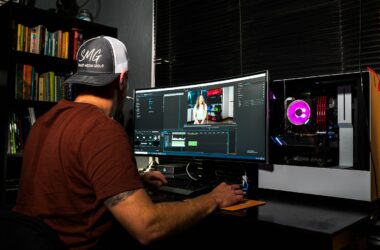
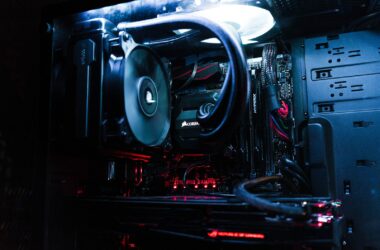
Add a noise reduction node. Playback drops to 4 fps. Add Magic Mask on top… and there it is: “GPU Memory Full.” If you grade in DaVinci Resolve, you already know this dance, because Resolve is a GPU application wearing an editing app’s clothes. Your graphics card decides whether the timeline plays or stutters, whether that NR node is usable or decorative.
So this guide is the straight answer to “which GPU should I buy for editing,” with every performance claim cited to Puget Systems, the workstation builder whose PugetBench numbers are the de facto standard for Resolve and Premiere testing. I don’t run a benchmark lab. They do. What I bring is the working-editor translation: which of these numbers you’ll actually feel, and which ones are marketing.
One ugly truth before the picks: it is a genuinely bad time to buy a GPU, and pretending otherwise would be lying to you. The AI datacenter boom ate the memory supply, street prices are running 25 to 100 percent over MSRP, and the RTX 50 Super refresh that was supposed to fix this got pushed to 2027 at the earliest. If you need a card, these are the honest buys at today’s real prices. If you don’t need one this quarter… your current card just got a contract extension.
Last updated: July 2026. Some links below are affiliate links. Buy through them and it helps keep the site running, at no extra cost to you. I only point at gear I’d be comfortable handing to a friend.
The quick verdict
If you just want the answer: buy the RTX 5070 Ti. Puget’s own Resolve recommendations name it alongside the 5080 as the value tier behind the 5090, and it carries the exact same media engines as the 5080 for a couple hundred dollars less. If you finish 6K and 8K in Resolve for a living, the RTX 5090 is the only consumer card with enough VRAM to do it comfortably, and you should read the power-supply warning first. Everyone else: the tiers below tell you exactly when each step up stops being worth it.
Best value: NVIDIA GeForce RTX 5070 Ti (16GB)
This is the card I’d point most editors at, and Puget agrees: their Resolve hardware page lists the 5070 Ti and 5080 as the cards that “give terrific performance” if the 5090 is too rich. Here’s the fun part their 5070 Ti review found: in LongGOP (H.264/H.265) editing work it matches the RTX 5080, because both cards carry identical Blackwell media engines. That includes hardware decode for 10-bit 4:2:2 H.264 and H.265, which the RTX 50 series is the first consumer generation to offer. If you cut mirrorless footage from a Sony, Canon, or Fuji, that one spec is the difference between smooth playback and transcoding proxies all night. Its 16GB of VRAM clears Puget’s 12GB guidance for 4K timelines with room to spare.
The honest downsides: you’re paying around $920 to $1,000 for a card with a $749 MSRP, because everything in this market is inflated right now. 16GB is real headroom for 4K but it is below Puget’s 20GB-plus guidance for 6K and 8K timelines, so heavy noise reduction plus Magic Mask on big-sensor footage will eventually hit the wall. And colorists who live in OpenFX and temporal NR should know the pure GPU-effects grunt sits a clear tier below the 4090/5090 class. For cutting and grading 4K, though? This is the sweet spot, and it isn’t close.

The safe overbuy: NVIDIA GeForce RTX 5080 (16GB)
Puget’s Premiere page calls the 5080 “on par with the previous-gen 4090,” and in their consumer GPU roundup it landed as the number two card overall in Resolve, ahead of the 4090. That’s 4090-class grading power without feeding the used-market scalpers, and it’s the most GPU you can buy before the price curve goes vertical: the next rung up is a four-thousand-dollar 5090. If your work leans harder on GPU effects than on media playback (motion graphics-heavy promos, grade-heavy spots), this is where the extra money over the 5070 Ti actually shows up on the timeline.
Now the part the spec sheet won’t tell you: it has the same 16GB of VRAM as the 5070 Ti. Same 6K/8K ceiling, same NR-plus-Magic-Mask wall, just reached faster. And the value math is genuinely mid: this past Prime Day the 5080 cost 39 percent more than the 5070 Ti while being 14 to 17 percent faster. You’re paying a premium per frame of performance. It’s a great card. It’s just not a great deal, and you deserve to know the difference before checkout.

The no-compromise card: NVIDIA GeForce RTX 5090 (32GB)
Puget’s Resolve page says it plainly: the RTX 5090 is “the best card you can get for Resolve, performing about on par with three RTX 4090 GPUs from the previous generation.” Three. Their roundup measured a 34 percent GPU-effects lead over the 4090, and the headline spec for finishing work is the 32GB of VRAM, the only consumer pool that clears Puget’s 20GB-plus guidance for 6K/8K timelines with noise reduction and AI features stacked on top. If your invoices say “online editor” or “colorist” and your timelines say 6K RAW, this card pays for itself. That’s the whole pitch.
The reality check comes in three parts. Street price is roughly double the $1,999 MSRP right now (around $4,200 for reputable in-stock cards), which is the worst point in the price cycle to buy, so this only makes sense if the card earns money. It pulls 575 watts of board power, which means a 1000W-plus PSU and real case airflow; a lot of quiet studio builds simply can’t host it. And if you’re a Premiere-only editor, put the wallet down… Puget says most users won’t feel the difference between NVIDIA cards a generation or two apart in Premiere. One buying note: clean first-party Amazon stock is basically nonexistent at sane prices, so the link below goes to B&H, same as we did with the RED Komodo.

Best budget entry: NVIDIA GeForce RTX 5060 Ti (16GB)
Puget’s verdict on this card is refreshingly blunt: “competent for its price point as long as you stick with the 16GB model,” with a 37 percent Resolve lead over the old 4060 Ti. The reason it beats a used last-gen card at the same money is the same media-engine story from the 5070 Ti: this is the cheapest card on earth with hardware 10-bit 4:2:2 decode, which no used 40-series can offer at any price. For a first grading machine, a proxy-cutting box, or an edit bay that mostly ships 1080p and 4K social work, it covers the bases.
Cons, stated out loud: in this shortage, “budget” means about $570 to $590 for a card with a $429 MSRP, which stings. Raw GPU-effects power is roughly half a 5070 Ti, so heavy OpenFX grades will feel it even when playback is smooth. And whatever you do, do not buy the 8GB variant to save fifty bucks. Puget’s words: 8GB “is simply not enough VRAM to keep up with modern video editing workflows.” The 16GB model or nothing.

The VRAM play: NVIDIA RTX PRO 4000 Blackwell (24GB)
Here’s the wildcard, and it exists because of one gap: Puget says 6K/8K work wants 20GB-plus of VRAM, and there are exactly three NVIDIA ways to get there in 2026. A $4,200 RTX 5090, a used 4090 of unknown mining history, or a workstation card. The RTX PRO 4000 Blackwell gives you 24GB of ECC GDDR7 with the full Blackwell media engines (4:2:2 decode included) in a single-slot card that sips 140 watts. It drops into a small-form-factor build, a rack ingest machine, or a workstation whose PSU would file a complaint about a 5090. Puget’s professional GPU roundup found the Blackwell PRO cards beat everything except the 6000 Ada in content creation.
Read this twice before buying: raw speed is not what you’re paying for. Those 8,960 CUDA cores are throttled to 140W, so a $950 RTX 5070 Ti beats it in pure GPU-effects throughput. The roughly $2,200 price buys VRAM capacity, the single-slot form factor, and workstation stability, nothing else. ECC memory and pro drivers add zero measurable Resolve performance. Most readers should buy the 5070 Ti or save for a 5090. This card is specifically for editors hitting VRAM ceilings inside builds that can’t feed a 575W monster.

How the five compare
| Card | VRAM | Puget’s take | Board power | Street price (July 2026) |
|---|---|---|---|---|
| RTX 5070 Ti | 16GB | Value tier for Resolve; matches 5080 media engines | 300W | ~$920 to $1,000 ($749 MSRP) |
| RTX 5080 | 16GB | On par with prev-gen 4090; #2 overall in Resolve roundup | 360W | ~$1,250 ($999 MSRP) |
| RTX 5090 | 32GB | Best card for Resolve, “on par with three RTX 4090s” | 575W | ~$4,200 ($1,999 MSRP) |
| RTX 5060 Ti 16GB | 16GB | Competent at its price; 16GB model only | 180W | ~$570 to $590 ($429 MSRP) |
| RTX PRO 4000 Blackwell | 24GB ECC | Pro roundup: beats all but 6000 Ada; buy it for the VRAM | 140W | ~$2,200 |
What actually matters when you choose
Resolve is a GPU app. Premiere mostly isn’t. This is the single most useful thing to know, and Puget has it in writing on both recommendation pages. Resolve “heavily relies on the performance of your GPU,” especially OpenFX and noise reduction. Premiere? “For most users, there isn’t much of a difference between various NVIDIA GPUs even if you go back a generation or two,” and your CPU choice usually matters more. So if you cut exclusively in Premiere, a mid-tier card is genuinely fine and the leftover money belongs in CPU, RAM, and storage. The big-GPU money is a Resolve play.
VRAM is the spec that ends arguments. Puget’s Resolve guidance by timeline resolution: 8GB for 1080p, 12GB for 4K, 20GB-plus for 6K/8K. Premiere is lighter across the board (8GB covers 4K). Two traps inside those numbers: first, the AI features and temporal NR compete for the same memory pool as your timeline, which is why 16GB is the comfortable 4K floor once you actually use Magic Mask. Second, VRAM does not pool across multiple cards… two 8GB GPUs still give you 8GB usable, because each card needs its own copy of the frame. Multi-GPU is a Studio-license, effects-render play, not a VRAM fix.
The 4:2:2 decode thing is a bigger deal than it sounds. Nearly every serious mirrorless camera shoots 10-bit 4:2:2 H.264 or H.265, and until this GPU generation, no consumer card could decode it in hardware. Your $3,000 last-gen card played that footage on CPU brute force. The entire RTX 50 line decodes it natively, which is why I’d steer even budget buyers to a 50-series card over a used 40-series at similar money.
Don’t wait for the Super cards. Normally “wait for the refresh” is good advice. Not this cycle. The 24GB 5070 Ti Super and 5080 Super have been pushed to CES 2027 at the earliest (reports say possibly cancelled) because the same memory shortage inflating prices also killed the 3GB GDDR7 modules they need. The refresh isn’t coming to rescue you. Buy for the work you have, or don’t buy.
“And AMD?” Long-time readers know Radeon has been dead to me for years, and honestly, Puget keeps re-validating the grudge: dollar for dollar they find NVIDIA faster and more reliable in Resolve, and for Premiere they recommend NVIDIA outright. Credit where due, though: the 9070 XT actually wins some Premiere H.264 decode tests and holds its own in Fusion, and AMD’s Radeon AI PRO R9700 kept pace with the comparably priced RTX PRO 4000 in Puget’s pro roundup. If you’re deep in a CUDA-based plugin stack, none of that matters. It’s still NVIDIA’s category.
FAQ
How much VRAM do I actually need for DaVinci Resolve?
Puget’s numbers: 8GB minimum for 1080p, 12GB for 4K, 20GB-plus for 6K/8K. My working-editor translation: buy 16GB for 4K work, because noise reduction and Magic Mask eat from the same pool as the timeline, and “GPU Memory Full” always shows up during the client review, never before it.
Is the RTX 5090 worth it for video editing?
For Premiere-only editors, no. For 4K Resolve work, it’s a luxury. For 6K/8K finishing with heavy NR and AI tools, it’s the only consumer card that genuinely fits the job, and at today’s ~$4,200 street price it should be bought like any other piece of business equipment: because it earns its keep, not because it tops charts.
Do I need a powerful GPU for Premiere Pro?
Less than you think. Puget found upgrading from a 30-series to a 50-series gains about 28 percent overall in Premiere, and most of that concentrates in GPU effects. Meanwhile ProRes and DNxHR work barely moved (3 percent), because intraframe codecs are CPU-bound. A 5070 Ti is already a generous Premiere card; spend the rest on the machine around it.
Should I wait for GPU prices to come down?
If your current card still plays your timelines: absolutely wait, this is the worst pricing in years. If you’re bleeding billable hours to proxy workflows and crashed renders: the honest math says a $950 5070 Ti pays for itself faster than the market will correct, because analysts don’t expect real relief before late 2027.
Where this fits in your build
The GPU is the loudest line item, but it’s one piece of a balanced machine: the full picture lives in the Premiere Pro hardware guide, your media wants a fast NVMe scratch disk, and if you’re on Apple silicon, none of this applies to you… the GPU comes soldered to the decision, and I wrote a whole Mac buying guide for exactly that conversation.
And that’s it! As always, what you see here is what works for me, my clients, and my crew, with the benchmark receipts linked so you can check my math. Prices in this market move weekly, so I’ll be re-verifying these picks every quarter. Got a card question for your specific workflow? Drop it in the comments. The rest of our buyer’s guides live on the Gear Guides page.