


Some links below are affiliate links; buying through them supports the site at no cost to you.
Exporting a 4K timeline, and Premiere starts to choke. The playhead stutters, the render bar crawls, and you just know it’s the storage. We’ve all been there. For editing pros, solo creators, or even gamers (yeah, we know that 4090 isn’t only for business), a fast internal NVMe SSD is the fix, and these days they’re the only drives I edit off of. I haven’t touched one of those orange LaCies in years. They make great desk decorations though!

Feature film or daily social content, the storage under your edit decides whether the software flies or chokes. So let’s cut to it. These are the internal NVMe drives I’d put in an editing machine in 2026, and how to pick the right one for what your computer can really use.
TLDR
If you just want to be told what to buy, here’s the kit, no scrolling required:
- Want the fastest? The Samsung 9100 Pro 4TB (PCIe 5.0). It’s the drive in my personal rig.
- Want the smart-money pick? The Samsung 990 Pro (Gen4). Still plenty fast for editing, and a good bit cheaper.
- Need raw space for footage? The WD Black SN850X 8TB. Best value-per-terabyte big drive going.
That’s it. Now here’s why, because the right drive really does depend on what your machine can use.
The one I run: Samsung 9100 Pro
This is the drive sitting in my personal rig, so let’s start here. The 9100 Pro is Samsung’s PCIe 5.0 flagship, and the numbers are silly: up to 14,800 MB/s read and 13,400 MB/s write on the 4TB. That’s roughly double the old 990 Pro. For an editor, that speed shows up where you feel it most, in cache and scratch reads, scrubbing heavy multicam timelines, and slinging huge files between drives without staring at a progress bar.
I’ve always run Samsung for my internal disks. They’ve never failed me, and the Magician software for tracking drive health and firmware is the best in the business.
Now, am I going to tell you it’s the single fastest SSD on Earth? …Honestly, no. On raw benchmarks the WD Black SN8100 edges it out. But the 9100 Pro is the better balance: top-tier speed, the reliability I’ve leaned on for years, capacities all the way up to 8TB, and software I trust. It’s the one I bought with my own money.
Gen5 drives run hot, and that matters. Get the heatsink version, or make sure your motherboard has a good M.2 cooler, or you’ll thermal-throttle mid-export and lose the very speed you paid for.

But do I even need Gen5?
Great question, and for a lot of you the answer is… no. PCIe 4.0 already saturates what most video editing needs.
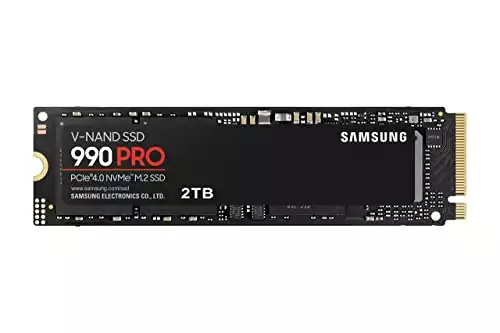
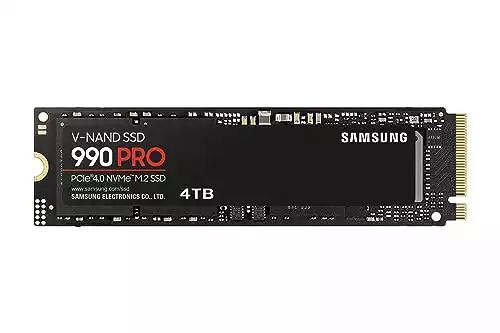
Enter the Samsung 990 Pro, the drive this post was originally all about, and still a fantastic buy. It hits up to 7,450 MB/s read and 6,900 MB/s write, which fully maxes out a Gen4 slot. For 4K, and even most multicam and standard RAW work, that is plenty. Gen5’s extra headroom only pays off if you’re cutting heavy 8K or 6K RAW, or hammering massive render caches all day. And the kicker: if your motherboard is still PCIe 4.0, and a ton of them are, the 9100 Pro can’t even stretch its legs, so the 990 Pro is the smarter spend.
It’s also a single-sided M.2 2280, so it drops cleanly into thin laptops, a PS5, or a tight build, and it runs cooler than the Gen5 stuff. The 4TB is still one of the strongest high-capacity Gen4 drives you can buy, and TweakTown’s 4TB review backs that up.
Two heads-ups. One: the 990 Pro is late in its life now that the 9100 Pro is here, so you’ll often catch it on clearance, which is great for you, but the stock won’t last forever. Two: at the 4TB tier those clearance prices have gotten weird, sometimes bumping right into 9100 Pro money, so the 990 Pro’s value is cleanest at 2TB. Check the live price before you pull the trigger, and if 2TB covers you, grab the cheaper 2TB version.
Torn between these two exact drives? I wrote a full 990 Pro vs 9100 Pro breakdown, capacity by capacity, with the current pricing math.
|
|
|
$409.99
|
$799.90
|
If you want a proper teardown before you buy, NASCompares does a great one:

When you just need space: WD Black SN850X 8TB
Every working editor eventually slams into this one: you run out of room. My live production work eats roughly 300GB per project. Five of those a year is 1.5TB, and after a decade-plus in this game I’ve piled up well past 15TB, and that’s before project files, masters, and all the supporting junk.
When raw capacity is the goal, the WD Black SN850X 8TB is the one to grab. It’s a Gen4 drive, so no Gen5 price premium, it still does 7,300 MB/s read, and it’s the best price-per-terabyte 8TB M.2 out there right now. Samsung doesn’t make a strong Gen4 8TB, and the Gen5 8TB options cost a small fortune, so for pure “I need to stop deleting footage” space, the SN850X is the call.
Plain old spinning HDDs are still fine for cold archive, the stuff you stash and rarely touch. But for the drives you edit and offload to day to day, you want this kind of speed.

So, which one?
Quick recap, because I just threw a lot at you:
- Fastest and future-proof: Samsung 9100 Pro, the one I run.
- Best value for most editors: Samsung 990 Pro, especially at 2TB.
- Maximum storage: WD Black SN850X 8TB.
And if you’re after a portable drive to haul footage between sets and suites, that’s a different animal with a different list. I rounded those up over here.
At the end of the day, what you see here is just what works for me, my clients, and my crew. A faster drive won’t make you a better editor, but fast, roomy storage means you spend your time cutting instead of waiting on a progress bar, and that’s the whole point. Got a drive you swear by? Drop it in the comments. Now go make something.


