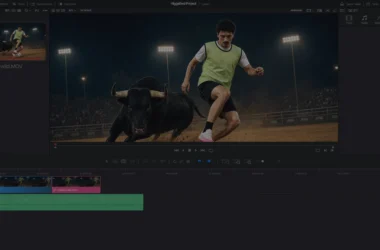
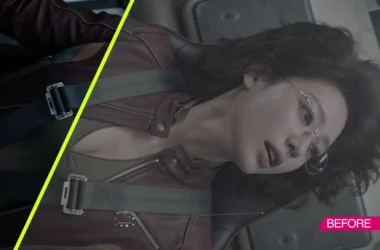
Luma’s Gaussian splatting still works in October 2026, and nothing around it is maintained. The Luma 3D Capture app is on the App Store at version 1.3.14 from January 2026, free, rated 4.5 from 1.9K ratings, and its release note says exports still run. Everything around it has stopped: the capture page on lumalabs.ai returns a 404, the Genie text-to-3D model was shut down on January 1, 2026, the Unreal plugin on Fab was last updated October 15, 2024 and supports Unreal 5.1 to 5.3, and no page Luma published in 2026 mentions 3D capture. This guide covers what the app still does, how to get a splat out of it and into Unreal, Blender, After Effects or Resolve, and which maintained tools do each of those jobs today.
Last updated: October 2026. App Store listing, Fab listing, Luma’s plugin documentation and every price below were read on October 29, 2026. None of the links on this page are affiliate links. Luma does not publish release notes for the capture app any more, so the status line above is re-checked at each refresh and dated.

TLDR
Luma 3D Capture is a free iPhone app that turns a walk around a subject into a Gaussian splat, exports it as a PLY, and is no longer being developed. If you already have captures in it, export them now while the note on the App Store still says you can. For new work, Scaniverse on the free Niantic plan does the same phone capture with on-device processing and PLY and SPZ export, and Jawset Postshot at €17 a month trains higher-quality splats on a Windows PC from any camera. Once you have a PLY, the plugins are the same whichever app made it: KIRI’s free plugin for After Effects, Irrealix at $49 each for After Effects, Resolve and Nuke, KIRI’s free 3DGS Render add-on for Blender, and SuperSplat in a browser to crop and publish. Luma’s own Unreal plugin runs on Unreal 5.1 to 5.3 only.
What Luma’s 3D capture produces
Two formats from one capture
Luma processes a capture in the cloud and stores it in two forms. The first is a neural radiance field, Luma’s volumetric format with the .luma extension, which is what the Luma viewer and the Unreal plugin render. The second is a Gaussian splat, a cloud of oriented, coloured ellipsoids saved as a PLY file, which is the interchange format every other tool on this page reads. The App Store description also lists mesh export for Blender and Unity; the plugin documentation describes the splat as “Interactive Scenes powered by Gaussian Splatting (.ply).” A splat is the version to export. The .luma file is only useful inside Luma’s own viewer and plugin, and the mesh is a lower-fidelity derivative for engines that cannot render splats.
Where it stands in October 2026
The app requires iOS 16 and an iPhone 11 or newer for AR capture; video upload works on an iPhone X or XR. Its description still carries a 2023 copyright and its featured reviews are from 2023. Version 1.3.14, dated January 14, carries the only recent note: “We’ve officially Sunset Genie since January 1, 2026. Thank you for being part of the journey. You can still export your content.” The web upload page is gone. Luma’s news index, which starts in March 2025, has no 3D post; the 2026 Learning Center has none either. Luma’s business is the Ray video models and the Luma Agents app now, and the capture app is being left to run. Plan on it running, and plan on nothing being fixed.
Capturing a scene
Splat quality is decided during the walk. The rules below apply to Luma, Scaniverse, Polycam and KIRI alike, because all of them hand the same problem to the same kind of solver.
- Shoot three orbits at three heights: knee, chest, above the head, each a full circle with the subject centred. The solver needs the same surface from many angles; a single orbit leaves the top and the underside unresolved.
- Overlap every frame with the last by at least half. Move slowly, keep the phone steady, and let the guided mode’s rings fill if the app has one. Fast pans produce motion blur, and blurred frames are the main cause of a mushy splat.
- Light flat and keep it fixed. Overcast daylight or an evenly lit room is ideal. Changing light between orbits bakes two exposures into one scene, and shadows that move during the walk turn into ghosts.
- Nothing in the scene may move. People, leaves, curtains and screens all leave streaks. For a product shot, put the object on a turntable that is not turning and walk around it instead.
- Keep reflective and transparent surfaces off the subject if you can, or accept them as the one place a splat beats photogrammetry: a splat renders a reflection as a view-dependent colour and does not try to build geometry behind the glass.
- For video upload rather than live capture, shoot 4K at 24 or 30 fps, a steady 60 to 90 seconds, and keep the file under the app’s upload limit.
Processing happens on Luma’s servers, not on the phone, and the queue is the first thing to fail on a frozen product. If a capture sits unprocessed for a day, the app is not going to recover it, and that is the moment to move the work to one of the maintained apps below.
Exporting the splat
Open the processed capture in the app, use the share or export control, and choose the Gaussian splat. The download is a zip containing a PLY. Export the mesh as well if you want a proxy for an engine that cannot render splats; GLTF and OBJ are the common choices, and USDZ is the one that opens on an iPhone or in Apple’s tools. Do both exports and archive the zips. Luma’s cloud is where the capture lives, and the company’s attention has moved elsewhere.
A PLY from Luma is a standard 3D Gaussian splat in the layout the original INRIA research code wrote, with position, scale, rotation, opacity and spherical-harmonic colour per splat. Anything that reads that layout reads a Luma file. Tools that want a compressed format, such as Scaniverse’s SPZ or SuperSplat’s compressed PLY, convert from it in seconds.
Cleaning it up first
Every phone capture carries floaters: stray splats from the sky, the operator’s feet and the far background. Crop them before the file goes anywhere else. SuperSplat, the free open-source editor from the PlayCanvas team, runs in a browser at superspl.at/editor with nothing to install. Load the PLY, select by sphere or box, delete, set the centre and orientation, and export a trimmed PLY. It also publishes to a hosted viewer with an embed link, which replaces the sharing Luma’s web viewer used to do.

Getting it into the tools
Unreal Engine
Luma’s plugin is free on Fab, listed as compatible with Unreal 5.1 to 5.3 on Windows, macOS and Linux, published January 12, 2024 and last updated October 15, 2024, with a 2.9 rating from 27 reviews. It takes a .luma or a .ply by drag and drop and builds a Blueprint, renders through Niagara, and offers crop, cull and experimental relighting. The listing’s own limitations are the ones that matter in a shot: “Shadows are not supported for Gaussian Splatting scenes,” scenes over two million splats are chunked with visible seams, ray tracing fails on the translucent splat material, and multiple splat scenes can draw in the wrong order. On Unreal 5.4 or later, use Postshot’s Unreal integration if you train in Postshot, or a maintained third-party splat plugin; check the Fab listing for the engine versions it names before buying anything.

Blender
3DGS Render by KIRI Engine is a free, GPL add-on that imports a 3DGS PLY, lets you crop, cull, decimate and recolour with ordinary Blender selection and modifiers, composites splats with native meshes, and renders in Cycles or Eevee. Version 5.1.0 supports Blender 5.1 and 5.2; a legacy 4.1.5 build covers Blender 4.3 to 5.0. It also exports animated PLY sequences and has experimental proxy rigging, so a scanned object can be bound to an armature. KIRI has moved it into community maintenance, so check the GitHub release notes for the Blender version you run.
After Effects, Resolve and Nuke
Two routes. KIRI’s Gaussian Splatting plugin for After Effects is free and open source, installs as two files into the After Effects 2026 plug-ins folder on Windows or macOS, and renders a PLY through a native AE camera on a solid layer. Its controls go past playback: colour gradients mapped in 3D space, crop volumes, splat scale, noise, opacity, density, displacement, depth of field and glow. Irrealix sells the paid alternative at $49 for After Effects, with the same renderer as $49 OFX plugins for DaVinci Resolve and Nuke, which is the only route into Resolve and Nuke on this list. Both read the same PLY.

Unity and the web
Unity’s standard path is Aras Pranckevičius’s UnityGaussianSplatting, free and MIT, which converts a PLY or SPZ into a Unity asset and renders it on D3D12, Metal or Vulkan. Its author stopped developing it in December 2023 and says so in the readme; it still works on Unity 2022.3. For the web, SuperSplat publishes a hosted viewer, and for code, Spark from World Labs is the actively developed three.js renderer; the older GaussianSplats3D library that most 2024 tutorials use now points to Spark in its own readme.
Where a splat fits in a VFX pipeline
A splat is a photoreal, view-dependent record of a place as it was lit when you walked it. That makes it good at four jobs and bad at two. The four: a set survey you can fly a virtual camera through for previs and blocking; a background plate for a product or talking-head shot that needs a parallax move the original footage never had; a location reference for lighting a CG element, because the splat carries the real bounce and the real sky; and a one-afternoon product turntable with reflections intact, which photogrammetry struggles with. The two it is bad at: relighting, because the illumination is baked into the colour of every splat, which is why Luma’s plugin marks its relighting experimental and KIRI’s add-on lists it as community work in progress; and interaction, because a splat has no surface for a CG object to cast a shadow on or collide with, which is why Luma’s own plugin lists shadows as unsupported.
In practice the splat goes into the comp as a backplate or a mid-ground element, the CG goes over it with its own shadows caught on a proxy mesh exported from the same capture, and the grade matches the splat to the plate rather than the other way round. For the workstation that keeps a few million splats interactive in After Effects or Unreal, the VFX workstation guide has the GPU memory numbers, and the small-studio VFX stack covers where the files live.
What to use instead
| Job | Tool | Price, October 2026 | Why |
|---|---|---|---|
| Phone capture, maintained | Scaniverse (Niantic Spatial) | Free, 20,000 credits a month; Plus $20; Pro $50 a month for commercial rights | iOS and Android, on-device splats, exports PLY, SPZ and FBX; the free tier is non-commercial |
| Phone capture, cheapest commercial splat | KIRI Engine Pro | $79.99 a year or $17.99 a month | Splatting is Pro-only; the free tier is mesh photogrammetry; owns the free AE and Blender tools above |
| Phone capture, most export formats | Polycam Basic | $150 a year; free tier exports GLTF only | Unlimited splats on Basic, PLY plus six mesh formats, iOS, Android and web; the Pro plan is gone |
| Desktop training from any camera | Jawset Postshot Indie | €17 a month or €204 a year, about $19 and $233; free tier is non-commercial with no PLY export | Trains locally on a Windows PC with an NVIDIA GPU from stills or video, exports PLY and SPZ, integrates with Unreal and After Effects; Studio at €39 adds EXR and RAW input and ACES |
| Mesh photogrammetry | RealityScan (Epic) | Free under $1 million revenue; $1,250 a seat a year above | The mesh route when a splat will not do; Postshot imports its camera solves |
| Cleanup and publishing | SuperSplat | Free | Browser editor, open source, hosted viewer |
For a VFX artist the pick is Postshot. It is the only tool on the list that trains from a real camera at full resolution with masking, takes EXR and RAW on the Studio tier, handles ACES, and exports a PLY with a commercial licence on the Indie tier. Scaniverse is the phone pick because the free tier exports a real PLY on Android as well as iPhone, and commercial rights sit on the $50 Pro plan. KIRI is the cheapest route to a commercial phone splat at $79.99 a year and brings the two free plugins with it. Polycam’s Basic tier is the one for someone who also needs meshes, LiDAR room scans and floor plans from the same app.
FAQ
Is Luma AI 3D capture discontinued?
Not formally. The iPhone app is on the App Store at version 1.3.14 from January 2026 and exports still work. The web capture page is gone, Genie was shut down on January 1, 2026, the Unreal plugin was last updated in October 2024, and Luma’s 2026 site does not mention the product. Treat it as frozen.
Is Luma AI Gaussian splatting free?
The app is free to download and has no paid tier. The Luma Plus, Pro and Ultra plans on lumalabs.ai are for the video and image models and have nothing to do with capture.
What file format does Luma export?
A Gaussian splat as a PLY inside a zip, a .luma volumetric file for Luma’s own viewer and Unreal plugin, and a mesh in GLTF, OBJ or USDZ. Export the PLY; every tool on this page reads it.
Can I open a Luma splat in Blender?
Yes, with the free 3DGS Render add-on by KIRI Engine, which imports the PLY, edits it with Blender’s own tools and renders it in Cycles or Eevee. Version 5.1.0 is for Blender 5.1 and 5.2; version 4.1.5 covers Blender 4.3 to 5.0.
Does Luma’s Unreal plugin work with Unreal 5.5 or 5.6?
The Fab listing names Unreal 5.1 to 5.3 and has not been updated since October 15, 2024. On a newer engine, train or convert in Postshot and use its Unreal integration, or use a third-party splat plugin that lists your engine version.
What is the best alternative to Luma AI for Gaussian splatting?
Jawset Postshot for desktop training from any camera, Scaniverse for free phone capture, and KIRI Engine Pro for the cheapest commercial phone splat. All three export a PLY that the same plugins read.
In conclusion
Luma made Gaussian splatting a phone feature and then moved on to video. The app still captures and still exports, the PLY it writes is the standard every other tool reads, and that is the whole reason to keep it on your phone: get the captures out. For new work, Scaniverse or KIRI on the phone and Postshot on the desk produce the same file with active development behind them, and the After Effects, Blender, Resolve and Unreal plugins above do not care which app the splat came from.