
Every laptop maker sells a “creator” machine now, and most of them are gaming laptops with the RGB turned down. Sometimes that’s fine. A gaming chassis with a real GPU is a perfectly good editing platform. The problem is the one spec gaming laptops were never built to care about: a display you can trust. You can cut a whole doc on a panel that covers 62 percent of DCI-P3 and never know your skin tones are lying to you until the grade comes back from someone with a reference monitor.
So this guide filters the laptop market through an editor’s priorities: color-accurate panels first, VRAM second, sustained thermals third, and RGB nowhere. Desktop builders, your version of this article is the GPU guide, and if your work leans Houdini and Nuke, the VFX workstation guide covers the tower that outruns everything below. This one is for work that happens on trains, in hotel rooms, and on set.
Two market realities shape every pick here. First, the memory shortage that inflated the GPU market hit laptops too: 16GB is the new base config even on machines with a $2,000 sticker, a matching DDR5 SODIMM costs about $150, and memory is now roughly 35 percent of a laptop’s build cost against a historical 16 to 20. That changes the advice in a specific way you’ll see repeated below: machines with socketed, upgradeable RAM are worth more than they’ve ever been. Second, there is no next-gen mobile GPU coming in 2026. NVIDIA’s 50 SUPER refresh slipped to CES 2027 at the earliest, so the 2025 RTX 50 machines are the current generation, and September 2026 was the month they sold through at their lowest prices while the 2026 refreshes landed above them, which is why the advice, as of our September 13 check, is to buy rather than wait.
Last updated: September 2026. Some links below are affiliate links. Buy through them and it helps keep the site running, at no extra cost to you. We only point at gear we’d be comfortable handing to a friend. Every price here was read on the live Best Buy or Amazon listing on September 13, 2026, with the retailer itself as the seller, because a laptop guide that links a third-party seller asking 40 percent over list is not a guide. Laptop pricing swings weekly right now, so read every number as “around this much at the time of writing.”
TLDR
If you just want the answer: the ASUS ProArt P16 is still the best Windows laptop for video editing, because it’s the only mainstream Windows line built around a factory-calibrated 4K OLED instead of a gaming panel; the buyable build is the 64GB unit at $3,999.99. The value pick, and the one most editors should buy, is the Acer Predator Helios Neo 16S AI with the RTX 5070 Ti and 32GB, $2,099.99 at Best Buy. If your work is VFX and 3D, the ASUS ROG Strix G18 runs the RTX 5080 at full power for $3,299.99, and Best Buy had it on sale at $2,699.99 on September 13. The same card in a bag that weighs four pounds is the ASUS ROG Zephyrus G16 at $3,399.99. The budget floor is the HP OMEN 16 OLED, and the Mac answer is the MacBook Pro 14 with the M5 Pro at $2,349, which has its own full breakdown in the Mac guide.
The picks
Best overall: ASUS ProArt P16 (RTX 5070, 64GB)
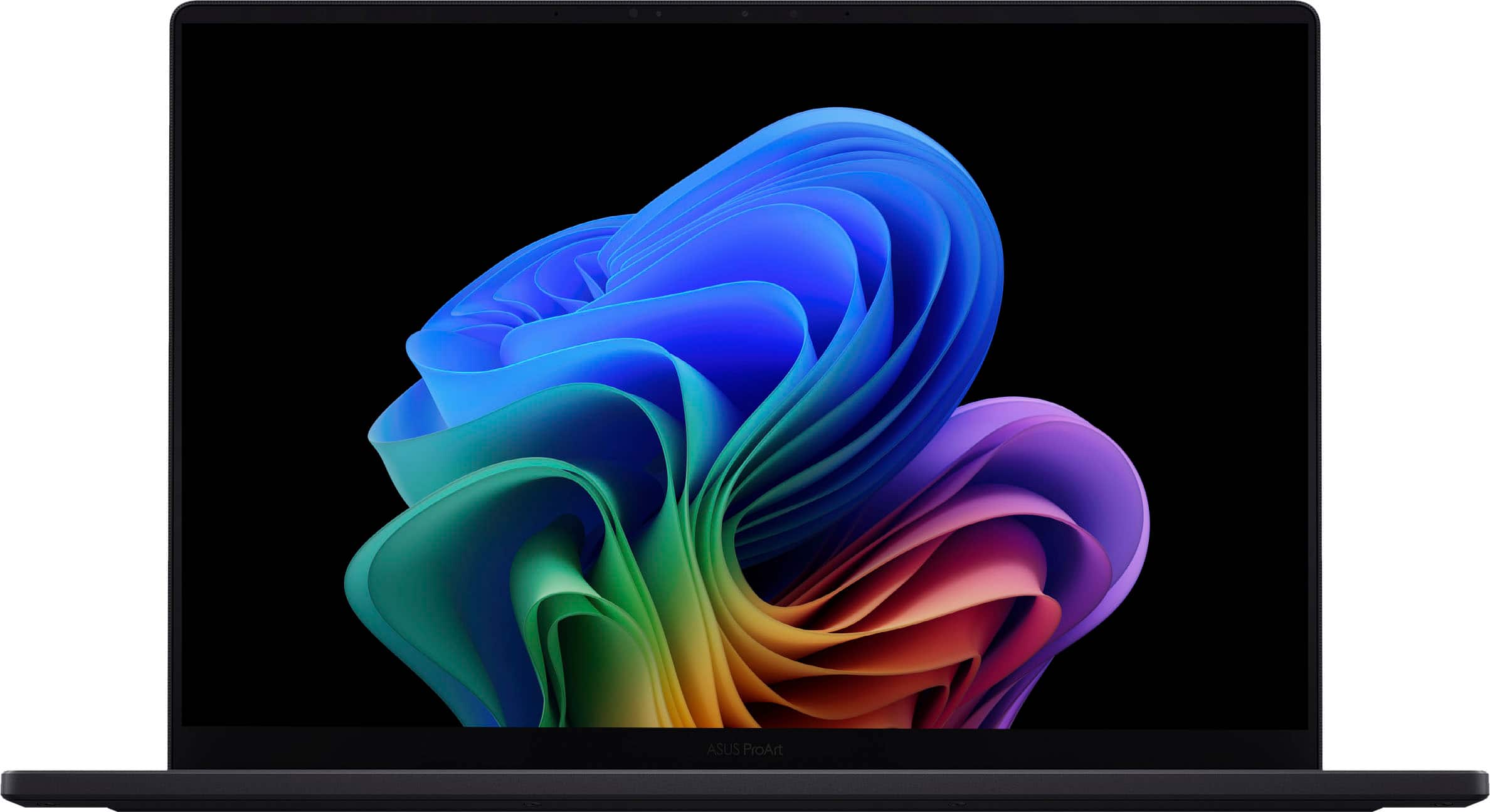
The spec that separates the ProArt from every gaming laptop wearing a creator badge is boring and decisive: the 16-inch 4K OLED touchscreen ships factory calibrated, Calman Verified, with 100 percent DCI-P3 coverage. That’s the closest thing Windows has to a MacBook Pro display, and it means the panel you cut on bears a real resemblance to the grade you deliver. Under it sits a Ryzen AI 9 HX 370 and an RTX 5070 with Blackwell’s full NVENC/NVDEC block, which decodes 4:2:2 H.264 and HEVC in hardware. That’s the codec family most mirrorless cameras shoot, so timeline playback stays smooth where older laptops dropped to software decode and choked.
The 5070 carries 8GB of VRAM, plenty for 4K Premiere and Resolve editing, but heavy Resolve noise reduction and 3D work will hit the ceiling; that job belongs to the Strix below. A 4K OLED at 16 inches eats battery under load. And AMD’s chip means no Intel Quick Sync, which still gives Intel HX machines a small edge in Premiere hybrid-codec projects. Then the price. The $2,399 32GB config sold through months ago and never came back; what Best Buy stocks is the 64GB/2TB unit at $3,999.99, and the build-to-order shops on Amazon ask $4,599 for the same machine. At four grand the ProArt stops undercutting anyone. You’re paying for the panel, which is still the only display in the class built for this work, and for 64GB of RAM you’d otherwise buy later at shortage prices. If four grand is past your line, the Acer below is the same idea for half the money.
Best value: Acer Predator Helios Neo 16S AI (RTX 5070 Ti, 32GB)
“Can you edit on a $2,000 laptop?” In 2026, yes, and this is the one. The Helios Neo 16S at $2,099.99 buys a strange amount of laptop: a 24-core Core Ultra 9 275HX (the same desktop-class CPU as the Strix below), an RTX 5070 Ti with 12GB of GDDR7 running at its full 140 watts, 32GB of DDR5-6400 in two socketed SODIMM slots, and a 16-inch 2560×1600 OLED at 240Hz with 100 percent DCI-P3 coverage. Every other machine on this page with that display and that much VRAM costs $3,300 or more. The 12GB clears 4K Resolve grading with room for Fusion work, the big CPU keeps exports quick, and 32GB is the comfortable spec for multicam, on day one, with no upgrade to budget for.
What you give up against the ASUS machines is polish. The speakers are thin, the battery is short because the panel is locked at 240Hz, the fans get loud in Turbo mode, both USB-C ports are on the back edge, and Acer’s fan tuning and QC run a notch below Lenovo and ASUS, which is part of how the price got here. None of that touches the timeline. The 5060/16GB version of this same chassis was our budget pick at $1,459.99 until it sold through in September, and the 2026 Predator Neo that replaces the line lists at $3,199.99 for the same 5070 Ti and 32GB you get here for $2,099.99. Buy the 2025 unit while it exists.

Best for VFX and 3D: ASUS ROG Strix G18 (RTX 5080, 32GB)
VRAM is the wall in laptop VFX. A Redshift scene, a Fusion comp, or a Nuke script that out-of-memories on the card in front of it doesn’t care how fast the rest of the machine is, and in a laptop the second wall is power: the same GPU chip ships at wildly different wattages, and the thin machines give away a third of the card. The Strix G18 solves both. Its RTX 5080 has 16GB of GDDR7 and runs at 175 watts, the full limit for the chip, behind an end-to-end vapor chamber, so a two-hour render holds its clock instead of sagging after ten minutes. Around it: the 24-core 275HX, 32GB of DDR5 in two tool-free SODIMM slots (a 64GB upgrade is a screwdriver job), a 2TB Gen 4 drive with a second Gen 5-ready slot, two Thunderbolt 5 ports, 2.5G Ethernet, and an 18-inch 2560×1600 240Hz panel that ASUS ships Pantone validated at 100 percent DCI-P3. It’s IPS, not OLED, which for a machine you grade on is a fair trade: no burn-in question, and an anti-reflective film that makes it usable in a bright room.
It’s an 18-inch brick with a brick of a power supply, and the weight, the fan noise, and the battery life are all real complaints and all the price of the 175 watts. Mobile GPU names flatter themselves: this 5080 sits closer to a desktop 5070 Ti than to its desktop namesake, and Puget’s laptop-versus-desktop testing shows a comparably priced tower still wins sustained renders. You’re paying $3,299.99 for the portability, and you should know that’s what you’re paying for. The Lenovo Legion Pro 7i with the same card, which held this slot before, is now marketplace-only at Best Buy and third-party-only on Amazon, at $3,589 and up, and the Gen 11 refresh isn’t stocked by any retailer that ships it themselves. Same CPU, same card, same socketed RAM, so the Strix takes the slot at less money. And if your scenes need the 24GB card and nothing else will do, the MSI Raider 18 HX AI still ships with the RTX 5090, though only from a system integrator on Amazon at $4,699 for the 64GB/2TB build, with five units left when we checked.

Best thin machine with a real GPU: ASUS ROG Zephyrus G16 (RTX 5080, 32GB)
The G16 is what happens when a gaming laptop accidentally ships a creator display: a 2.5K 240Hz OLED with 100 percent DCI-P3 and a factory Delta E under 1, in a CNC-milled aluminum chassis that is 0.59 inches thick and weighs 4.3 pounds. The 2025 GU605CW build Best Buy still stocks pairs it with the RTX 5080, 32GB of LPDDR5X, and a 2TB drive for $3,399.99, and that is the configuration to buy if you edit in airports: a 16GB-VRAM card, a panel you can grade on, and a bag that doesn’t hurt, which the Strix owners will notice at 6 a.m. in the terminal.
The 5080 in this chassis is capped at 115 watts against the Strix’s 175, so on the same render it trails by a wide margin, and ASUS’s own spec sheet is where that number comes from. The RAM is soldered, so the 32GB it ships with is the 32GB it dies with. Order accordingly. And check the generation before you pay: the 2026 GU606 refresh on Intel’s Panther Lake chips is on the same shelf, at $2,799.99 for a 5070 Ti with 16GB of soldered RAM (skip it, 16GB soldered is a dead end for an editing machine) and $4,399.99 for a 5080 with 32GB, a thousand dollars more than the 2025 build for a new CPU and a 3K panel. The GU605CW at $3,399.99 is the one.

Best budget: HP OMEN 16 OLED (RTX 5060)
Below $1,800 the laptop market gets dishonest fast: panels drop to 45 percent NTSC, RAM gets soldered at 8GB, and last-gen 4050-class GPUs get a fresh sticker. The OMEN 16 OLED is the cheapest machine we found that clears every bar this guide sets. The 16-inch 2560×1600 OLED runs at 165Hz with a DisplayHDR True Black 1000 rating, the Ryzen 9 8940HX is a 16-core desktop-class chip, the RTX 5060 handles 4K H.264 and HEVC timelines fine, the drive is a full 1TB, and the RAM is one 16GB DDR5 stick next to an empty slot, so taking it to 32GB later is a $150 part and six Phillips screws. Best Buy had it on sale at $1,624.99 on September 13 against a $2,299.99 list. That sale price comes and goes on this listing; at $1,625 it’s the easiest call on the page, and it stays the budget pick up to about $1,900, past which the Acer above is the smarter $200 more.
At that price you get a plastic chassis, 5.5 pounds, one USB-C port (10Gbps with DisplayPort, no Thunderbolt), and 16GB of RAM that real 4K work pins at 100 percent. Budget the second SODIMM into the purchase and treat it as a $1,800 machine with 32GB, which is still the cheapest OLED editing laptop with an upgrade path we can point at. Heavy Resolve noise reduction and 3D are where the 8GB card taps out, and at this price you can live with that. If it’s gone when you read this, the closest 2026 alternative is Alienware’s 16X Aurora OLED with the same GPU at $1,799.99, on a 512GB drive.

The Mac: MacBook Pro 14 (M5 Pro)
The full Mac conversation lives in the Best Mac for Video Editing guide, so this slot stays short. The one-paragraph case: per watt, the M5 Pro embarrasses everything else on this page, the battery runs a real workday and then some, and the media engines decode and encode ProRes, H.264, and HEVC in dedicated hardware. If your pipeline is ProRes in and ProRes out, this is the answer and the Windows machines above are the runners-up. Amazon itself has the 24GB/1TB config in stock at $2,349 against the $2,499 list. Black Friday targets for this machine, and the rest of the Mac line, are on Black Friday Mac deals for video editors.
Two notes. First, 24GB of base memory is the tax you don’t see: unified memory is shared with the GPU, so 4K Resolve plus After Effects wants the 48GB build-to-order, and Apple’s memory pricing is steep in a RAM-crisis year. Second, the buy-or-wait flag: an M6 MacBook Pro is expected for late 2026, with the OLED redesign now reported for the M7 generation in 2027. Our read: buy the M5 Pro now if the machine needs to earn now. It’s current-generation and freshly released. Wait only if OLED specifically matters to you and a probable price hike doesn’t. And for VFX-leaning readers: the M5 Max exists and reviews like a desktop, but GPU renderers like Octane and Redshift still favor NVIDIA, which is the entire reason the Strix slot exists above.

Which laptop for DaVinci Resolve, After Effects, and Premiere Pro
Six picks, three apps, and they don’t rank the same way for each. Resolve wants the GPU and its VRAM, After Effects wants RAM and a fast core, and Premiere cares most about hardware decode and the panel you cut on. Here is the list sorted by app (mapping added October 2026; prices as read September 13).
DaVinci Resolve
Resolve leans on the GPU harder than any other NLE. Fusion, temporal noise reduction, Magic Mask, and Super Scale all run on the card, and most of what separates Studio from free lives in VRAM (the Studio versus free comparison covers what sits behind the paywall). Playback is the other half: 4:2:2 10-bit H.264 and HEVC needs hardware decode, and GPUs without it fall back to the CPU and stutter.
So buy VRAM first. The Strix G18 is the Resolve laptop here: 16GB at 175 watts, $3,299.99 at Best Buy ($2,699.99 on sale September 13), and 4K noise reduction or a tracked Fusion comp stays inside the card. The Acer Helios Neo 16S is the one most Resolve editors should buy: 12GB on the 5070 Ti clears 4K grading with room for Fusion, and it costs $2,099.99. The OMEN 16 cuts and grades 4K fine on its 8GB; heavy noise reduction is where it taps out, and if that is a daily tool the Acer is the better spend.
After Effects and motion graphics
After Effects is a different animal. It is bound by RAM and single-core speed, and multi-frame rendering scales with cores and memory together: each frame rendering in parallel needs its own slice of RAM, so a 4K comp on a 24-core CPU with 32GB runs out of memory before it runs out of cores. 32GB is the floor, 64GB is where 4K comps stop paging to disk, and VRAM matters least here.
Which makes the ProArt P16 the After Effects pick almost by accident: the only build Best Buy stocks is the 64GB unit at $3,999.99. If four grand is too much, buy socketed RAM and fill it. The Strix G18 and the Acer Helios Neo 16S both ship with 32GB in two SODIMM slots, and 64GB is a screwdriver job at about $150 a stick. The Zephyrus G16 is soldered at 32GB for life, which rules it out for 4K comps. The OMEN‘s single 16GB stick is below the floor until you add the second one. On the Mac, 24GB of unified memory is shared with the GPU, which is why Resolve plus After Effects wants the 48GB build-to-order.
Premiere Pro
Premiere sits between the two. It decodes H.264 and HEVC in hardware, 4:2:2 10-bit included, on current GPUs and on Apple silicon, so either camp works and the codec and the screen decide it. For mixed H.264 and HEVC client work the Intel HX machines keep the Quick Sync edge, so the Acer Helios Neo 16S at $2,099.99 is the Premiere value pick too. If you grade on the laptop, the ProArt P16‘s Calman-verified 4K OLED is the best Premiere panel on the page, and Blackwell’s NVDEC covers 4:2:2, so its AMD chip gives up little. ProRes in and out: the MacBook Pro 14 with the M5 Pro at $2,349 handles it in dedicated hardware. Still deciding between the apps? Premiere versus Resolve is the longer argument.
Windows or Mac?
Resolve, Premiere, and After Effects all run on both, so the OS question is a hardware question, and the “Mac or Windows laptop for video editing?” FAQ further down settles it by workflow: ProRes goes Mac, VRAM-hungry node graphs and GPU renders go Windows, mixed H.264 client work goes either way. Final Cut Pro is the exception: Mac-only, so the MacBook Pro 14 is the only pick here that runs it, and Final Cut versus Resolve is the read before you commit to one platform.
How the six compare
| Pick | CPU / GPU (GPU power) | Display | RAM (upgradeable?) | Price, Sept 13 | Best for |
|---|---|---|---|---|---|
| ASUS ProArt P16 | Ryzen AI 9 HX 370 / RTX 5070 8GB | 16″ 4K OLED touch, 100% P3, Calman Verified | 64GB (no) | $3,999.99 Best Buy | Editors who grade on the laptop panel |
| Acer Helios Neo 16S AI | Core Ultra 9 275HX / RTX 5070 Ti 12GB (140W) | 16″ 2560×1600 240Hz OLED, 100% P3 | 32GB (yes, 2x SODIMM) | $2,099.99 Best Buy | Most editors; the value pick |
| ASUS ROG Strix G18 | Core Ultra 9 275HX / RTX 5080 16GB (175W) | 18″ 2560×1600 240Hz IPS, 100% P3, Pantone validated | 32GB (yes, 2x SODIMM) | $3,299.99 Best Buy ($2,699.99 sale, Sept 13) | VFX, 3D, GPU renders in a bag |
| ASUS ROG Zephyrus G16 | Core Ultra 9 285H / RTX 5080 16GB (115W) | 16″ 2560×1600 240Hz OLED, 100% P3, Delta E <1 | 32GB (no) | $3,399.99 Best Buy | The travel-weight 5080 |
| HP OMEN 16 OLED | Ryzen 9 8940HX / RTX 5060 8GB | 16″ 2560×1600 165Hz OLED, True Black 1000 | 16GB (yes, 1 slot free) | $1,624.99 sale, $2,299.99 list, Best Buy | The budget floor |
| MacBook Pro 14 M5 Pro | M5 Pro, 15-core CPU / 16-core GPU | 14.2″ Liquid Retina XDR, 100% P3, 1600 nits HDR | 24GB unified (no) | $2,349 Amazon | ProRes pipelines, battery life |
What matters in an editing laptop
The display is the spec gaming laptops lie about. Refresh rate sells laptops; color accuracy delivers projects. What to demand in 2026: 100 percent DCI-P3 coverage and some evidence of factory calibration, either a Calman or Pantone badge or a published Delta E under 2. Every pick on this page clears that bar, which is most of why they’re on this page. Resolution matters less than you think at 16 inches: the ProArt‘s 4K is lovely, but the 2560×1600 panels grade just as accurately.
VRAM comes in tiers. 8GB cuts 4K timelines fine and runs out during heavy Resolve noise reduction, Fusion work, and anything 3D. 12GB is comfortable for full-time 4K editing with grading. 16GB is the VFX tier in 2026, and 24GB exists in exactly one mobile chip, the 5090, at prices that make a tower plus a cheap laptop the better plan. If your week includes Redshift or Octane, buy VRAM before you buy anything else; the GPU guide covers why capacity beats speed in that world.
GPU wattage is the spec nobody prints on the box. The same RTX 5080 ships at 115 watts in the Zephyrus and 175 in the Strix, and the gap shows up in every long export and every render. The rule: the thinner and quieter the laptop, the more sustained performance it’s giving away. ASUS publishes the number on its spec sheets; most vendors bury it. Decide where you sit on that trade before you fall in love with a chassis.
Socketed RAM is a shortage-year superpower. Three of the six picks let you add memory with a screwdriver. In a normal year that’s a nice-to-have. In a year when memory is 35 percent of the machine’s cost, 16GB is the base config, and a single SODIMM costs $150, the upgrade path is a real financial feature. Soldered machines aren’t disqualified, but buy them at the RAM tier you’ll need in 2029, not the one that’s cheapest today.
On the CPU side, Intel HX still owns one niche, and the reason is Quick Sync: hardware decode that helps most in mixed H.264/HEVC projects, which is what most working editors cut. AMD’s HX 370 in the ProArt and the 8940HX in the OMEN give up a little there (Blackwell’s NVDEC covers the big codecs including 4:2:2, so the gap is smaller than it used to be). Apple’s media engines make the whole question moot for ProRes.
Who’s selling it matters as much as the price. Every link on this page but one goes to a listing sold and shipped by Best Buy or Amazon itself; the exception is the MSI Raider in the VFX section, which only a system integrator on Amazon stocked when we checked, and we say so there. The third-party sellers on both sites were asking $3,589 in September for a Legion that listed at $2,899.99 and $4,599 for a ProArt that Best Buy sells for $3,999.99, and a marketplace listing can vanish, change price, or turn out to be an import with no US warranty. If a machine here shows a different seller when you click through, that’s the sign it sold through; check back or pick the next one down.
FAQ
Is a gaming laptop good for video editing?
Yes, with one filter applied: the display. The GPU, CPU, and cooling in a good gaming laptop are exactly what editing wants. The panel usually isn’t, unless you specifically pick one of the OLED or Pantone-validated configs with full DCI-P3 coverage, which is what four of the six picks here are. Ignore the marketing category and read the display spec sheet.
How much RAM do I need for video editing on a laptop?
32GB is the comfortable answer for 4K work in Premiere or Resolve. 16GB works for 1080p and proxy workflows, and it’s acceptable at the budget tier only when it’s socketed, like the OMEN, so you can upgrade later. 64GB matters in After Effects, Fusion-heavy Resolve work, and VFX. Macs count differently because unified memory is shared with the GPU: 24GB covers real 4K editing there.
Mac or Windows laptop for video editing?
The workflow decides it. ProRes pipeline: Mac, and it isn’t close, the media engines chew it in hardware. GPU rendering, VFX, or a VRAM-hungry Resolve node graph: Windows, because 16GB of NVIDIA VRAM at 175 watts has no Mac equivalent for Octane and Redshift. Mixed H.264 client work: either, with a small edge to Intel HX machines for Quick Sync. The Mac guide runs the full argument.
Do I need a 4K screen on an editing laptop?
No. You need an accurate screen. At 14 to 18 inches, 2560×1600 with 100 percent DCI-P3 and factory calibration beats an uncalibrated 4K panel for real editing work every time. The ProArt‘s 4K OLED is the best of both worlds and priced accordingly; the 2.5K panels on the Acer, Strix, and G16 give up almost nothing that matters.
Should I wait for next-generation laptops?
On the Windows side, no. NVIDIA isn’t shipping new mobile GPUs in 2026, the 2026 chassis refreshes carry the same cards at higher prices, and the shortage means prices are likelier to rise than fall. The 2025 machines on this list are the current generation at their lowest prices, and they’re selling through, which is the opposite of a reason to wait. On the Mac side, only if the OLED redesign matters to you, and the latest reporting has it on the M7 generation in 2027 anyway. Buying a current machine you need beats waiting for a rumored one you might get.
Where this fits in your setup
A laptop edit bay is a system, and the laptop is only the middle of it. Footage lives on a fast external drive from the portable SSD guide, the desk setup runs through a Thunderbolt dock (or a monitor that doubles as one, from the best monitor for video editing), and when projects outgrow single drives, the NAS guide is the next stop. VFX artists comparing this list against a tower should read the VFX workstation guide before spending anything: the same money goes further when it doesn’t have to fit in a bag.
And that’s it. Prices are what we read on September 13, 2026, from the retailers themselves; this market drifts weekly, so we re-verify these picks on the same cadence as the GPU guide and swap out any machine that sells through. Questions about your specific workflow? Comments are open. The rest of our buyer’s guides live on the Gear Guides page.