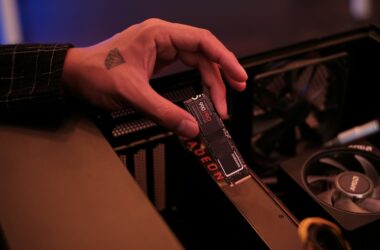

Editor storage is a ladder. The bottom rung is the portable SSD in your bag (we sorted the Samsung T7 family already). The top rungs are a NAS for sharing projects and LTO for the archive. This guide is the rung in the middle, the one every roundup skips: the Thunderbolt RAID array on your desk that holds your active projects at timeline speed and survives a dead drive.
Here’s the thesis, and it’s not “buy the fastest box”: on a Mac, the RAID engine matters more than the enclosure. Apple’s Disk Utility gives you RAID 0, RAID 1, and JBOD. No RAID 5. No parity, ever. So every multi-bay purchase below is secretly a choice between hardware RAID built into the enclosure and a software subscription running on your Mac, and that choice decides what happens to your array the next time macOS updates. The picks are weighted accordingly.
Last updated: August 2026. Some links below are affiliate links; buying through them supports the site at no cost to you. Drive and enclosure prices are moving fast this year, so every price here is what we checked on the live listing on 29 July 2026. Check it again before you buy.
TLDR
If you just want the answer: the OWC Express 4M2 Ultra is the fastest working storage you can hang off a Thunderbolt 5 Mac, at $449.99 diskless. If you want a set-and-forget HDD array that survives OS upgrades without a software subscription, the Promise Pegasus32 R4 (16TB, $1,899 street) is the one to buy. And if the budget is real, the OWC Express 4M2 (USB4) gets you four NVMe slots for $178.99, as long as you know what you’re giving up.
Read this first: RAID 5 on a Mac is a fork in the road
“Can’t I just use Disk Utility?” You can, for exactly two things: striping (RAID 0) and mirroring (RAID 1). The moment you want parity, the mode where one drive can die and your project survives with most of your capacity intact, Apple has nothing for you. Worse, AppleRAID won’t even notify you when a mirror goes degraded. It fails silently, which defeats the point of a mirror.
So RAID 5 on a Mac means one of two paths. Path one: a hardware RAID enclosure (Promise, Areca, LaCie), where parity is computed by a controller inside the box. Path two: SoftRAID, the software OWC bundles with its ThunderBay and Express lines, where your Mac does the work through a driver.
SoftRAID’s fine print is where roundups go silent, so here it is. Creating or expanding an array needs SoftRAID Premium: $149.99 the first year, $79.99 a year after that. The free Standard tier keeps existing volumes mounting, reading, writing, and rebuilding, but array creation, the monitoring app, and support are Premium-only. The driver is still a kernel extension, a technology Apple has deprecated, and loading it on an Apple silicon Mac requires booting into Recovery and downgrading your machine to Reduced Security. Permanently. And you’re not paying for speed: Larry Jordan measured SoftRAID’s throughput advantage over Disk Utility at under 0.5%. The subscription buys you RAID 5 and monitoring, nothing else. Version 9, released in September 2026, adds RAID 6 and RAID 6+ to that list on macOS 27 and Windows; the driver situation is unchanged, and the release is covered in OWC SoftRAID 9 brings RAID 6 to software RAID.
The track record splits cleanly by RAID level. In RAID 0, SoftRAID is uneventful; editors run striped ThunderBays for years without drama. RAID 5 is where it gets fragile: SoftRAID’s own forum puts kernel panics on RAID 5 volumes at 2 to 5% of cases, and when macOS Tahoe shipped in late 2025, a healthy RAID 5 array started throwing IO errors on every drive after the upgrade. The data was intact; the array looked like it was dying. Since Ventura, you can’t fix that by reinstalling the driver, because macOS manages “privileged” drivers itself. An OS update can make your storage look broken, and your only lever is waiting for a SoftRAID update.
Which gives us the rule this whole guide runs on: if you’re buying an HDD array to hold projects in RAID 5, buy hardware RAID. The array survives a macOS upgrade, a host swap, and a lapsed subscription, because the enclosure doesn’t know or care what OS you run. The exception is the NVMe rung, where you’re striping RAID 0 for speed anyway. That’s the mode where SoftRAID behaves, and it’s where OWC’s boxes are the right buy.
The picks
Best Thunderbolt 5, and fastest here: OWC Express 4M2 Ultra
The Express 4M2 Ultra is a four-slot NVMe enclosure on a real Thunderbolt 5 controller (Intel’s JHL9480), and on a TB5 Mac with PCIe 4.0 drives in RAID 0 it moves 6,622 MB/s. That’s a full generation past anything on this page, it shipped in late July, and it took Videomaker’s Best of Show award for Best RAID Storage at NAB 2026. Diskless is $449.99; the $579.99 SKU adds SoftRAID with three years of Premium included, which postpones the subscription conversation to 2029. Warranty on the hardware is two years.
Now the asterisks, because there’s a stack of them. Each M.2 bay gets one PCIe 4.0 lane, so a single drive tops out around 1,600 MB/s; the 6,622 figure is the four-drive stripe, and RAID 0 is the intended use. It takes 2280 and 2242 sticks only, no 2230s, no drives with heatsinks, and OWC lists WD’s SN5xx series as flat-out incompatible. On a TB4 or USB4 Mac it falls back to about 3,200 MB/s, which brings us to the host question covered two sections down. There’s no Amazon listing for this one; it’s an OWC-direct purchase. For working sets you cut from every day, striped fast, backed up elsewhere, this is the best box in the guide.
Best 4-bay HDD array: Promise Pegasus32 R4
This is the default working array, and it wins on the rule from up top. The Pegasus32 R4 is hardware RAID: parity runs on the controller in the enclosure (RAID 0, 1, 1E, 5, and 6), so there’s no subscription, no kernel extension, no Reduced Security downgrade, and the array doesn’t blink when macOS updates. Plug it into a different Mac, or a freshly wiped one, and your volume mounts. The 16TB model runs $1,899 street as of 29 July 2026, populated, with a three-year warranty, and the line goes to 72TB. It’s Thunderbolt 3 with a ceiling around 2,800 MB/s, which is more than four spinning drives will saturate anyway. One note before you click: Adorama, the retailer we link, lists it as a closeout, so the stock at that price may not last.
One line on Promise’s Thunderbolt 5 generation, since you’ll see it in press releases: the only Pegasus5 you can order is the R12 Pro, a special-order tower starting at $9,147, and the smaller M8 announced back at NAB 2024 still doesn’t ship. The Pegasus32 is the Pegasus you can actually buy.
The value alternative is OWC’s ThunderBay 4 at $549.99 diskless with SoftRAID included. It’s a well-built box and the right call if you’re running RAID 0 or 1, or you’re on Windows. Two things to price in before you pick it for RAID 5: everything in the SoftRAID section above, and OWC’s own spec sheet, which puts ThunderBay 4 RAID 5 throughput at 770 MB/s. Fine for editing most codecs; a long way from the Pegasus.
Best ready-to-run NVMe: OWC ThunderBlade X8
If the Express 4M2 Ultra is the DIY speed play, the ThunderBlade X8 is the sealed, pre-built one: eight NVMe blades in an aluminum brick, configured and tested before it reaches you. The 8TB is $2,999.99 with a three-year warranty. The number that matters: in RAID 5 it holds 2,565 MB/s read and 2,464 write. Most NVMe boxes collapse when you ask for parity; this one gives you drive-failure protection at speeds that still cut multicam 4K without a proxy in sight. It’s Thunderbolt 3, which here is a feature, because it runs full speed on every Mac in service, not just the TB5 tier.
Buying notes: the older four-slot ThunderBlade Gen2 stops at 8TB and its 2TB model is sold out, so the X8 is the one to get, and the X12 sits above it as OWC’s Thunderbolt 5 flagship if you need more than 8TB of flash. Yes, SoftRAID is the engine here too. On a sealed, pre-configured box running parity that OWC built and tested as a unit, I’m comfortable with that in a way I’m not with a self-built RAID 5 tower of spinning drives.
Best budget: OWC Express 4M2 (USB4)
Time for the verdict nobody selling cheap enclosures will give you: real multi-bay Thunderbolt RAID has a four-figure floor. The cheapest hardware-RAID Thunderbolt 5 box with a published US price is Areca’s 4-bay at $1,980, diskless. The $200 to $400 “Thunderbolt-compatible” 4-bays from Yottamaster, ORICO, Mediasonic, and TerraMaster are USB enclosures wearing the word Thunderbolt in the listing title. Some are decent USB boxes. None of them is the thing this guide is about.
So the budget play is to buy USB4 knowingly instead of buying Thunderbolt badly. The Express 4M2 (USB4) is $178.99 diskless as of 29 July 2026, takes four M.2 drives, and moves about 3,200 MB/s, which matches what most Macs get over Thunderbolt anyway. It isn’t Thunderbolt-certified and it won’t daisy-chain, and you accept that going in. Fill it with two or four NVMe sticks, stripe them, and you have a multi-terabyte working drive at speeds that would have cost $2,000 three years ago. The $268.99 version bundles SoftRAID if you want RAID 1 or monitoring; for a striped scratch volume, the bare one plus free SoftRAID Standard does the job.
Best big array: OWC ThunderBay 8 or LaCie 8big Pro5
Eight bays exist for one reason: RAID 6. On today’s 20TB-plus drives, a RAID 5 rebuild reads every sector of every surviving drive for days, and one unreadable sector mid-rebuild kills the whole array. RAID 6 tolerates a second failure during exactly that window. If you’re consolidating a career’s worth of projects into one tower, that second parity drive is what you’re shopping for.
The value route is the ThunderBay 8, $799.99 diskless with SoftRAID on 29 July 2026. Eight bays, 192TB max, and the whole SoftRAID discussion applies, so I’d run it in RAID 0 or 1+0 for a working array and keep real backups, rather than trusting software RAID 5 at this scale.
The do-it-right route is LaCie’s 8big Pro5: Thunderbolt 5, true hardware RAID including RAID 6, shipped preconfigured in RAID 5, from $6,299.99 for 32TB up to $11,799.99 for 192TB, with a five-year warranty plus Seagate’s Rescue data recovery service attached. Know what the TB5 badge buys on spinning disks: measured RAID 5 throughput is roughly 1,400 MB/s read and up to 2,060 write, nowhere near the pipe, because eight hard drives can only spin so fast. You’re paying for daisy-chain headroom, capacity, and the warranty, not for bandwidth.
And if you want maximum control with zero hand-holding, Areca’s ARC-8050T5U series is the enthusiast’s hardware RAID: dual Thunderbolt 5, a Broadcom RAID-on-chip with ECC cache, configurations from 4 to 24 bays, and a published 35.5 to 37.4 dB noise spec, which matters more than you think in a bedroom suite. The 4-bay is $1,980 diskless from Tekram, Areca’s US channel. No retail hand-off, no pretty app, and the people who own them don’t want either.
Diskless or populated: run the numbers
Every roundup dodges this arithmetic because the populated box pays the bigger commission. Here it is with drive prices checked on 21 September 2026. A ThunderBay 4 diskless with SoftRAID is $549.99. Four Seagate IronWolf Pro 24TB drives are $1,099 each, and that is a third-party seller, the only 24TB Pro listing left on Amazon. Total: $4,945.95 for 96TB raw, or 72TB usable in RAID 5. OWC’s own pre-populated 96TB ThunderBay 4 is $5,799.99. Filling it yourself saves about $854, or 15%. Step down to four IronWolf Pro 20TB drives at $719.99, shipped from Amazon stock, and the same enclosure comes to $3,429.95 for 80TB raw (60TB usable), which is the better per-terabyte buy right now.
What does the $854 buy the other way? Two things, and they’re real: the populated unit ships same day while the 24TB listing is quoting three to four days to ship, and OWC covers populated units for five years versus one year on a bare enclosure. Drive prices are high and lead times are long right now across the board (that $1,099 for a 24TB is a marketplace price; the 20TB at $719.99 is what Amazon itself has on the shelf), so if the project starts Monday, populated is a defensible splurge. If you can wait for a drive shipment, source your own and put the $854 toward the backup target this array is not.
Does your Mac even have Thunderbolt 5?
Before you pay for the fast pick, check the port, because Apple made this confusing. Thunderbolt 5 tracks the chip tier, not the model year. The Macs with full TB5: Mac mini with M4 Pro, Mac Studio with M4 Max or M3 Ultra, and MacBook Pro with M4 Pro, M4 Max, M5 Pro, or M5 Max. Everything else is 40Gb/s: the base-chip M5 MacBook Pro (yes, the newest one), MacBook Air, the base M4 mini, iMac, and every M1 through M3 or Intel Mac. A 2026 laptop can be slower over Thunderbolt than a 2024 one that cost more.
Also calibrate the marketing: TB5’s storage ceiling is set by its PCIe tunnel, not the 80Gb/s link, so real enclosures top out around 6,000 to 6,600 MB/s. Call it 2.1x Thunderbolt 3, not the 3x the “120Gb/s” slides imply. And spinning drives never touch either number, so for the HDD arrays on this page, a TB3 box on a TB4 Mac gives up nothing. Buy TB5 for NVMe; buy capacity for spindles.
The picks side by side
| Pick | Bays | Interface | RAID engine | Speed | Price (29 July 2026) | Warranty |
|---|---|---|---|---|---|---|
| OWC Express 4M2 Ultra | 4x M.2 NVMe | Thunderbolt 5 | SoftRAID | 6,622 MB/s (RAID 0, TB5 host) | $449.99 diskless / $579.99 with SoftRAID | 2-yr (+3 yr SoftRAID Premium) |
| Promise Pegasus32 R4 | 4x 3.5″ HDD | Thunderbolt 3 | Hardware (0/1/1E/5/6) | Up to 2,800 MB/s | $1,899 (16TB) | 3-yr |
| OWC ThunderBlade X8 | 8x M.2 NVMe, sealed | Thunderbolt 3 | SoftRAID (pre-built) | 2,565/2,464 MB/s in RAID 5 | $2,999.99 (8TB) | 3-yr |
| OWC Express 4M2 (USB4) | 4x M.2 NVMe | USB4 40Gb/s | SoftRAID / OS | ~3,200 MB/s | $178.99 diskless | 2-yr |
| OWC ThunderBay 8 | 8x 3.5″ HDD | Thunderbolt 40Gb/s | SoftRAID | Spindle-limited | $799.99 diskless | 5-yr populated / 1-yr bare |
| LaCie 8big Pro5 | 8x 3.5″ HDD | Thunderbolt 5 | Hardware (incl. RAID 6) | ~1,400 to 2,060 MB/s in RAID 5 | From $6,299.99 (32TB) | 5-yr + Rescue recovery |
How to choose (what matters for edit work)
Separate the working set from the library. An NVMe box is what you cut from; an HDD array is what you keep near. They’re different purchases, and the roundups that rank a 32TB tower against a 4TB flash box in one list are comparing things you’d never cross-shop. Your Mac’s internal drive already plays a role in this split too.
Pick the RAID level for the restore, not the capacity. RAID 0 is all the speed and capacity, and one dead drive erases everything: scratch volumes only, and only if you can re-render or re-copy every byte on it. RAID 5 gives up one drive of capacity and survives one failure, with the rebuild risk above. On a 4-bay, RAID 1+0 is the underrated answer: you keep half the capacity, but a rebuild is a straight mirror copy instead of a days-long parity crawl, and you’re back to work fastest. RAID 6 is the 8-bay case. While a big array rebuilds, it runs degraded and slow, and it’s one failure from gone. That window lasts days on modern capacities. Plan around it.
RAID is not a backup. Parity protects against a drive dying. It does nothing about deletion, a bad render overwriting a master, ransomware, theft, or the power supply taking the whole shelf with it. A RAID 5 tower is one copy of your data that happens to survive one specific failure mode. The array on your desk is the middle of the ladder, not the whole ladder; the archiving guide covers the rungs that make it safe.
Listen to the box before you buy it. Eight spinning drives plus fans in a two-meter-deep bedroom suite is a constant presence under your monitors. Vendors rarely publish noise specs (Areca does: 35.5 to 37.4 dB). If your room doubles as your VO booth, that alone can push you from the 8-bay tower to a 4-bay plus an archive plan.
FAQ
Should I buy a DAS or a NAS?
One editor, one desk: DAS, every time. It’s faster per dollar, there’s no network to tune, and it moves between machines. The moment two people need the same media at once, or you want the storage out of earshot, you’ve outgrown this guide; start with the QNAP vs Synology comparison and the budget editing server build.
What happens if I stop paying for SoftRAID?
Your volumes don’t die. A lapsed Premium subscription drops you to the free Standard tier, which keeps existing arrays mounting, reading, writing, and rebuilding after a drive swap, and keeps shipping OS-compatibility updates. What you lose is the ability to create or expand arrays, the monitoring app, and support. Budget for it or plan around it, but it’s a soft landing, not a hostage situation.
Should I wait for a Thunderbolt 5 ThunderBay?
No, because there’s nothing to wait for: OWC’s entire Thunderbolt 5 lineup is NVMe, and the ThunderBay remains a 40Gb/s chassis. It doesn’t matter for spinning drives anyway. Four HDDs in RAID 5 push 770 MB/s through a 2,800 MB/s pipe; a faster port would change nothing but the price.
Where does the portable SSD fit once I own an array?
It becomes your shuttle: set transfers, client handoffs, the drive that rides in the bag while the array holds the project. A fast single drive like OWC’s Envoy Ultra covers that job, and our portable SSD comparison covers the cheaper end of it. Different rung, different tool.
In conclusion
Climb the ladder in order. Buy the Express 4M2 Ultra when the bottleneck is speed on a TB5 Mac, the Pegasus32 R4 when the job is holding projects safely without a software layer to babysit, and the Express 4M2 (USB4) when the budget says so. Whatever you pick, decide the RAID level before the enclosure, do the diskless arithmetic with current drive prices, and remember the array is the middle rung: a NAS above it when you grow, an archive above that, always.
And that’s it. Prices here were checked on live retailer pages on 29 July 2026 and this market is moving, so treat every number as a snapshot. What you see is what I’d stand behind for a working edit suite; if your setup is doing something stranger, or you’re stuck between two of these, leave a comment and I’ll point you at a rung.